Built a Microsoft 365 Email Viewer for my company
Standalone company project: a React + Tailwind Microsoft 365 Email Viewer using MSAL (OAuth2/PKCE) to sign in and fetch mail via Microsoft Graph. Client-only, no secrets; supports paging, filtering, search, and fast UX.
After several iterations and a lot of testing, I’ve completed the Microsoft 365 Email Viewer, a modern web application built with React (Create React App) and Tailwind CSS that connects directly to Microsoft 365 mailboxes through Microsoft Graph API.
This is a standalone internal project for my company, focused on secure authentication and efficient mailbox viewing—no backend secrets, fast UI, and a clean integration with Microsoft identity and Graph.
💡 Overview
The app enables you to:
- Sign in securely with a Microsoft Account (MSA) or Entra ID (Azure AD).
- Fetch and view mailbox messages via Microsoft Graph (
/me/messages). - Filter, sort, and search through emails with a responsive interface.
- Operate front-end only (no server secrets).
⚙️ Tech Stack
| Layer | Technology | Purpose |
|---|---|---|
| Frontend | React (CRA) | App logic, UI rendering |
| Styling | Tailwind CSS | Fast, responsive design |
| Auth | @azure/msal-browser | Microsoft login + token |
| API | Microsoft Graph | Mailbox data access |
| Data | Graph /me/messages | Read email messages |
| Deployment | Static hosting (NAS/cloud) | Frontend-only, zero backend |
🧩 Key Features
- OAuth2 + PKCE with MSAL (silent auth, popup fallback).
- Graph API integration for paged mail reads.
- Quick filters by subject, sender, unread, and date.
- Pagination & search for smooth UX.
- No secrets in code—delegated tokens only.
🔐 Authentication Flow
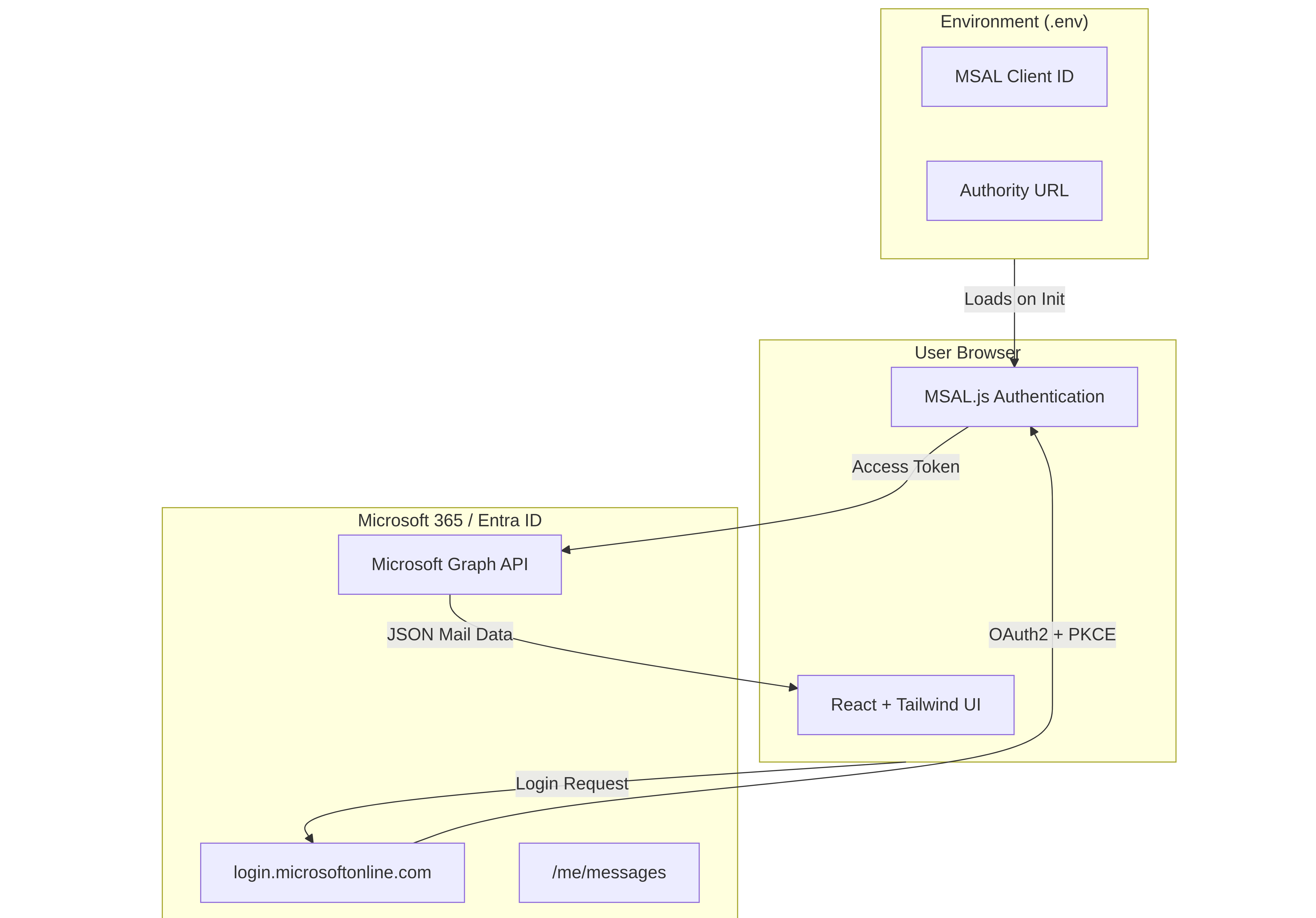
Auth runs in the browser using MSAL Browser with PKCE:
- Try silent token acquisition first.
- Fallback to interactive popup.
- Token cached by MSAL for subsequent calls.
🏗️ Architecture Diagram
Comments
Comments
Loading comments…