HTB Academy broken web results challange #1
HTB Academy broken web results challange #1: The web UI’s search was buggy and returned incorrect results. I used browser DevTools to capture the real request and then replicated it with cURL to search for flag directly against the API. • HTB Academy • curl, json
🎯 Objective
The web UI’s search was buggy and returned incorrect results. I used browser DevTools to capture the real request and then replicated it with cURL to search for flag directly against the API.
🔐 Credentials / Target
- Username:
admin - Password:
admin - Host:
134.209.21.176 - Endpoint pattern:
GET /search.php?search=<term> - Auth: HTTP Basic
🪛 Step 1 — Inspect with DevTools
From the GUI, I opened browser DevTools → Network, typed into the search field, and watched the requests:
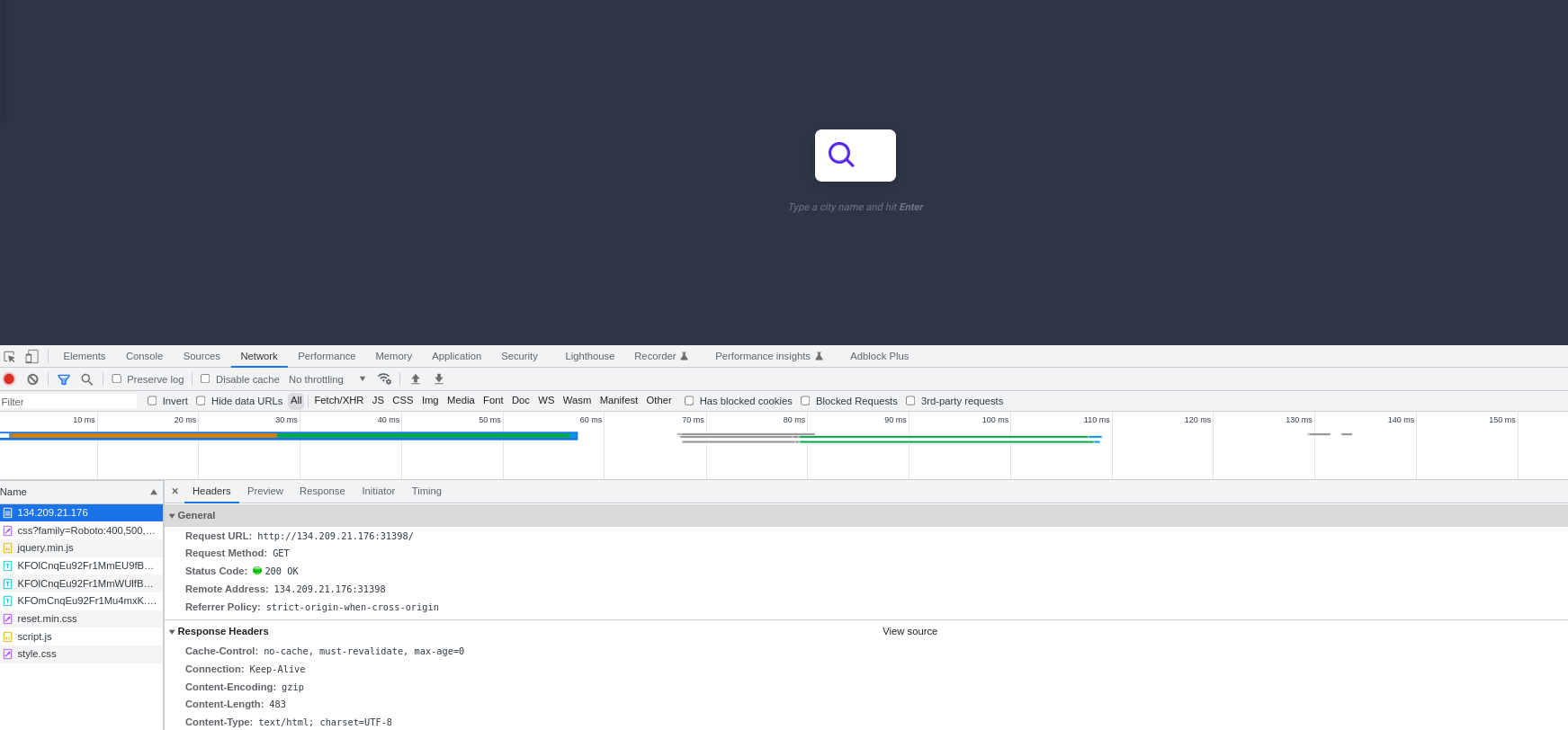
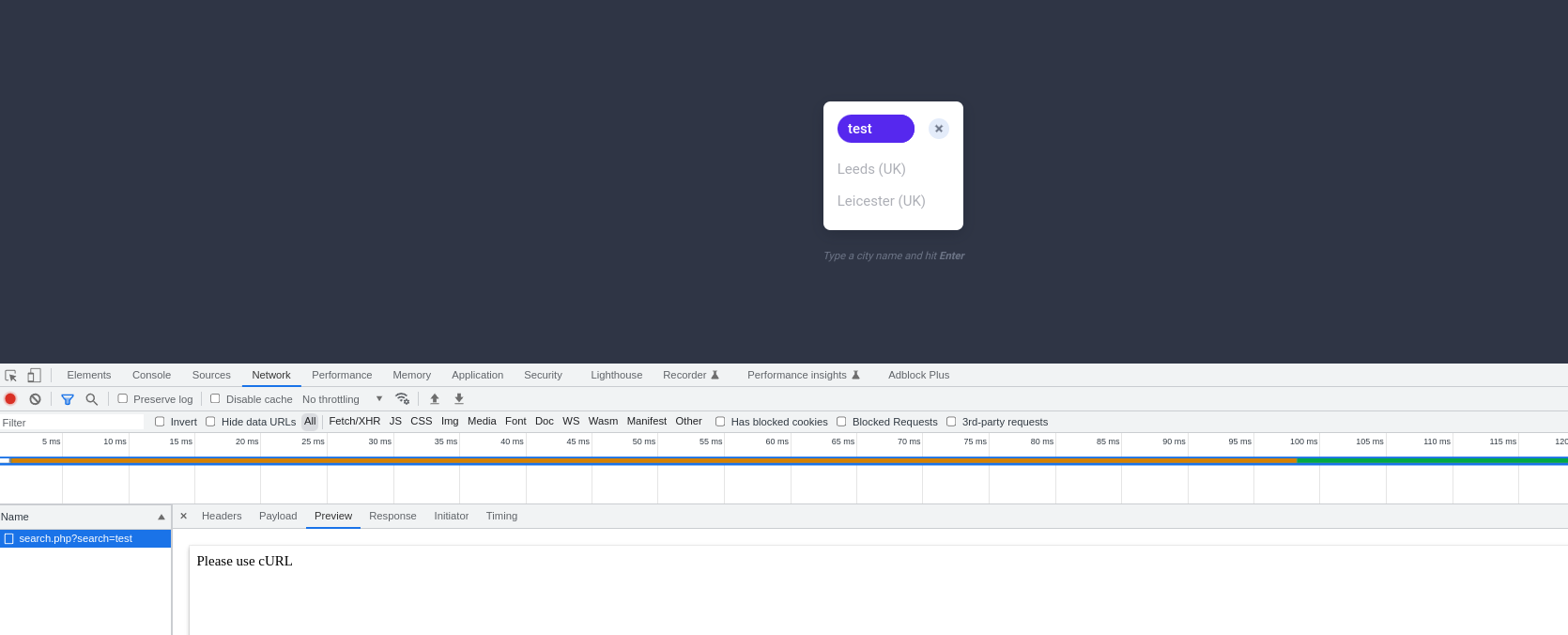
This confirmed:
- Method: GET
- Path:
/search.php?search=<term> - Auth: Basic (either supplied by the browser or via an
Authorizationheader)
🧪 Step 2 — Reproduce with cURL
Two equivalent ways to send Basic Auth.
A) Explicit header (correcting -h → -H)
# base64('admin:admin') == YWRtaW46YWRtaW4=
curl "http://134.209.21.176:31398/search.php?search=le"   -H 'Authorization: Basic YWRtaW46YWRtaW4='
B) Embedded credentials (curl handles header)
curl "http://admin:admin@134.209.21.176:31398/search.php?search=le"Both produced the same result set in my run:
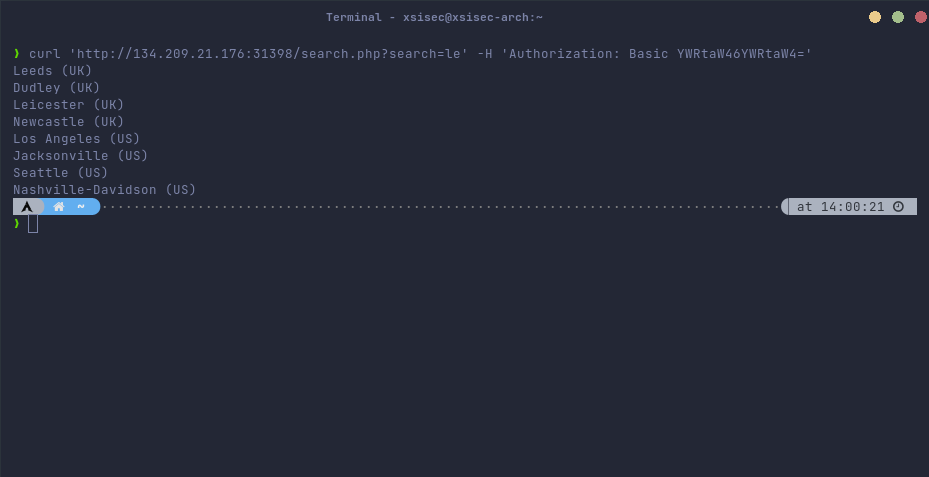
Note:
-Iperforms a HEAD request (headers only). Use a plain GET (no-I) to retrieve the response body.
🏁 Step 3 — Search for flag
Just change the query value:
curl "http://134.209.21.176:31398/search.php?search=flag" -H 'Authorization: Basic YWRtaW46YWRtaW4='And with embedded credentials:
curl "http://admin:admin@134.209.21.176:31398/search.php?search=flag"This returned the flag in my run:

📎 Copy‑paste crib
HOST="134.209.21.176"
PORT="31398"
USER="admin"
PASS="admin"
B64="YWRtaW46YWRtaW4="  # base64(admin:admin)

# Using header
curl "http://${HOST}:${PORT}/search.php?search=flag"   -H "Authorization: Basic ${B64}"

# Using embedded creds
curl "http://${USER}:${PASS}@${HOST}:${PORT}/search.php?search=flag"

# Add -s for silent mode and -i to include response headers
curl -si "http://${USER}:${PASS}@${HOST}:${PORT}/search.php?search=flag"
🧰 Troubleshooting
- 401/403 → Wrong creds or missing header. Re‑encode
admin:adminas base64 (no newline):echo -n 'admin:admin' | base64. - Different port → The lab randomizes ports. Confirm from the task UI (I used
31398here). - No results → Verify it’s a GET and that the
searchparameter matches what the backend expects. - Redirects → Add
-Lto follow redirects if needed. - Noise → Add
-sfor quiet output, pipe tojqif JSON is returned.
✅ Conclusion
By analyzing the request in DevTools and replaying it with cURL (with proper Basic Auth), I bypassed the broken UI and retrieved the flag directly from the backend.
Comments
Comments
Loading comments…