HTB Academy - DNS
HTB Academy - DNS: DNS • HTB Academy • dns, htb-academy
DNS
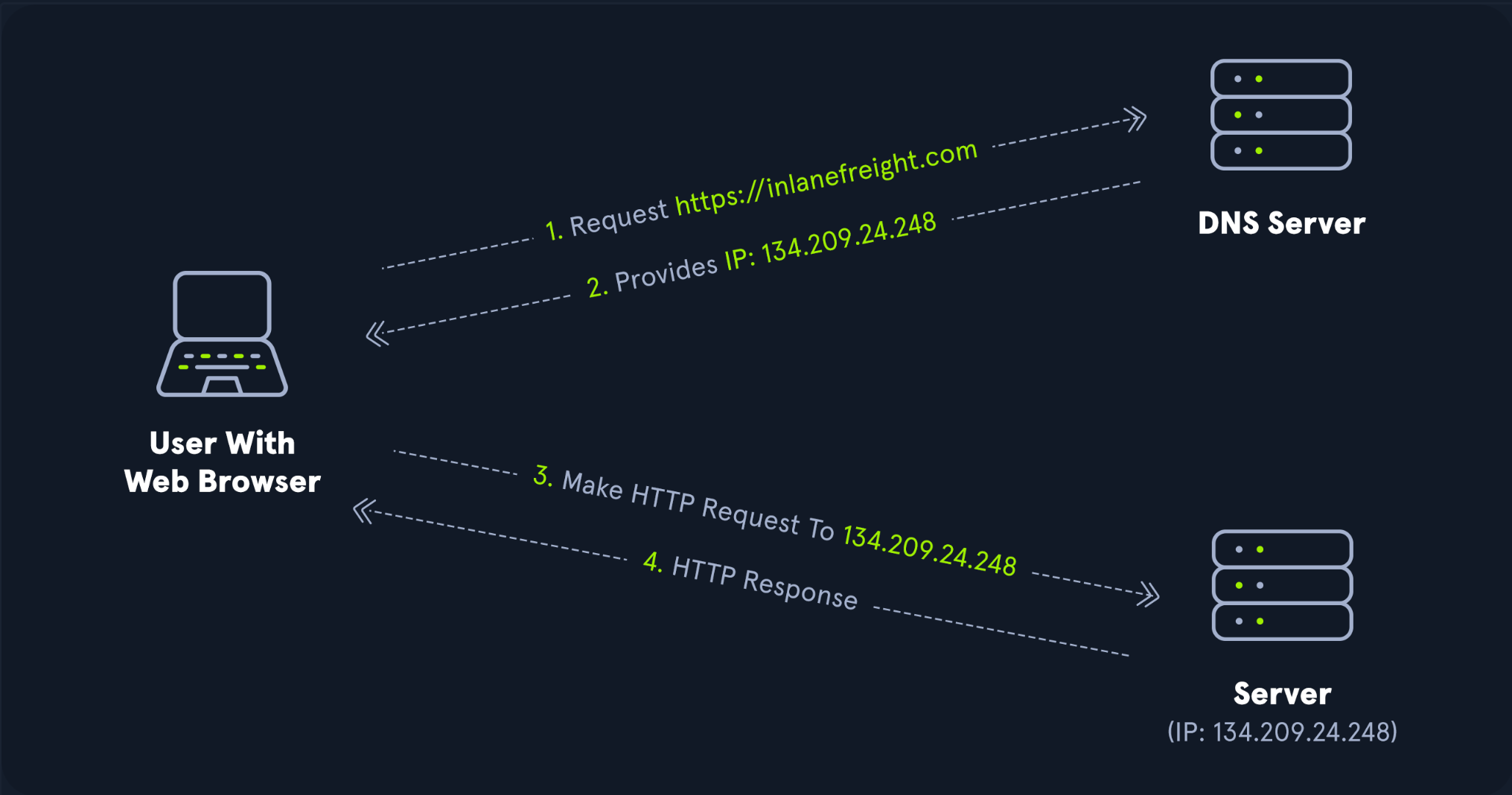
Active Directory Domain Services (AD DS) uses DNS to let clients (workstations, servers, and other domain‑joined systems) locate Domain Controllers and for DC‑to‑DC communication. DNS resolves hostnames to IP addresses and is used across internal networks and the internet. Private networks use AD DNS namespaces to coordinate communications between servers, clients, and peers.
AD maintains a database of services in the form of SRV records. These records let clients locate services they need (Domain Controllers, file servers, printers, etc.). Dynamic DNS automatically updates the DNS database when a system’s IP changes—doing this by hand would be error‑prone and time‑consuming. If DNS doesn’t have the correct IP for a host, clients won’t find or reach it.
When a client joins the network, it finds a DC by querying DNS for an appropriate SRV record, gets the DC’s hostname, and then resolves that hostname to an IP address.
Ports: DNS uses UDP/53 by default and TCP/53 when needed (e.g., larger messages, zone transfers, EDNS0 > 512 bytes).
🎯 What I check/remember
- SRV records drive DC discovery (e.g.,
_ldap._tcp.dc._msdcs.<domain>). - Clients must use AD DNS (not public resolvers).
- Dynamic updates keep A/PTR records fresh; stale records break logons/GPOs.
- If name resolution flaps, expect Kerberos/GPO issues to follow.
🔎 Finding the IP of a host
We can query by short name or FQDN; the DC’s resolver will answer either way if search suffixes are configured:
PS C:\htb> nslookup ACADEMY-EA-DC01
Server:  172.16.6.5
Address: 172.16.6.5

Name:    ACADEMY-EA-DC01.INLANEFREIGHT.LOCAL
Address: 172.16.6.5
SRV lookups (interactive nslookup)
> nslookup
> set type=SRV
> _ldap._tcp.dc._msdcs.INLANEFREIGHT.LOCAL
> _kerberos._tcp.INLANEFREIGHT.LOCAL
PowerShell alternatives
Resolve-DnsName INLANEFREIGHT.LOCAL
Resolve-DnsName _ldap._tcp.dc._msdcs.INLANEFREIGHT.LOCAL -Type SRV
Resolve-DnsName ACADEMY-EA-DC01.INLANEFREIGHT.LOCAL
📎 Quick crib (copy‑paste)
# Forward lookup
nslookup ACADEMY-EA-DC01

# Reverse lookup
nslookup 172.16.6.5

# SRV discovery for DCs (interactive)
nslookup
> set type=SRV
> _ldap._tcp.dc._msdcs.INLANEFREIGHT.LOCAL# PowerShell one‑liners
Resolve-DnsName INLANEFREIGHT.LOCAL
Resolve-DnsName _kerberos._tcp.INLANEFREIGHT.LOCAL -Type SRV🧪 Troubleshooting
- Client uses wrong DNS → Point to AD DNS only. Public resolvers won’t know your AD zones.
- Stale A/PTR → Enable scavenging; run
ipconfig /registerdns; clear client cache (ipconfig /flushdns). - SRV missing/broken → Verify DCs register services; check Netlogon/DNS health (
nltest /dsregdns). - Large responses failing → Ensure TCP/53 isn’t filtered; verify EDNS0 handling on network devices.
- Split‑brain/multiple views → Confirm zone authority and replication scope match your design.
📚 Further study
- HTB Academy: DNS Enumeration Using Python
- HTB Academy: Information Gathering – Web Edition (DNS section)
Comments
Comments
Loading comments…