[Red Team] Sektor 7 PE (Portable Executable)
[Red Team] Sektor 7 PE (Portable Executable): Quick notes from working through Sektor7 “Red Team” training — focusing on PE (Portable Executable) structure, tooling, and a tiny EXE/DLL lab, captured in my usual format. • Security • memory, security
Quick notes from working through Sektor7 “Red Team” training — focusing on PE (Portable Executable) structure, tooling, and a tiny EXE/DLL lab, captured in my usual format.
🧭 Overview
- Portable Executable (PE) is the file format for Windows executables (
.exe) and libraries (.dll). - OS Loader responsibility (high level):
OS Loader reads program from disk and loads it into memory as a process. - Section layout matters for both offense (evasion, injection, hollowing) and defense (hunting, triage).
🧩 PE Sections (What to look for)
The most important sections (folders) to recognize when first opening a PE:
- .text — contains executable code (instructions).
- .rdata — read-only data (e.g., const strings, imports).
- .data — writable data (global/static vars, module state).
- .pdata — exception info (unwind data, SEH on 64-bit, etc.).
- .rsrc — resources (icons, version, manifests, dialogs, images).
These line up with how the loader maps pages with the appropriate protections (RX, RW, etc.) and where analysis tools will surface imports/exports/metadata.
🔧 Tools Used
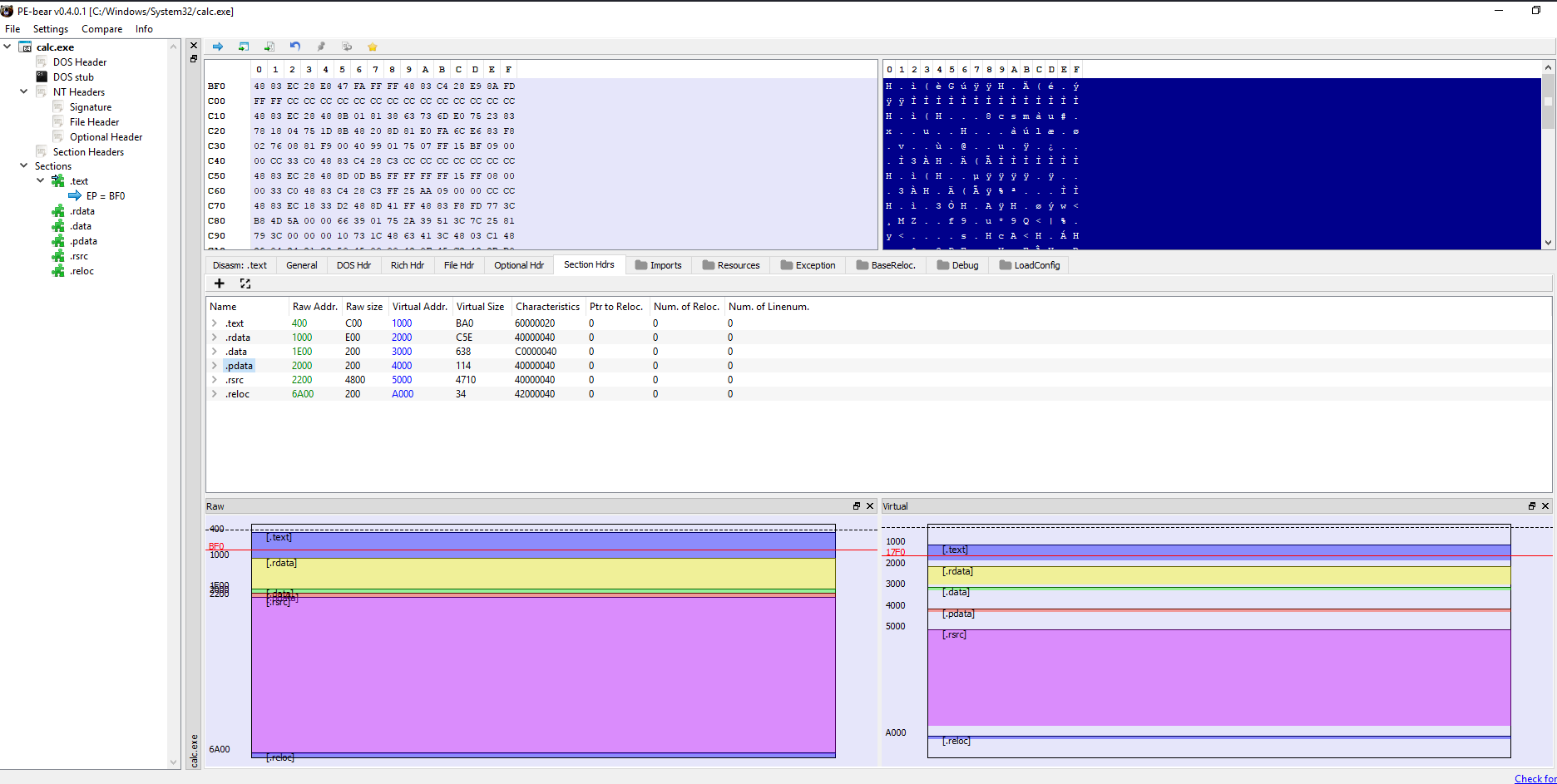
- PE-bear — quick, visual PE inspection.
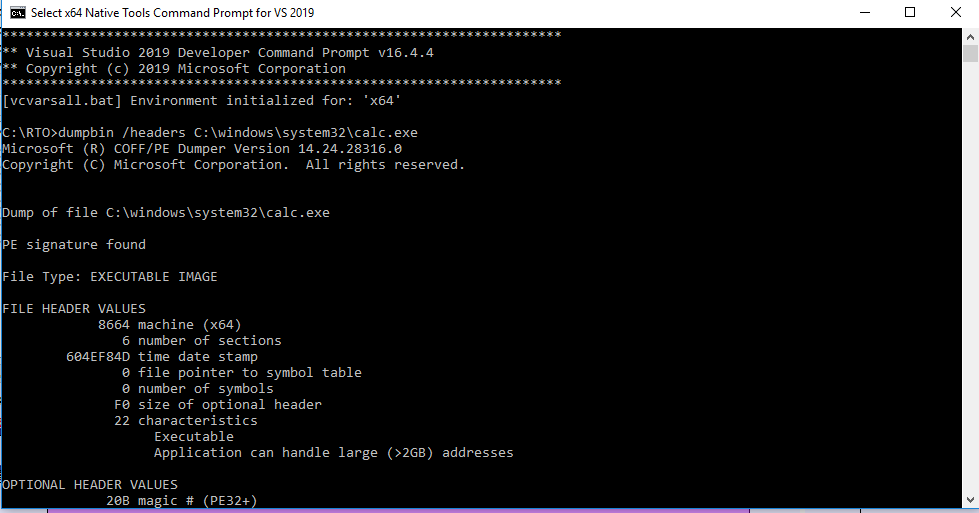
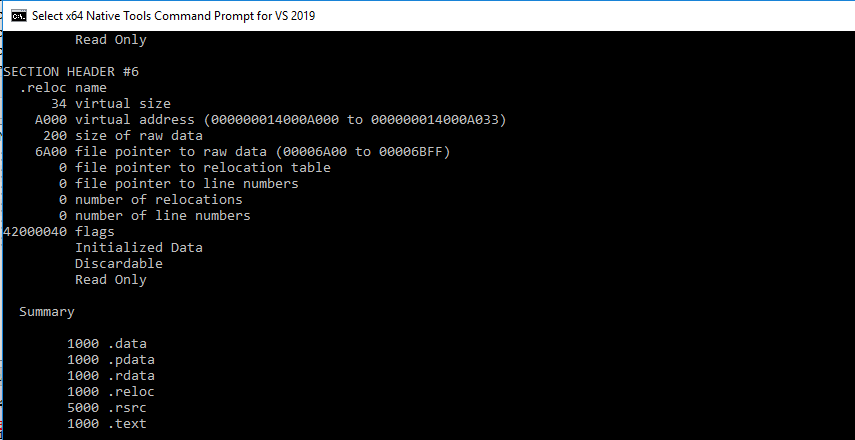
- Visual Studio — view PE sections/headers, build tiny EXE/DLL samples.
- Process Hacker — process/module/handle/thread inspection at runtime.
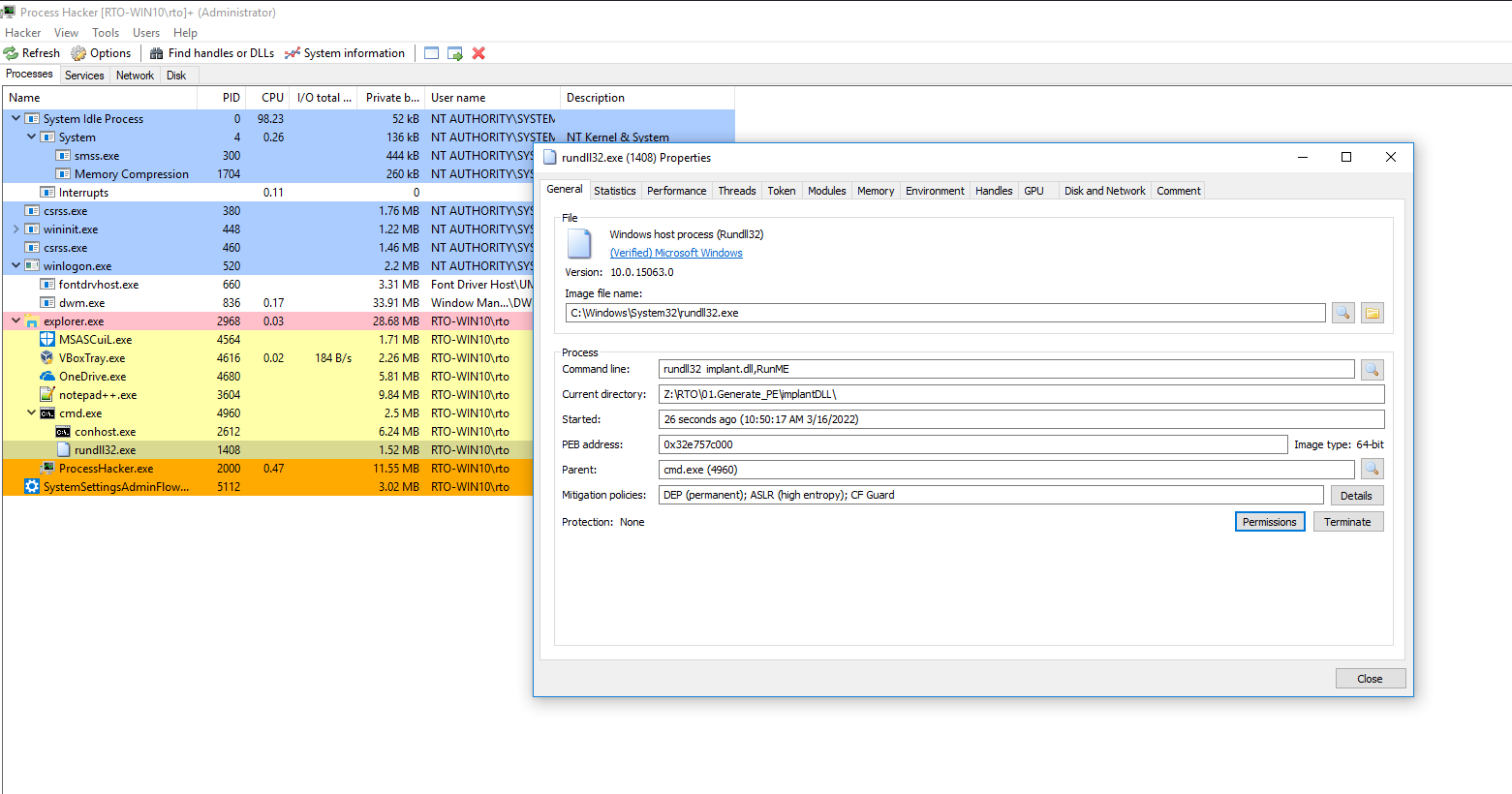
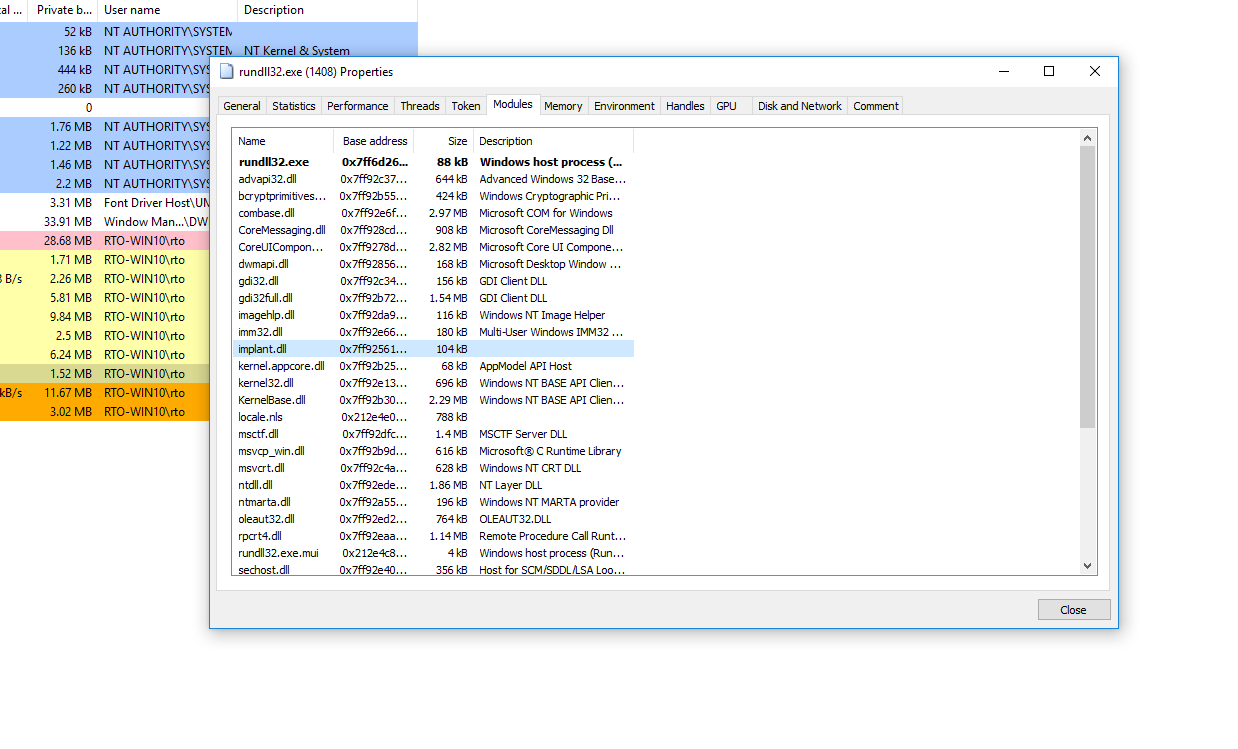
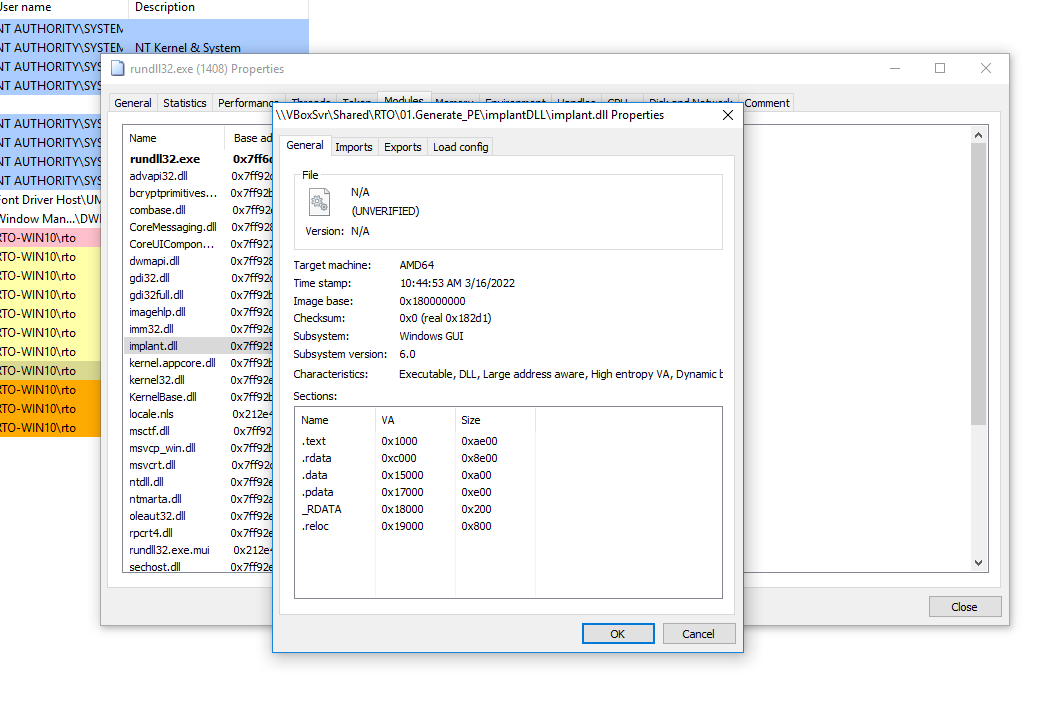
🧪 Hands‑on: Inspect calc.exe in PE‑bear
Open calc.exe in PE-bear and spot:
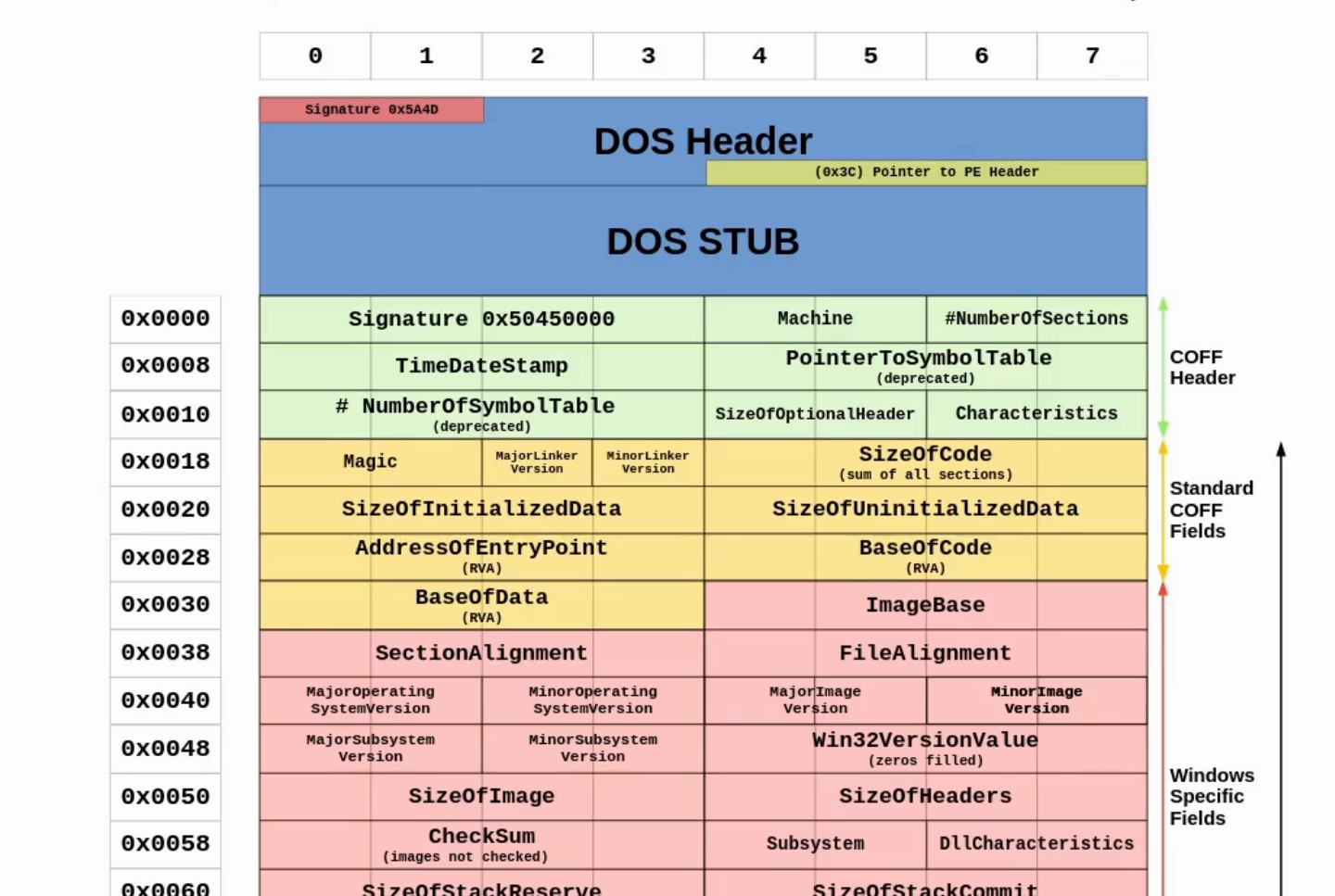
- DOS header (MZ), then PE signature.
- COFF File Header (machine, number of sections).
- Optional Header (entry point, image base, subsystem, DLL characteristics, data directories).
- Section Table — verify
.text,.rdata,.data,.rsrc,.pdatapresence and sizes/characteristics. - Imports (IAT) & Exports (if a DLL) — useful for mapping API usage.
This aligns with what the loader maps into memory and how AV/EDR or packers/stub loaders will manipulate sections.
🏗️ Build a Minimal EXE and DLL
I compiled a tiny EXE and DLL to see runtime behavior and basic loader paths.
EXE (hello‑style)
- Minimal
main()calling a MessageBox or simple stdout. - Observe: entry point is in .text, imports found under .rdata, runtime data under .data.
DLL (export + invocation)
DLLs aren’t launched directly; a host process must load them — but Windows provides
rundll32.exefor simple exported calls.
- Compile a DLL that exports a function (e.g.,
RunMe). - Call via
rundll32.exe:
rundll32.exe path\to\MyLab.dll,RunMe⚠️ Gotcha:
rundll32expects an exported function with the signaturevoid CALLBACK RunMe(HWND hwnd, HINSTANCE hinst, LPSTR lpszCmdLine, int nCmdShow)(stdcall). If your export doesn’t match, the call may crash or silently fail.
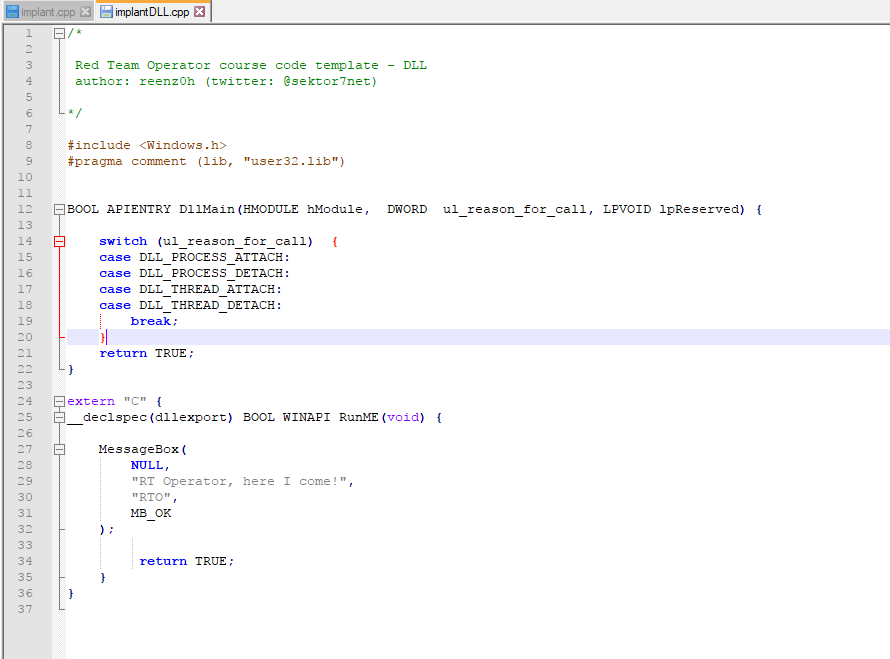
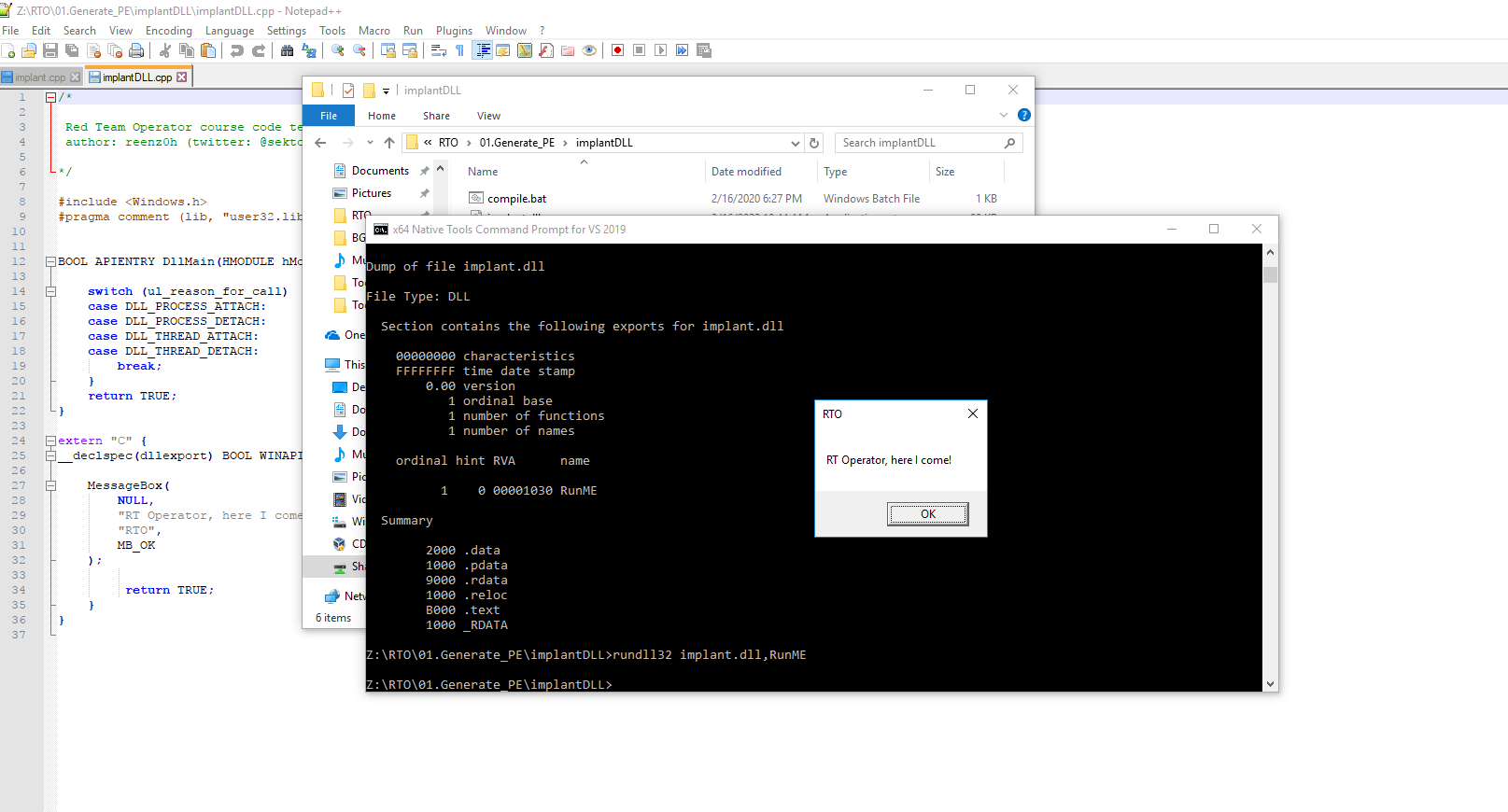
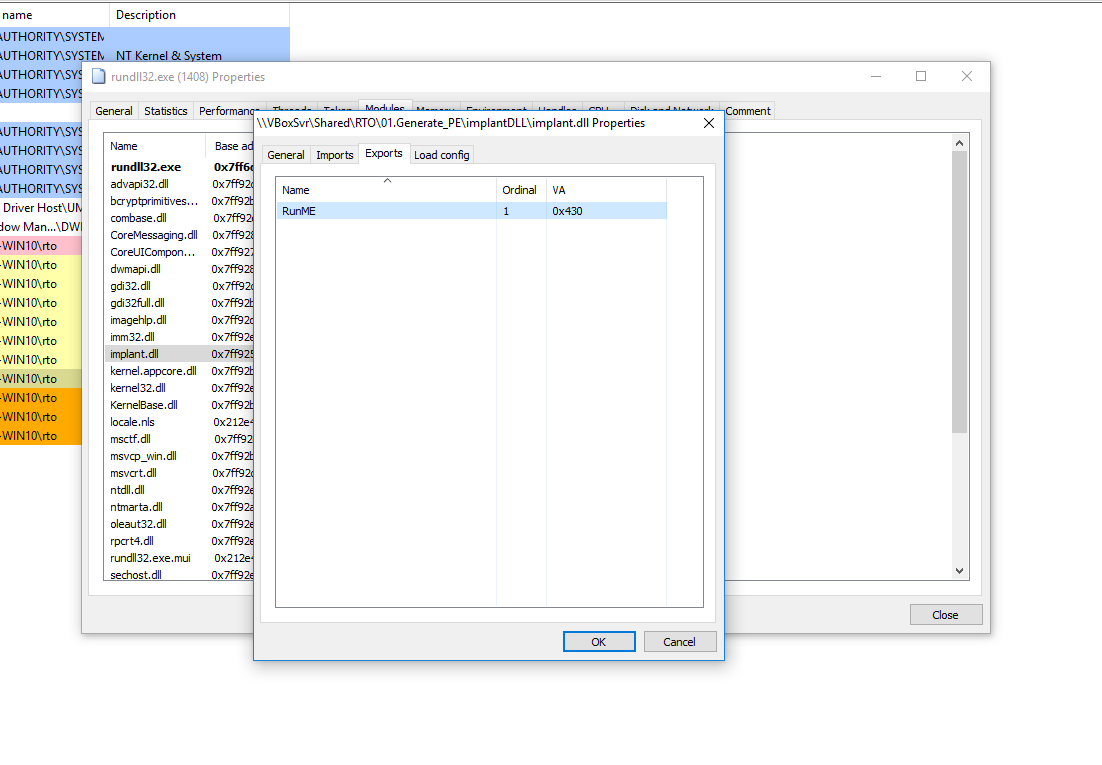
Once running, attach Process Hacker and verify:
- The host process (
rundll32.exe) contains your module. - Check threads (your export should have executed on one), handles, and memory regions.
- Useful to confirm IAT resolution, module path, and integrity levels.
🧠 What I Learned / Key Takeaways
- PE sections map directly to loader protections (RX/RW), which becomes very relevant for shellcode staging, IAT patching, and hollowing.
- .rsrc matters: manifests, version info, icons — also a place authors sometimes smuggle data.
- DLL exports must be properly decorated for
rundll32.exeusage; otherwise testing fails for the wrong reason. - Process inspection (Process Hacker) is gold for verifying runtime behavior quickly without a full debugger.
- Visual Studio can give you much of what PE-bear does, but PE-bear is lighter and faster for quick triage.
🧩 Cheat Sheet (Mini)
- Show exports of a DLL (Developer Command Prompt):
dumpbin /exports MyLab.dll - Quick PE peek (CLI alternatives):
sigcheck -nobanner -q MyLab.dllpefile(Python) for scripting inspections.
- Rundll32 syntax reminder:
rundll32.exe full\path\Your.dll,ExportName arguments_if_any
✅ Next Up (Practice Ideas)
- Build a DLL with multiple exports; call each via
rundll32and confirm behavior with Process Hacker. - Examine a packed sample in PE-bear — compare section entropy and import tables vs. a clean build.
- Create a manifest and observe how it changes loader and subsystem behavior.
📎 Screenshots (as used in my notes)
🗂️ Appendix: One‑liner Summary
OS Loader reads program from disk and loads it into memory as a process.Comments
Comments
Loading comments…