Security article
WebListeners
WebListeners: 📝 What I Learned In this article I explored how an EventListener works together with postMessage in JavaScript. This also involved verifying the origin header for security. • Knowledge • DOM, DOM-based • dom, dom-based
📝 What I Learned
In this article I explored how an EventListener works together with postMessage in JavaScript.
This also involved verifying the origin header for security.
🔎 Sender Example
Using a form to send a message into an iframe:
form.onsubmit = function() {
  iframe.contentWindow.postMessage(this.message.value, '*');
  return false;
};
📥 Receiver Example
The receiving side is implemented using window.addEventListener:
Test
# LISTENER

window.addEventListener('message', function(e) {
  var origin = e.origin;
  if(origin !== 'http://localhost') return;

  document.getElementsByTagName('p')[0].innerHTML =
    'Message from Björntjänsteman: ' + e.data;

  console.log('Message test ' + e.data);
}, false);
📸 Screenshots
Form submission and postMessage sending: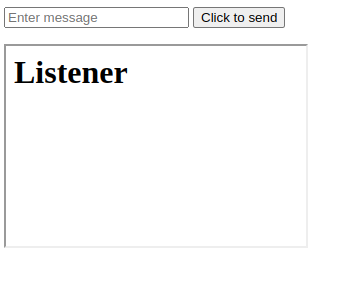
Message received and displayed in the listener: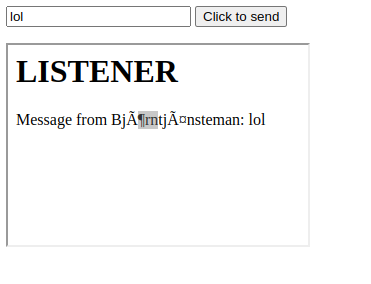
✅ Result
- Learned how to send and receive messages between documents using
postMessage. - Verified and checked the
originheader to ensure security. - Successfully displayed the message in the receiving document.
Comments
Comments
Loading comments…